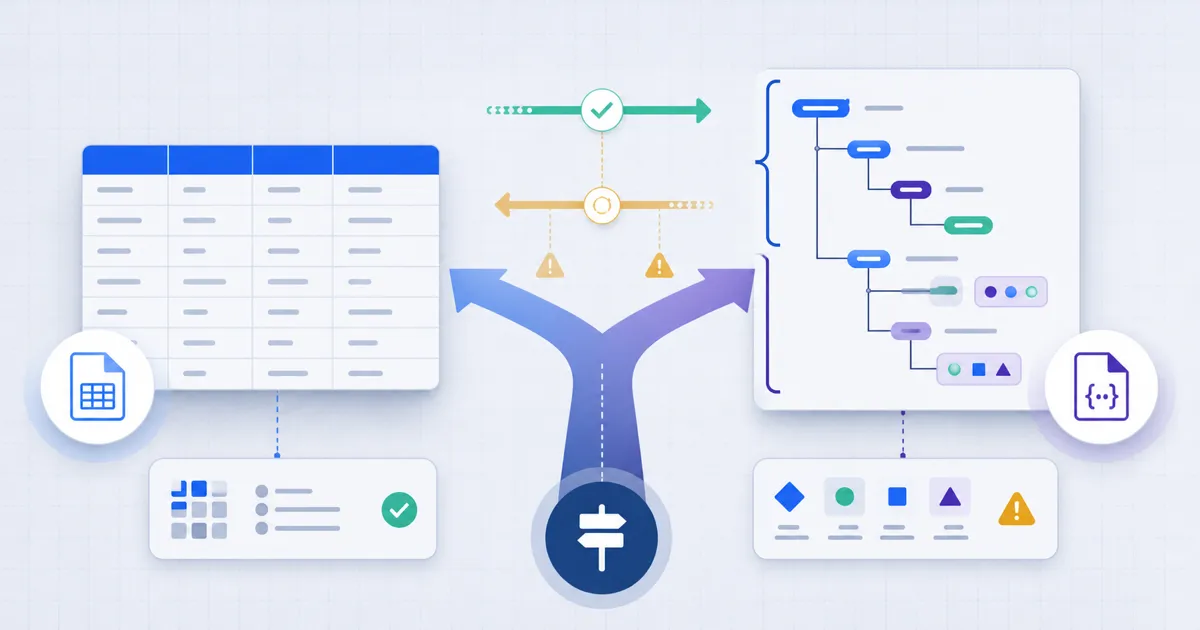
Use CSV for flat rows and columns. Use JSON when the receiving system needs nested objects, arrays, booleans, numbers, or null values. Converting between them requires rules for types and missing values, even when the data looks like a simple table.
Two Formats, Two Jobs
CSV (comma-separated values) and JSON (JavaScript Object Notation) both store data as text, but they were designed for different things. Treating them as interchangeable is where data tasks go wrong.
CSV is a grid: rows and columns, like a spreadsheet. It has no concept of nesting, types, or hierarchy. That simplicity is its strength — anyone can open a CSV in Excel or Google Sheets and read it.
JSON is a tree: objects with named fields, arrays, and values that can themselves be objects or arrays. It carries structure and basic types (string, number, boolean, null). That structure is its strength — code can consume JSON directly.
When to Use CSV
Use CSV when your data is a simple table and a human might need to open it. CSV's flatness is a feature here, not a limitation.
CSV is the right choice when:
- The data is genuinely tabular — rows of records with the same columns.
- A non-technical person will open it — CSV opens in any spreadsheet app.
- You are exporting for analysis — Excel, Google Sheets, and data tools all import CSV.
- The data has no nesting — a contact list, a product export, a transaction log.
- File size matters — CSV has very little overhead per row compared to JSON.
CSV's weakness is everything structural: it cannot represent nested or hierarchical data, it has no real type system, and edge cases (commas inside values, line breaks in fields) require careful quoting.
When to Use JSON
Use JSON when the data has structure, or when code will consume it. JSON is the native language of the modern web.
JSON is the right choice when:
- The data is nested or hierarchical — an order containing line items, a user with settings.
- An API sends or receives it — JSON is the default API format.
- Code will consume it directly — JavaScript and every major language parse JSON natively.
- Types matter — JSON distinguishes numbers, booleans, strings, and null.
- It is configuration — many tools use JSON (or its cousin YAML) for config.
JSON's weakness is human spreadsheet workflows: a spreadsheet import may need to expand nested JSON before it becomes useful, and for purely tabular data it carries more syntax overhead than CSV.
The Decision Table
| Question | Use CSV | Use JSON |
|---|---|---|
| Is the data a flat table? | Yes | — |
| Does it have nesting or hierarchy? | — | Yes |
| Will a person open it in a spreadsheet? | Yes | — |
| Will code or an API consume it? | — | Yes |
| Do exact data types matter? | — | Yes |
| Is it configuration? | — | Yes |
| Is it a simple export or log? | Yes | — |
Converting Between Them
You will often receive data in one format and need the other. The conversions are not symmetric.
CSV to JSON needs type rules. A converter can map a header row to object keys and each later row to an object. Check leading zeros, empty fields, duplicate headers, and any automatic type inference. Use the FindUtils CSV to JSON Converter to turn a spreadsheet export into application-ready JSON. The CSV to JSON guide covers the details.
JSON to CSV is lossy when the JSON is nested. A flat CSV table cannot hold nested objects or arrays. Flat JSON converts back to CSV cleanly; nested JSON must have its structure flattened into dotted columns or dropped. Use the FindUtils JSON to CSV Converter and expect to make decisions if your JSON has depth.
Validate after converting. Whichever direction you go, check the result. Run JSON output through the FindUtils JSON Formatter, which validates syntax as it formats.
Tools Used in This Guide
- CSV to JSON Converter — Turn spreadsheet data into structured JSON
- JSON to CSV Converter — Flatten JSON back into tabular CSV
- JSON Formatter — Validate and pretty-print JSON
- HTML Table to JSON — Extract structured data from web tables
FAQ
Q1: What is the difference between CSV and JSON? A: CSV is a flat, tabular format — rows and columns, like a spreadsheet. JSON is a structured format that supports nesting, arrays, and basic data types. CSV suits simple tables; JSON suits structured or hierarchical data.
Q2: When should I use CSV instead of JSON? A: Use CSV when the data is a simple flat table, a non-technical person might open it in a spreadsheet, or you are exporting for analysis in Excel or Google Sheets. CSV has less overhead for plain tabular data.
Q3: When should I use JSON instead of CSV? A: Use JSON when the data has nesting or hierarchy, an API will send or receive it, code will consume it directly, or exact data types matter. JSON is the default format of modern web applications.
Q4: Is it safe to convert CSV and JSON online? A: The browser converters perform their transformations locally. Use non-secret samples for shared work and check the page’s wider privacy information before using private data.
Q5: Why is converting JSON to CSV lossy? A: A CSV is a flat table and cannot represent nested objects or arrays. When JSON has structure, that nesting must be flattened into dotted columns or dropped. CSV-to-JSON also needs rules for empty fields and inferred types. Flat JSON can still lose its type distinctions in CSV.
Q6: Are these data conversion tools free? A: Yes. The FindUtils CSV and JSON tools are available without signup and no usage limits, and they run entirely in your browser.
Next Steps
- Read the CSV to JSON guide for a full walkthrough
- Convert spreadsheet data with the CSV to JSON Converter
- Validate your JSON with the JSON Formatter
- Read the JSON conversion cheat sheet for more formats
For the format definitions, see RFC 4180 for CSV and RFC 8259 for JSON.