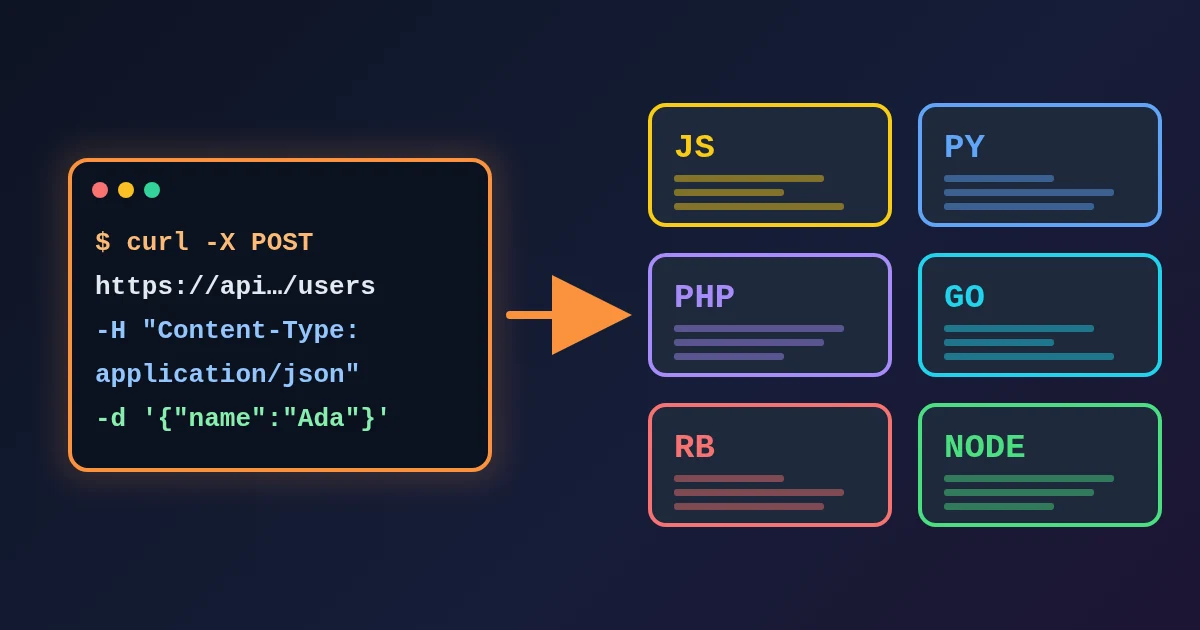
Convert a .env file to YAML when local environment variables have to become a Docker Compose environment: block or a GitHub Actions env: map. FindUtils Env YAML Converter reads dotenv text and writes a flat YAML map or one of two snippet shapes, and reads a flat map back into KEY=value lines. The text stays in the browser.
This guide explains what the snippet shapes contain, why values stay strings, what the reverse direction accepts, and which values should never end up in a committed YAML file.
Why Is This Worth a Tool?
Because it is retyping with a quoting change, across twenty keys, where one typo costs a failed deploy.
A dotenv file and a YAML environment block hold the same information in different syntax. Moving between them by hand means re-entering every name and value and applying YAML's quoting rules instead of dotenv's — they are not the same rules. The usual shortcut is a web converter, and a .env is precisely the file that should not go into an upload form.
What Do the Three Shapes Produce?
The shape decides how the flat map is wrapped. All three hold the same keys.
| Shape | Output |
|---|---|
| Plain map | A flat mapping of names to values |
| Compose | The map under services.app.environment |
| Actions | The map under jobs.app.env |
From this .env:
# local development
NODE_ENV=development
PORT=3000
API_URL=https://api.example.com
the Compose shape produces:
services:
  app:
    environment:
      NODE_ENV: development
      PORT: "3000"
      API_URL: https://api.example.com
These are snippets, not complete files. The Compose output is not a runnable docker-compose.yml and the Actions output is not a valid workflow — each is the block to paste into a real file that already has its images, steps and triggers. Generating the rest would mean inventing decisions about your project.
Why Are Values Quoted Strings?
Because every environment variable is a string to the process that receives it. PORT=3000 arrives as "3000", and writing it as a YAML number would misrepresent what the application gets.
Turn on Numbers and booleans when the consumer expects real YAML types. One rule holds regardless: a value that was quoted in the .env is never retyped. If you wrote NAME="true" you meant the text, and the conversion keeps it as text.
What Does the Reverse Direction Accept?
A flat mapping of scalars, or one of the shapes this tool writes — an environment: or env: map at the root, a Compose services block, or an Actions jobs block. The shape it recognised is reported with the result.
Anything nested beyond that is refused:
database:
  host: localhost
That produces an error rather than a DATABASE__HOST line. Flattening would mean inventing a naming convention your application may not use, and a wrong variable name fails at runtime instead of here, where you can see it.
On the way out, quoting is applied only where a value needs it. A value containing a space, a # or a quote is written in double quotes so it survives a re-read; a plain value is left bare.
What About Duplicate Keys?
The last value wins, which is what dotenv loaders do, and every duplicate is listed with the lines it appeared on. A .env that sets the same key twice is usually a merge accident, so it is reported rather than silently resolved.
Should Real Secrets Go Into the YAML?
Converting them here is safe — nothing is uploaded, and the text never leaves the tab. Committing them is a different question, and the answer is usually no.
A workflow file and a compose file normally live in the repository. Anything written into them is in version control, visible to everyone with read access, and present in the history after you remove it. Use your platform's secret storage and reference the secret by name instead:
- GitHub Actions: repository or environment secrets, referenced as
${{ secrets.NAME }} - Docker Compose: an
env_file:pointing at an uncommitted.env, or Docker secrets
The convert step is the right place for non-secret configuration — a Node version, a build target, a public API URL. Keep the credentials out of the file that ships.
Is Anything Uploaded?
No. The dotenv parser and the YAML writer both run in your browser, which is the reason this page exists rather than a server-side converter. The page loads analytics and advertising scripts like the rest of the site; your variables are not part of that traffic.
Common Mistakes
Mistake 1: Treating the Snippet as a Complete File
Saving the Compose output as docker-compose.yml gives you a file with no image and no service definition. Paste the block into the real file.
Mistake 2: Committing Production Credentials
The convenience of one paste makes it easy to move a production .env into a workflow. Use secret storage for anything that is actually secret.
Mistake 3: Turning On Type Inference for Process Variables
The receiving process reads strings. Promoting 3000 to a number can change how a config library interprets it.
Mistake 4: Expecting Nested YAML to Flatten
A nested map is refused on purpose. Decide the variable names yourself rather than accept an invented convention.
Mistake 5: Ignoring the Duplicate Report
Two definitions of the same key mean one of them is dead. Find out which before shipping.
Tools Used in This Guide
- Env YAML ConverterConvert
.envto a YAML map or a Compose/Actions snippet, and back - Env JSON ConverterThe same job when the consumer reads JSON
- Env LinterCheck a
.envfor duplicates and malformed lines - JSON YAML ConverterConvert between JSON and YAML directly
- YAML TOML ConverterMove a YAML config into TOML
FAQ
Q1: Is the env to YAML converter free? A: Yes. It is free, needs no signup, and has no usage limits. Conversion happens in your browser.
Q2: Does it handle the export prefix?
A: Yes. A leading export is stripped when reading, and there is a toggle to write it back for a file meant to be sourced by a shell.
Q3: Does it expand ${OTHER_VAR} references?
A: No. The value is carried across exactly as written, references included, because expansion rules differ between dotenv libraries and shells. Whatever reads the file does the expansion.
Q4: Can it generate a Kubernetes Secret or a Helm values file? A: No. Those need decisions about fields this tool knows nothing about — metadata, namespaces, encoding. It shapes the variables and says so.
Q5: Is it safe to paste a .env with real credentials? A: The conversion is local and the text is never transmitted, so nothing leaves your machine. Be careful about where you then put the output.
Q6: How is this different from the Env JSON Converter? A: That one writes JSON; this one writes YAML plus the Compose and Actions shapes. Both read the same dotenv rules.
Next Steps
- Auditing the file first? Run it through the Env Linter.
- Need JSON instead of YAML? Use the Env JSON Converter.
- Moving a whole config between formats? Read the YAML TOML Converter.