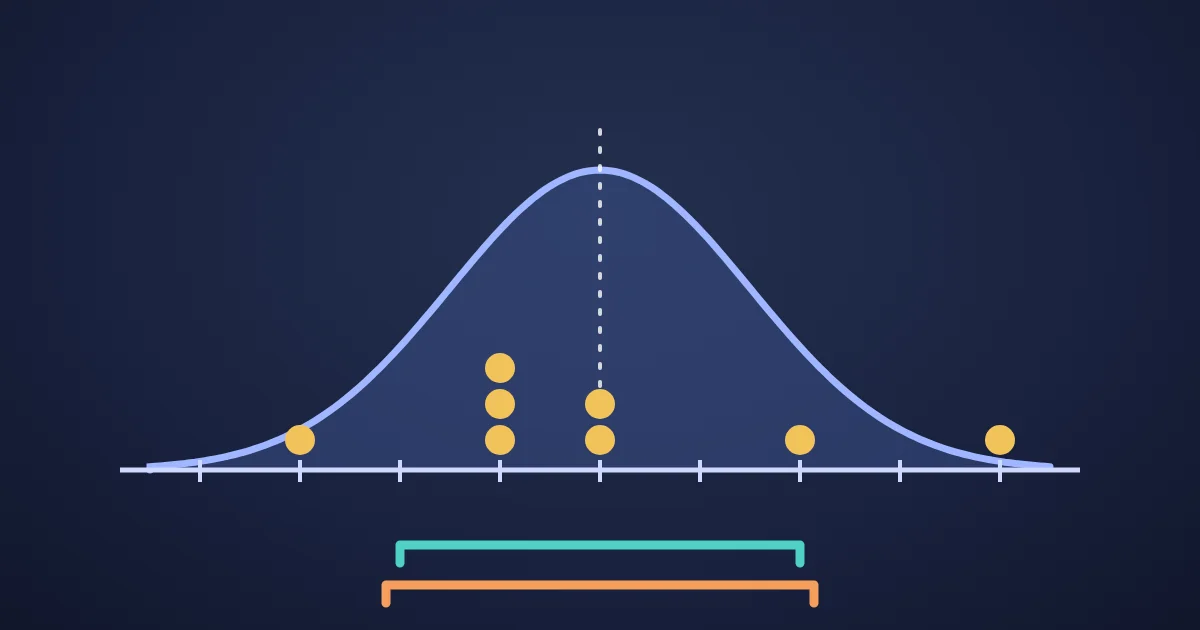
Population standard deviation divides the sum of squared distances from the mean by n, the number of values. Sample standard deviation divides by n − 1. Use the population version only when your numbers are the whole group you care about, and the sample version when they are a sample from a larger group, which is the usual case. For the numbers 2, 4, 4, 4, 5, 5, 7, 9 the population standard deviation is exactly 2 and the sample standard deviation is about 2.138.
That one-character difference is why two tools can disagree about the same column of numbers. This post works through the example by hand, shows why n − 1 is the right divisor for a sample, lists which setting Excel, Google Sheets, Python, NumPy and pandas use, and explains why quartiles differ between tools too. To follow along, paste the numbers into the FindUtils Statistics Calculator and switch between Sample (n-1) and Population (n).
The same numbers, worked by hand
The eight values 2, 4, 4, 4, 5, 5, 7, 9 add up to 40, so the mean is 40 ÷ 8 = 5. Subtract the mean from each value and square the result:
| Value | Distance from the mean | Squared |
|---|---|---|
| 2 | −3 | 9 |
| 4 | −1 | 1 |
| 4 | −1 | 1 |
| 4 | −1 | 1 |
| 5 | 0 | 0 |
| 5 | 0 | 0 |
| 7 | 2 | 4 |
| 9 | 4 | 16 |
| Total | 0 | 32 |
Now the two formulas part ways:
- Population: variance = 32 ÷ 8 = 4, standard deviation = √4 = 2.
- Sample: variance = 32 ÷ 7 ≈ 4.571, standard deviation = √4.571 ≈ 2.138.
Everything up to the last division is identical. The Statistics Calculator shows both variance and standard deviation, so you can see the divisor change when you flip the setting. To check the square roots yourself, any scientific calculator will do.
Why divide by n − 1?
The short answer: the spread of a sample, measured around the sample's own mean, comes out too small on average, and dividing by n − 1 instead of n corrects that exactly for the variance. The fix is called Bessel's correction.
The reason is that the sample mean is fitted to the sample. Of all possible center points, the sample mean is the one that makes the sum of squared distances to those particular values as small as possible. The true mean of the whole group is a little off from it, so distances measured from the true mean would be larger. Measuring from the sample mean shrinks the total, and dividing by a slightly smaller number makes up for it.
Another way to see it is the total in the table: the distances from the mean always add up to 0. Once you know seven of them, the eighth is fixed. Only n − 1 of the distances are free to vary, which is what statisticians mean by n − 1 degrees of freedom.
You can check the correction without any theory. Treat the eight numbers above as a complete population with variance 4. List every possible sample of two values drawn from it with replacement: there are 8 × 8 = 64. Compute each sample's variance both ways and average them:
| Samples | Average variance, divide by n | Average variance, divide by n − 1 | True variance |
|---|---|---|---|
| All 64 samples of 2 values | 2.0 | 4.0 | 4 |
| All 512 samples of 3 values | 2.67 | 4.0 | 4 |
On average, dividing by n comes out low by a factor of (n − 1) ÷ n; dividing by n − 1 lands exactly on the true value. One subtlety the NumPy documentation points out: taking the square root brings a small bias back, so the sample standard deviation is still slightly low on average (1.50 instead of 2 across the 64 two-value samples above). It is less biased than the divide-by-n version, and it is the convention almost everyone uses.
Which one should you use?
Ask whether your numbers are the whole group or a part of it:
- Population (n): you measured every member of the group and only want to describe that group. The test scores of the 24 students in your class, if your question is about this class and nothing else. The response times of every request in one log file, if that file is the whole story.
- Sample (n − 1): your numbers stand in for something bigger. A survey of 200 customers out of 50,000, ten parts pulled from a production run, last month's daily sales used to judge a typical month. If you plan to generalize, use the sample version.
When in doubt, use the sample version. It is the default in the Statistics Calculator, in spreadsheet STDEV functions, and in most statistics courses. The NIST/SEMATECH e-Handbook of Statistical Methods defines variance and standard deviation with N − 1 in its measures of spread.
The gap between the two shrinks quickly as the list grows. The sample result is always the population result multiplied by √(n ÷ (n − 1)):
| Values (n) | Sample SD ÷ population SD |
|---|---|
| 2 | 1.414 |
| 5 | 1.118 |
| 10 | 1.054 |
| 30 | 1.017 |
| 100 | 1.005 |
| 1,000 | 1.0005 |
With five values the choice changes the answer by about 12%. With a thousand it barely matters.
Standard deviation describes how one list of numbers spreads. If your real question is how two measurements move together, such as price against sales, the Curve Fitting Calculator fits a line or curve to X/Y pairs and reports how well it fits.
Why your tools disagree
Most mismatches come from a default that differs between tools:
| Tool | Sample (n − 1) | Population (n) | Default of the generic name |
|---|---|---|---|
| FindUtils Statistics Calculator | Sample (n-1) | Population (n) | Sample |
| Excel | STDEV.S | STDEV.P | Use the explicit names |
| Google Sheets | STDEV | STDEVP | STDEV is the sample version |
Python statistics | stdev() | pstdev() | Separate functions |
| NumPy | np.std(a, ddof=1) | np.std(a) | Population (ddof=0) |
| pandas | df.std() | df.std(ddof=0) | Sample (ddof=1) |
The NumPy and pandas row is the classic trap. Both libraries are often used side by side, and their defaults point in opposite directions: the pandas documentation even notes that you need ddof=0 to match numpy.std. Excel's STDEV.S page states that it uses the "n-1" method and points to STDEV.P for a whole population. If two results differ by the factor in the table above, a different divisor is almost certainly the reason.
Quartiles disagree too
The quartiles split sorted data into four parts, and there is no single agreed way to compute them. Statisticians Rob Hyndman and Yanan Fan compared nine definitions used by statistics packages in 1996, and NumPy's percentile function still offers all nine by name.
For the same eight values, three common methods give three different third quartiles:
| Method | Used by | Q1 | Q3 |
|---|---|---|---|
| Linear interpolation, inclusive | Statistics Calculator, Excel QUARTILE.INC, NumPy default | 4 | 5.5 |
| Exclusive | Python statistics.quantiles() default, Excel QUARTILE.EXC | 4 | 6.5 |
| Median of each half | A common textbook method | 4 | 6 |
The inclusive method treats the smallest and largest values as the 0th and 100th percentiles. The exclusive method assumes the population can stretch beyond the values you have, which the Python statistics documentation explains in detail. Neither is wrong; they answer slightly different questions. What matters is that you use the same method when you compare two data sets, and say which one you used when you report a quartile or an interquartile range.
Small details that change the result
- One value: a sample standard deviation needs at least two values. Google Sheets' STDEV returns
#DIV/0!and Python'sstatistics.stdev()raises an error. The Statistics Calculator shows 0 rather than an error; read it as "not enough data", not as "no spread". - Thousands separators: the calculator treats commas, spaces, semicolons and new lines as separators, so
1,234is read as two numbers, 1 and 234. Remove thousands separators before pasting. - Pasting a column: one value per line works as is, so you can copy a column straight from a spreadsheet. To pull one column out of a CSV file first, use the CSV Column Extractor.
- No repeated values: when every value appears once, every value is tied for the mode, and the calculator lists them all.
Key takeaways
- Population standard deviation divides by n; sample standard deviation divides by n − 1.
- Use the sample version whenever your numbers stand in for a larger group. That is the default almost everywhere.
- n − 1 makes the variance correct on average because a sample's own mean sits closer to its values than the true mean does.
- NumPy's
stddefaults to the population version; pandas, Google Sheets'STDEVand Python'sstdevuse the sample version. - Quartiles have several valid definitions, so check the method before comparing results between tools.
FAQ
What is the difference between sample and population standard deviation?
Only the divisor. Population standard deviation divides the sum of squared distances from the mean by n; sample standard deviation divides it by n − 1. For 2, 4, 4, 4, 5, 5, 7, 9 that gives 2 and about 2.138.
Why do we divide by n − 1 for a sample?
Because distances measured from the sample's own mean are smaller, on average, than distances from the true mean of the whole group. Dividing by n − 1 instead of n corrects the variance for that, so its average across all possible samples equals the true variance.
Should I use STDEV.S or STDEV.P in Excel?
Use STDEV.S when your data is a sample of a larger group, which is most of the time. Use STDEV.P only when the data covers every member of the group you are describing.
Why do NumPy and pandas give different standard deviations?
numpy.std divides by n by default (ddof=0), while pandas' std divides by n − 1 (ddof=1). Pass the same ddof to both and the results match.
Why are my quartiles different from Excel's?
There are several valid ways to calculate quartiles. The Statistics Calculator uses linear interpolation, the same as Excel's QUARTILE.INC and NumPy's default; QUARTILE.EXC, Python's statistics.quantiles() default and the textbook median-of-halves method can all give different values for the same data.
Is there a free online standard deviation calculator?
Yes. The FindUtils Statistics Calculator is free and needs no signup. Paste up to 100,000 numbers and it shows count, sum, mean, median, mode, range, variance, standard deviation, quartiles and the interquartile range, with a switch between sample and population. It runs in your browser.
Related reading
Sources
- NIST/SEMATECH e-Handbook of Statistical Methods: Measures of Scale
- Python documentation: statistics module
- NumPy documentation: numpy.std
- NumPy documentation: numpy.percentile
- pandas documentation: DataFrame.std
- Microsoft Support: STDEV.S function
- Microsoft Support: QUARTILE.INC function
- Microsoft Support: QUARTILE.EXC function
- Google Docs Editors Help: STDEV