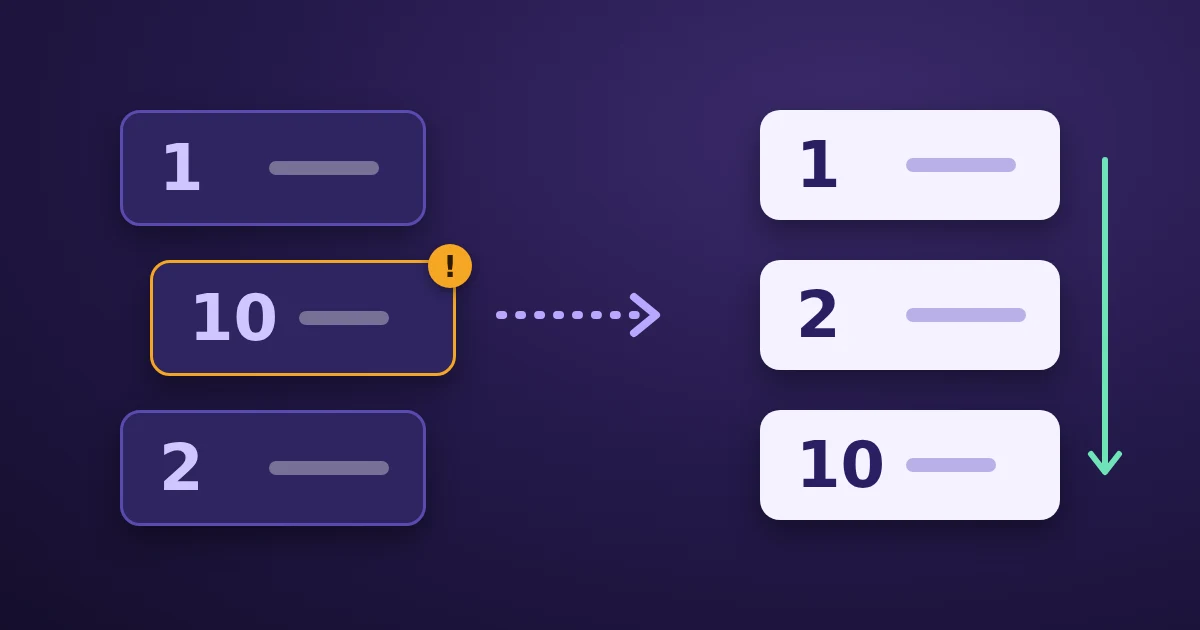
Alphabetical sorting compares two lines one character at a time, from the left, and the first character that differs decides the order. In 10 and 2, the first characters are 1 and 2, and 1 comes first, so 10 sorts before 2. The length of the number never comes into it. To get 2 before 10, sort by number instead of by text, use a natural sort that reads runs of digits as numbers, or pad the numbers with zeros so every one has the same length.
This post explains the rules behind the orders you see, so you can pick the right mode in the FindUtils Text Line Sorter or in your own code: text order, case and accents, numbers, versions, dates, and the cleanup that should happen before any sort.
How does alphabetical sorting compare two lines?
It walks both lines from the first character and stops at the first difference:
| Line A | Line B | First difference | Result |
|---|---|---|---|
file10.txt | file2.txt | 1 vs 2 at position 5 | file10.txt first |
role | roles | role ends first | role first |
v1.10 | v1.9 | 1 vs 9 at position 4 | v1.10 first |
A shorter line that matches the start of a longer one sorts first, which is why role comes before roles. Digits are compared as characters, not as numbers, which is why v1.10 comes before v1.9.
Code point order vs locale-aware order
What "alphabetical" means depends on which comparison the program uses.
Code point order compares the numeric codes of the characters. It is the default of JavaScript's Array.prototype.sort(), which, as MDN puts it, converts the elements into strings and compares "their sequences of UTF-16 code unit values". In that order, digits come before uppercase letters, uppercase letters come before lowercase letters, and accented letters come after z.
Locale-aware order follows the alphabet of a language. The Unicode Collation Algorithm compares base letters first, and treats accents and case as smaller differences that only break ties. In JavaScript this is what localeCompare() and Intl.Collator do.
Here is the same list in both orders, as Chrome sorts it with English language settings (the right-hand column is the Text Line Sorter's A to Z output):
| Code point order | Locale-aware order (English) |
|---|---|
10 apples | _draft |
9 pears | 10 apples |
Banana | 9 pears |
File1.txt | Äpfel |
_draft | apple |
apple | Banana |
file10.txt | File1.txt |
file2.txt | file10.txt |
zebra | file2.txt |
Äpfel | zebra |
The A to Z and Z to A modes of the Text Line Sorter use the locale-aware comparison your browser provides, which is why apple and Banana sit next to each other in the right-hand order instead of at opposite ends.
The language changes the alphabet
Locale-aware order is not one order. The Unicode Collation Algorithm's own example: Swedish treats ä as a separate letter that sorts after z, while German sorts it with the other forms of a. Sorting zebra, Äpfel, apple gives apple, zebra, Äpfel with Swedish rules and Äpfel, apple, zebra with German rules. The Text Line Sorter uses your browser's language settings, so a list with accented names can come out in a different order for a colleague whose browser uses another language.
Does case sensitivity change the order?
Less than most people expect. In locale-aware order, case is only a tie-breaker. With Case Sensitive on (the Text Line Sorter's default), apple, Apple and APPLE stay together and come out lowercase first in Chrome's English order; with it off, they compare as equal and keep the order they had in your input.
Where case matters most is duplicate removal. With Remove Duplicates on and Case Sensitive on, apple, Apple and APPLE are three different lines. Turn Case Sensitive off and only the first of them is kept.
How to sort numbers in text
There are three fixes, and each suits a different kind of list.
1. Numeric mode
The Text Line Sorter's Numeric (Low to High) and Numeric (High to Low) modes read the first number in each line and sort by its value. Item 2 now comes before Item 10. Three details are worth knowing:
- A line without a number counts as 0, so in Low to High it sorts with the lines whose first number is 0, ahead of every positive number.
- Lines with the same number keep their input order, because JavaScript's sort has been stable since ECMAScript 2019 (MDN).
- Only the first number counts, and it is read as a decimal.
1,500 usersreads as 1,v1.10reads as 1.1, and2026-10-18reads as 2026.
Numeric mode is the right choice for lists like Item 2, Room 101, $9.99, or 350 ms where each line has one meaningful number.
2. Natural sort
A natural sort compares runs of digits as numbers and the rest as text, so file2 comes before file10 and v1.9 comes before v1.10. In JavaScript you get it from Intl.Collator with the numeric option, which MDN describes as numeric collation "such that "1" < "2" < "10"":
const natural = new Intl.Collator(undefined, { numeric: true });
["v1.10", "v1.9", "v1.2"].sort(natural.compare);
// ["v1.2", "v1.9", "v1.10"]
The Text Line Sorter does not have a natural sort mode. For file names with a single number, Numeric mode gives the same result. For version numbers with several parts, use the code above or zero padding.
3. Zero padding
If every number has the same number of digits, text order and numeric order agree: file001, file002, file010. This is the most reliable fix when you name the files or IDs yourself, because every program then sorts them the same way. When you number lines, the Line Prefix & Suffix tool can pad the numbers with zeros.
Dates sort as text only in one format
A date like 2026-10-18 (year, month, day, in ISO 8601 form) sorts correctly with A to Z, because the most significant part comes first and every part has a fixed width. RFC 3339 spells out the conditions for timestamps: if all of them use the same time zone, written the same way (all Z, or all +00:00), and the same number of fractional second digits, the strings "may be sorted as strings" and come out in time order.
Other formats do not. 10/18/2026, 12/01/2025 and 02/07/2026 sort as text by month first, so December 2025 lands last. Convert dates to YYYY-MM-DD before sorting, and do not use Numeric mode for them: it reads only the year. For Unix timestamps, see seconds vs milliseconds first, because a mix of 10-digit and 13-digit values sorts wrongly in any mode.
Clean the list before you sort it
Invisible characters change the order. A line with leading spaces, such as zebra, sorts to the very top in A to Z order when it is not trimmed. The Text Line Sorter cleans up before it sorts:
- Trim Whitespace (on by default) removes spaces at the start and end of each line.
- Remove Empty Lines (on by default) drops blank lines.
- Remove Duplicates (off by default) keeps the first copy of each line, compared with the Case Sensitive setting.
For tabs, runs of spaces and Windows line endings inside the text, run it through the Whitespace Cleaner first. If removing duplicates is the main job, the Duplicate Line Remover can keep the first or last copy instead. Click Use as Input in the sorter to run a second pass on the output.
Which sort mode should you use?
| Your list | Mode | Watch out for |
|---|---|---|
| Names, words, tags | A to Z | Accented letters follow your browser's language |
Item 2, Room 101, prices | Numeric (Low to High) | Thousands separators: 1,500 reads as 1 |
File names like img2, img10 | Numeric, or zero-pad the names | Several numbers per line: only the first counts |
| Version numbers | Natural sort in code, or zero padding | 1.10 reads as the decimal 1.1 in Numeric mode |
| ISO dates and RFC 3339 timestamps | A to Z | Mixed time zones or fractional digits |
| Finding the longest or shortest entries | Shortest First / Longest First | Lengths count characters, including spaces when not trimmed |
| A random order | Random Shuffle | Fine for everyday order; for raffles and prize draws, the Random Picker draws crypto-random values |
Reverse Order flips the lines as they are without sorting them, and No Sort only applies the cleanup options.
Key takeaways
- Text sorting compares character by character, so
10comes before2andv1.10beforev1.9. - Code point order puts uppercase before lowercase; locale-aware order, used by the Text Line Sorter's A to Z mode, follows the alphabet of your browser's language.
- Case sensitivity mostly matters for duplicate removal, not for the order itself.
- Use Numeric mode for one number per line, natural sort or zero padding for versions and multi-part names.
- Write dates as
YYYY-MM-DDand they sort correctly as plain text.
FAQ
Why does 10 come before 2 when I sort a list?
Because the list is being sorted as text. The comparison looks at the first character of each line, 1 versus 2, and stops there. Sort by number, use a natural sort, or pad the numbers with zeros.
What is natural sort order?
A sort that treats runs of digits as numbers and everything else as text, so file2 comes before file10. In JavaScript, Intl.Collator with { numeric: true } gives it.
Why does "Banana" come before "apple" in some programs?
They sort by code point, where every uppercase letter comes before every lowercase letter. Locale-aware sorting, such as the A to Z mode of the FindUtils Text Line Sorter, puts apple before Banana.
How do I sort lines alphabetically online?
Paste the list into the FindUtils Text Line Sorter, choose A to Z, and copy the sorted output. Trimming and empty-line removal are on by default; turn on Remove Duplicates to drop repeats while you sort.
Can I sort dates as text?
Yes, if they are written as YYYY-MM-DD with the same format throughout. RFC 3339 timestamps sort as text when they share a time zone notation and the same number of fractional digits.
Is my list uploaded when I sort it?
No. On the tool page the sorting happens in your browser, and the text you paste is not sent to a server.