A favicon is the small icon a browser shows in a tab, a bookmark and a home-screen shortcut, and modern sites need it in several sizes and formats rather than one file. FindUtils Favicon Generator takes one image from your device and produces the set, in the browser - the image is never uploaded.
This guide covers which sizes still matter, what the HTML needs, and why the smallest icon is the one that decides whether your artwork works at all.
Which Favicon Sizes Do You Actually Need?
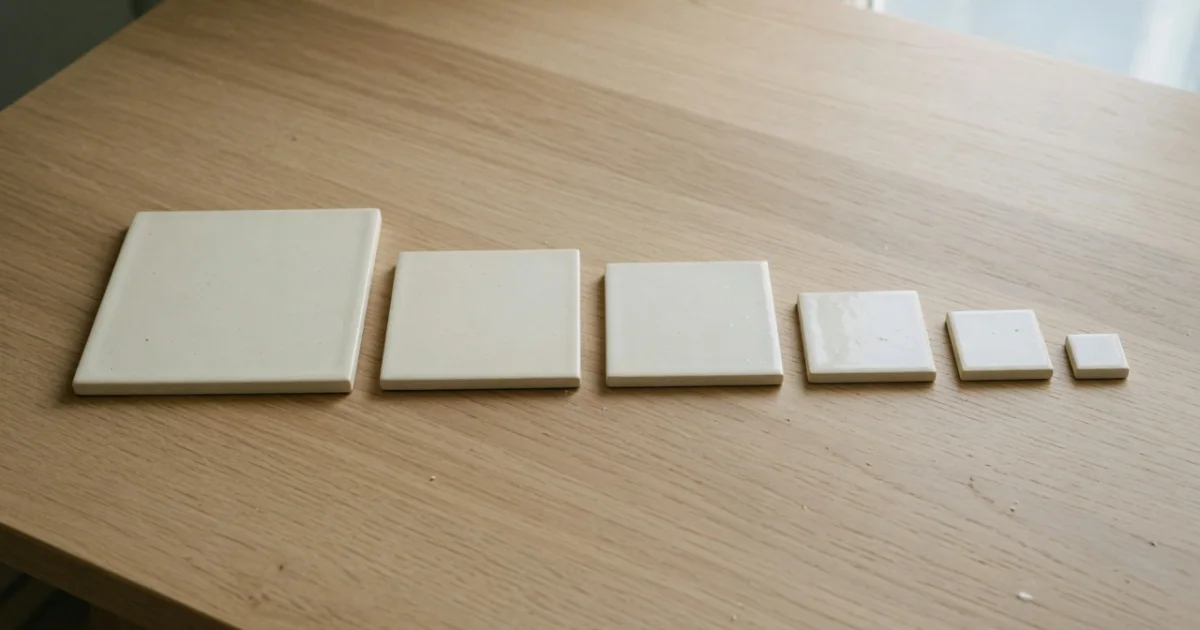
Far fewer than the thirty-odd files some generators produce, and more than one.
| File | Size | Used by |
|---|---|---|
favicon.ico | 16, 32, 48 | Browser tabs, bookmarks, legacy support |
favicon-32x32.png | 32x32 | Modern browser tabs |
apple-touch-icon.png | 180x180 | iOS home screen |
android-chrome-192x192.png | 192x192 | Android home screen, manifest |
android-chrome-512x512.png | 512x512 | Splash screens, install prompts |
The ICO file is still worth shipping. It is the only format that holds several sizes in one file, browsers request /favicon.ico by default whether you reference it or not, and serving a 404 for it is a wasted request on every page load.
Why Does a Detailed Logo Look Wrong at 16 Pixels?
Because 16x16 is 256 pixels in total, and most of a detailed mark simply cannot survive that.
Thin strokes vanish or alias into grey mush. Text becomes unreadable - and a wordmark shrunk to a tab icon is unreadable at any size below about 48px. Subtle gradients band. Two similar colours merge.
The fix is not a better downscaler, it is different artwork:
- Use a symbol, not the full lockup. The mark without the words.
- Use one or two strong colours with real contrast between them.
- Thicken the strokes relative to the original. What looks balanced at 512px looks spidery at 32.
- Fill the frame. Generous padding that looks elegant large leaves almost nothing visible small.
Start from a square source of at least 512x512 so nothing is upscaled on the way.
What Do You Put in the HTML?
Four lines cover browsers and both mobile platforms:
<class="text-rose-400">link rel="icon" href="/favicon.ico" sizes="any">
<class="text-rose-400">link rel="icon" href="/favicon-32x32.png" type="image/png">
<class="text-rose-400">link rel="apple-touch-icon" href="/apple-touch-icon.png">
<class="text-rose-400">link rel="manifest" href="/site.webmanifest">
The files belong at the site root. apple-touch-icon has no sizes attribute here because iOS will take the 180x180 and scale it where it needs to, and listing every variant is a maintenance cost with no benefit.
The manifest is what makes Android's install prompt and splash screen work:
{
  "icons": [
    { "src": "/android-chrome-192x192.png", "sizes": "192x192", "type": "image/png" },
    { "src": "/android-chrome-512x512.png", "sizes": "512x512", "type": "image/png" }
  ]
}
Why Is the Old Favicon Still Showing?
Because favicons are cached unusually aggressively - by the browser, and sometimes by the operating system for a pinned shortcut.
In order of effort: hard-reload the page, open the icon URL directly and reload that, clear site data for the domain, or add a cache-busting query string to the href. On a phone, remove the home-screen shortcut and add it again. A change that looks broken is almost always a cached icon rather than a bad file.
Is the Image Uploaded?
No. The source image is read from your device and the icons are generated in a canvas inside the tab, then downloaded. No request carries the picture.
The page itself loads advertising and analytics scripts like the rest of the site, but your image is not part of that traffic. For a logo that has not launched yet, that difference is the whole point.
Common Mistakes
Mistake 1: Using a Wordmark
Text is unreadable in a tab. Use the symbol from your logo, or a single letter.
Mistake 2: Starting From a Small or Non-Square Source
Upscaling adds no detail, and a rectangular source gets padded or cropped in a way you did not choose. Start square, at 512px or larger.
Mistake 3: Skipping favicon.ico
Browsers request it at the root regardless. Without it you serve a 404 on every page view.
Mistake 4: A Transparent Icon That Vanishes in Dark Mode
A dark mark with a transparent background disappears against a dark tab strip. Give it a background, or test both themes.
Mistake 5: Assuming It Is Broken When It Is Cached
Check the icon URL directly before regenerating anything.
Tools Used in This Guide
- Favicon GeneratorOne image into the full icon set
- Image CropperSquare the source with a 1:1 crop first
- Image Color ExtractorPull the brand colour for the manifest
- Photo EditorThicken strokes or add a background before generating
- Font Icon SearchFind a symbol when you have no mark yet
FAQ
Q1: Is the favicon generator free? A: Yes. No signup, no watermark and no limits. The icons are generated in your browser.
Q2: Do I still need an ICO file in 2026?
A: Yes. Browsers request /favicon.ico by default, it holds multiple sizes in one file, and it is the cheapest way to avoid a 404 on every page load.
Q3: What size should the source image be? A: Square and at least 512x512. Larger is fine; smaller means something gets upscaled and looks soft.
Q4: Can I use an SVG favicon instead? A: Modern browsers support one, and it scales perfectly. Ship the PNG and ICO set alongside it for older browsers and for iOS, which does not use the SVG.
Q5: Why does my favicon look blurry? A: Usually the source was too small or too detailed. A 16px icon has 256 pixels to work with - simplify the artwork rather than sharpening the file.
Q6: Is my logo uploaded anywhere? A: No. Everything happens in your browser and the file is never transmitted.
Next Steps
- Source not square? Crop it 1:1 with the Image Cropper.
- Need the brand colour for your manifest? Use the Image Color Extractor.
- No mark to start from? Browse the Font Icon Search.