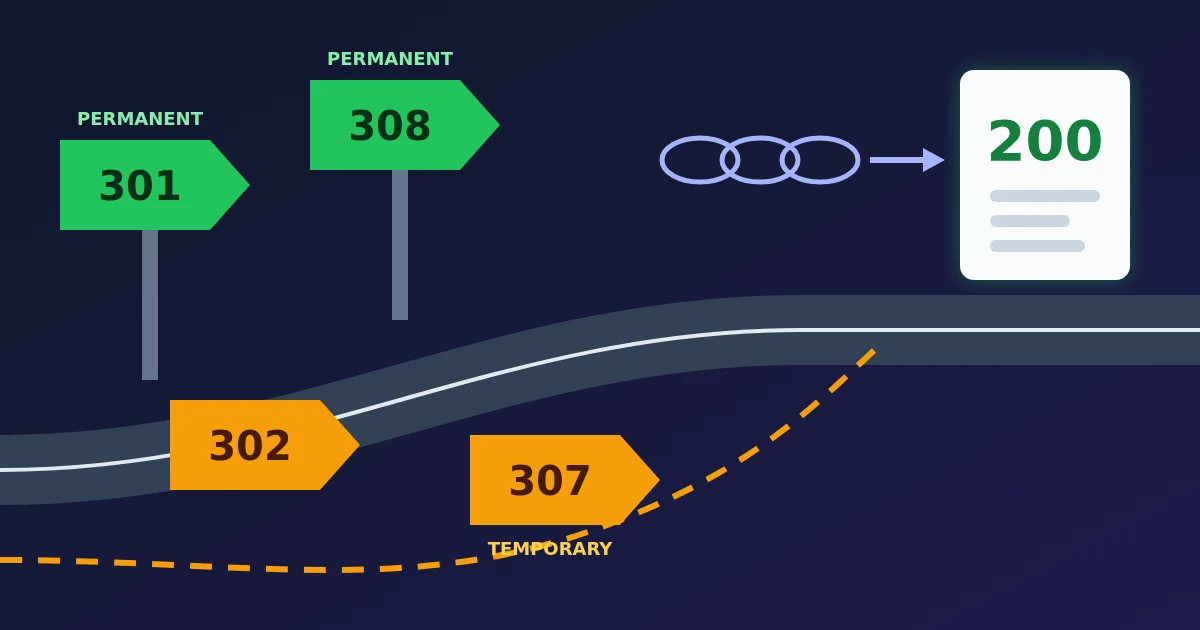
Use 301 or 308 when a page has moved for good, and 302 or 307 when the move is temporary. The difference within each pair is the request method: a 301 or 302 may turn a POST into a GET on the way, while a 307 or 308 must repeat the same method and body. For ordinary pages that people and crawlers load with GET, 301 and 308 behave the same, and so do 302 and 307. Google says it treats 308 like 301 and 307 like 302.
To see which codes a real URL returns, hop by hop, paste it into the FindUtils Redirect Chain Checker.
The Four Codes at a Glance
| Code | Name | Permanent? | Method kept? | Google treats it as |
|---|---|---|---|---|
| 301 | Moved Permanently | Yes | Not guaranteed: POST may become GET | Strong signal that the target is canonical |
| 302 | Found | No | Not guaranteed: POST may become GET | Weak signal |
| 307 | Temporary Redirect | No | Yes | Same as 302 |
| 308 | Permanent Redirect | Yes | Yes | Same as 301 |
There is a fifth code in the same family: 303 See Other always sends the client on with GET. Its classic use is after a form submission, so that refreshing the result page does not submit the form again. Google lists it among the temporary redirects.
Why There Are Two Codes for Each Job
The pairs exist because of a historical accident. HTTP/1.0 defined 301 and 302 as keeping the request method. Early browsers split on whether to re-send a redirected POST as a POST or switch to GET, and, in the words of the current HTTP standard, RFC 9110, "prevailing practice eventually converged on changing the method to GET."
Rather than break the web, the standard accepted the practice. RFC 9110 now says of both 301 and 302: "For historical reasons, a user agent MAY change the request method from POST to GET for the subsequent request." Browsers do exactly that: the Fetch Standard, which browsers implement, switches a POST to GET after a 301 or 302, and any method other than GET or HEAD to GET after a 303.
307 and 308 were added to say the unambiguous thing: redirect, and keep the method. 307 arrived with HTTP/1.1; 308 was defined in RFC 7538 in 2015 and is now part of RFC 9110.
What this means in practice:
- For a page, image or file that is fetched with GET, pick by permanence. 301 and 308 do the same job; 301 is the more familiar choice.
- For an API endpoint or form handler that receives POST, PUT or DELETE, use 308 or 307, or the request body may be lost when the client switches to GET.
Permanent vs Temporary: What Changes in Search
Google's documentation describes the difference in terms of which URL it shows:
- Permanent redirects (301, 308): Google "uses the redirect as a signal that the redirect target should be canonical", so the new URL is shown in search results.
- Temporary redirects (302, 303, 307): Google follows the redirect but does not treat it as a canonical signal, so the source URL tends to stay in results.
Google's crawler documentation is direct about the newer codes: 307 is "equivalent to 302" and 308 is "equivalent to 301". It adds that the codes are still semantically different, and recommends the one that fits, so other clients benefit.
So a temporary redirect is not a mistake in itself. It is the right choice for a short maintenance page, a seasonal campaign or a sold-out product that comes back. It becomes a problem when a move that is meant to be permanent ships as a 302, and the old URL keeps its place in search for longer than you intended.
Redirects Other Than Status Codes
Two other kinds of redirect matter for search:
- Meta refresh.
<meta http-equiv="refresh" content="0; url=...">with 0 seconds is read by Google as a permanent redirect, and with a delay as a temporary one. - JavaScript. Setting
window.locationworks for visitors, but Google sees it only if rendering the page succeeds, and recommends it only when a server-side or meta refresh redirect is not possible.
The Redirect Chain Checker follows HTTP redirects and also detects a meta refresh in the first 16 KB of the final HTML page. It does not run JavaScript, so a script redirect does not show up in the chain.
Redirect Chains and Loops
A chain is several redirects in a row. A common one is an old http:// link that goes first to https:// and then to the www host. We traced http://wikipedia.org with the Redirect Chain Checker on October 23, 2026:
| Hop | URL | Status | Points to |
|---|---|---|---|
| 1 | http://wikipedia.org/ | 301 | https://wikipedia.org/ |
| 2 | https://wikipedia.org/ | 301 | https://www.wikipedia.org/ |
| 3 | https://www.wikipedia.org/ | 200 | Final page |
Two permanent redirects is a perfectly working chain, but every hop is one more round trip before the page starts to load. Limits also come into play when chains grow:
- Google's crawlers follow up to 10 redirect hops by default, according to Google's crawler documentation.
- Browsers give up after 20 redirects (the Fetch Standard returns a network error at a redirect count of 20) and show an error such as "too many redirects".
- Some older clients stop sooner. RFC 9110 notes that an earlier HTTP specification recommended a maximum of five redirections, and that some clients might still have a fixed limit like that.
A loop is a chain that comes back to a URL it already visited, such as a rule that sends /a to /b and another that sends /b back to /a. The page never loads. The usual causes are two rules that disagree, for example an https rule and a www rule written separately, or a site that keeps redirecting until a cookie is set.
How to Check a Redirect with the Redirect Chain Checker
- Paste the URL into the Redirect Chain Checker, such as an old link from a migration list. A bare domain gets
https://in front, so typehttp://yourself if you want to test the http version. - Click Check. The checker requests the URL and follows each redirect, one hop at a time.
- Read each hop: the URL requested, the status code, the Location it points to and the time it took. The summary shows the final URL, the number of redirects and the total time.
- Look at the last hop too. A clean chain that ends in a 404 is still a broken link. The HTTP Status Code Lookup explains any code you do not recognise.
Two notes on reading the result. The requests come from FindUtils, not your browser, and send no cookies, so a site that redirects by country, device or login state may give you a different chain than your browser does. And the checker stops after 10 requests, the same order of limit Google's crawler uses, and reports a loop as soon as a URL repeats.
Practical Rules
- Redirect each old URL straight to its final URL. Update old rules when you add a new one, so a two-year-old redirect does not point at a URL that now redirects again.
- Combine the https and www rules into one, so
http://example.comreacheshttps://www.example.comin a single hop. - Use 301 or 308 for a move that will not be reversed, and 302 or 307 only when the original URL will come back.
- Use 307 or 308 for anything that receives POST, such as API endpoints and form handlers.
- Be careful with a 301 you might undo. RFC 9110 calls a 301 "heuristically cacheable", so browsers can store it and keep redirecting returning visitors after you change the rule. Test a new rule with a temporary code first, or send an explicit cache lifetime.
- Update your own links and sitemap to the final URLs. A sitemap should list pages that return 200, not URLs that redirect; the XML Sitemap Generator helps rebuild one after a migration.
Need help with a project? The team behind FindUtils takes on freelance work, such as PHP bug fixes, a PHP 8 upgrade or new features for your website.
FAQ
Is 301 or 302 better for SEO?
Neither is better in general; they mean different things. Use 301 when the page has moved for good, so Google shows the new URL. Use 302 when the move is temporary and you want the original URL to stay in search results.
What is the difference between 301 and 308?
Both are permanent. A 308 requires the client to repeat the same method and body, while after a 301 a client may turn a POST into a GET. For normal page loads they behave the same, and Google treats them the same.
What is the difference between 302 and 307?
Both are temporary. A 307 keeps the request method; after a 302 a client may switch a POST to GET. Google treats 307 the same as 302.
How many redirects are too many?
Google's crawlers follow up to 10 hops and browsers stop at 20, but aim for one. Every hop adds a round trip, and long chains usually mean old rules were never updated.
Why does my browser say "too many redirects"?
The URL is in a redirect loop or a very long chain. Paste it into the Redirect Chain Checker to see which URLs point at each other. If the checker shows a loop that your browser gets past, the site may be waiting for a cookie.
Is the Redirect Chain Checker free?
Yes. It is free and needs no account.