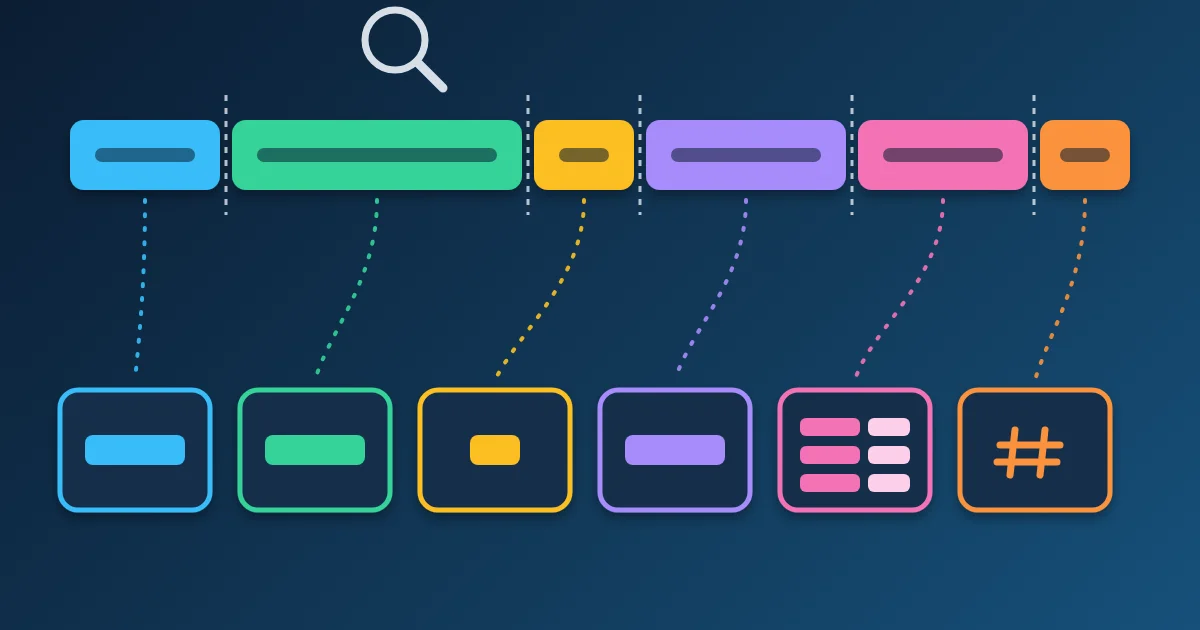
A URL parser splits a web address into the parts a browser actually uses: the protocol, the host, the port, the path, the query string and the hash. The FindUtils URL Parser shows each part in its own row, lists every query parameter in a key and value table with repeated keys kept as separate rows, and gives you the whole structure as JSON to copy. It parses links with the same URL rules browsers follow, so what you see is what a browser would request.
That matters because a URL rarely looks the way it behaves. The port you typed can disappear, the host can change its spelling, + can turn into a space, and the text before an @ sign is not the website at all. This guide walks through the tool, explains every row of the result, and lists the checks worth doing before you trust a link, store a redirect target or file a bug report.
The Parts of a URL
A URL has up to eight parts, and each one has a different job. Here is the sample URL the tool loads with the Load sample button, split by the parser:
https://shop.example.com:8443/catalog/shoes?color=red&size=42&size=43#reviews
| Part | Value in the sample | What it does |
|---|---|---|
| Protocol | https | The scheme: how to fetch the resource |
| Username / Password | empty | Optional credentials before an @; rare in normal links |
| Host | shop.example.com | The server name (or IP address) the request goes to |
| Port | 8443 | The network port; blank when it is the scheme's default |
| Origin | https://shop.example.com:8443 | Scheme + host + port, the unit browsers use for security rules |
| Path | /catalog/shoes | Which resource on that server |
| Query string | ?color=red&size=42&size=43 | Parameters sent to the server |
| Hash | #reviews | A fragment for the page itself; never sent to the server |
The query table for this URL has three rows: color = red, size = 42 and size = 43. In the JSON the repeated key becomes an array: "size": ["42", "43"].
How to Use the URL Parser
Step 1Paste the Full URL
Open the URL Parser and paste a complete URL, including https://, into the URL box. The result updates as you type; there is no button to press. Click Load sample to see a worked example first.
Step 2Read the Status Line
Next to the input, a status line says Valid URL, or Invalid with a reason. A string that cannot be parsed at all shows a red message instead, and no components appear.
Step 3Turn On Require HTTPS When It Matters
The Require HTTPS toggle reports any URL whose scheme is not https as invalid, even when it is well formed. Use it when you check a webhook target, a redirect URL or an OAuth callback that must never travel over plain HTTP.
Step 4Check the Components and the Query Table
The Components list shows protocol, username, password, host, port, origin, path, query string and hash. An empty part shows a dash. Below it, the Query parameters table lists one row per key and value, with percent-encoded characters decoded.
Step 5Copy the JSON
The As JSON panel holds the full structure, including the normalized href. Click Copy to paste it into a ticket, a test fixture or a script. On the tool page the URL is parsed in your browser and is not sent anywhere.
How to Read the Results
Most surprises in the result come from the URL rules browsers share, the WHATWG URL Standard. The parser follows them exactly, so the surprises are real: your browser does the same.
The port is blank. A default port is dropped: 443 for https, 80 for http. https://example.com:443/ and https://example.com/ are the same URL, so the port row shows a dash. A port appears only when it differs from the default, as in :8443.
The protocol has no colon. The tool shows https, not https:. The colon is a separator, not part of the scheme name.
+ became a space in the query table. Query values are decoded the way HTML forms encode them, where + stands for a space. ?q=a+b shows the value a b, and so does ?q=a%20b. If your value really contains a plus sign, it must be sent as %2B. The URL encoding explainer covers this in depth.
A key with no value still counts. ?a=1&a=2&b=&c gives a = ["1", "2"], b = "" and c = "". An empty value and a missing = look the same after parsing.
The hash can contain a question mark. Everything after the first # is the hash, so https://example.com/#frag?notquery has an empty query string and the hash #frag?notquery. Single-page apps that put "query parameters" after the # are using the hash, and the server never sees them.
The origin can be null. Schemes such as mailto: have no host, so their origin is the string null.
What the Parser Changes in Your URL
The parser shows the URL after normalization, which is often not character for character what you pasted. These are real inputs and outputs from the tool's parsing function, checked on 21 October 2026:
| You paste | The parser shows | Why |
|---|---|---|
HTTPS://Example.COM:443/a/./b/../c | https://example.com/a/c | Scheme and host are lowercased, the default port is dropped, . and .. segments are resolved |
https://münchen.example/straße | host xn--mnchen-3ya.example, path /stra%C3%9Fe | Non-ASCII host names become Punycode; non-ASCII path characters are percent-encoded as UTF-8 |
https://example.com/a b?c=d e | https://example.com/a%20b?c=d%20e | Spaces in the path and query are percent-encoded |
http://0x7f.1/ | host 127.0.0.1 | Unusual IPv4 spellings (hex, short forms) are rewritten as a normal address |
https://[::1]:3000/ | host [::1], port 3000 | IPv6 addresses keep their square brackets |
Two practical consequences follow. First, compare URLs after parsing, not as raw strings: the first row is one URL written two ways. Second, the Punycode form is what the browser sends to DNS. If a link to an international domain fails, check the converted host, not the one you see on screen.
Spot Deceptive Links: the Text Before @
A URL may carry a user name before the host, separated by @. Attackers use that to make a link look like it points somewhere it does not. Paste this into the parser:
https://[email protected]/login
The result shows host example.net and username bank.example.com. A browser following the link would connect to example.net, not to the bank; the familiar name is only the user name part. RFC 3986 describes this exact trick in its section on semantic attacks: the user name "can be used to construct a URI intended to mislead a human user" into trusting one host while the link points to another. The RFC's suggested defence is to render the parts of a URL distinctly, which is what the parser's rows do: the user name cannot pass for the host.
Before you trust a link from an email or a chat, check three rows:
- Host: is it the site you expect, letter for letter? Look at the end of the name;
bank.example.com.example.netis a host underexample.net. - Username: anything here in a normal web link is a red flag.
- Protocol:
httpon a login or payment page is a problem; turn on Require HTTPS.
For a second opinion, the URL Safety Checker looks for phishing words, look-alike brands, risky top-level domains and raw IP addresses, and the Redirect Chain Checker shows where a shortened or tracking link finally lands.
Valid or Invalid: What the Validator Checks
The status line combines a parse and a check. These results come from the tool's functions:
| Input | Result | Reason |
|---|---|---|
example.com/path | Red error, nothing parsed | No scheme. A URL needs https:// or another scheme at the start |
/path?x=1 | Red error, nothing parsed | Relative URLs have no scheme or host; add the site's origin first |
https://example.com:99999/ | Red error, nothing parsed | Ports run from 0 to 65535 |
https://exa mple.com/ | Red error, nothing parsed | Spaces are not allowed in a host name |
mailto:[email protected] | Parsed, Invalid: Unsupported protocol | The validator accepts only http and https |
http://example.com/ with Require HTTPS on | Invalid: Protocol is not https | The toggle rejects plain HTTP |
https://example.com/%zz | Valid URL | A broken percent sequence is kept as text, not rejected |
The last row is worth remembering: "valid" means a browser can parse and request the URL. It does not mean every percent sequence decodes cleanly or that the page exists. To see whether the address answers, follow it with the Redirect Chain Checker.
Common Tasks
Read the UTM tags of a campaign link. Paste the link and read the query table: utm_source, utm_medium and utm_campaign appear as rows with decoded values, so oct%20launch reads oct launch.
Turn a link into a test fixture. Copy the JSON. Repeated keys are already arrays, which is how most server frameworks read them.
Edit parameters and rebuild the link. Change the query object in the JSON and paste it into JSON to URL Params, which builds a correctly encoded query string.
Decode a value inside the query. A long value that looks like eyJ... is often a JSON Web Token; paste it into the JWT Decoder. Other opaque values may be Base64; try the Base64 Encoder.
Fix encoding problems. If a value shows %2520 or broken characters, it was encoded twice; the URL Encoder/Decoder shows each layer.
Common Mistakes to Avoid
Mistake 1: Comparing URLs as Plain Text
HTTPS://Example.COM:443/a/./b/../c and https://example.com/a/c are the same URL. Parse both and compare the normalized href, or the host and path rows.
Mistake 2: Expecting the Server to See the Hash
The fragment is cut off before the request is sent. RFC 3986 says the fragment "is separated from the rest of the URI prior to a dereference". Tracking or state kept only after # never reaches server logs.
Mistake 3: Sending a Literal Plus Sign
In a query value, + means space. A phone number like +90 ... or a math expression must have its plus encoded as %2B, or the server receives a space.
Mistake 4: Trusting the First Name in the Link
The host is what sits between // and the next /, after removing any name@ in front and any :port behind. The real domain is at the end of the host name, not the start. Read the Host row instead of the start of the link.
Mistake 5: Pasting a Link Without Its Scheme
example.com/page is not parsed. Browsers add https:// for you in the address bar, but code, validators and this tool do not.
FAQ
What does a URL parser do?
It splits a URL into its components: protocol, optional username and password, host, port, origin, path, query string and hash. The FindUtils URL Parser also lists each query parameter with its decoded value and gives the whole result as JSON.
How do I get the query parameters from a URL?
Paste the full URL into the URL Parser. The Query parameters table lists every key and value, decoded. Repeated keys appear as separate rows in the table and as an array in the JSON.
Why is the port empty when I typed :443?
443 is the default port for https (80 for http), so the URL rules drop it. https://example.com:443/ and https://example.com/ are the same address.
Is the part after # sent to the server?
No. The browser removes the fragment before it sends the request, so the server never sees it. Client-side routers and anchor links read it in the browser.
Why does my international domain look different in the result?
Host names with non-ASCII letters are converted to Punycode, the ASCII form DNS uses. münchen.example becomes xn--mnchen-3ya.example. Both forms name the same host.
Can the URL Parser tell me whether a link is safe?
It shows you the real host, which is the most important check: a link like https://[email protected]/ goes to example.net. For warning signs such as look-alike brands or risky domains, use the URL Safety Checker as well.
Does the URL Parser work with relative URLs?
No. A URL needs a scheme and a host, so /path?x=1 shows an error instead of components. Put the site's origin in front of it first.
Is the URL Parser free?
Yes. It is free, needs no account, and on the tool page the URL is parsed in your browser.
Next Steps
- Learn why spaces turn into
%20or+in URL encoding explained. - Build requests from the parts with the HTTP Request Builder guide.
- See why shared links show the wrong title or image in Open Graph tags explained.
- Create clean, readable paths with the URL Slug Generator.