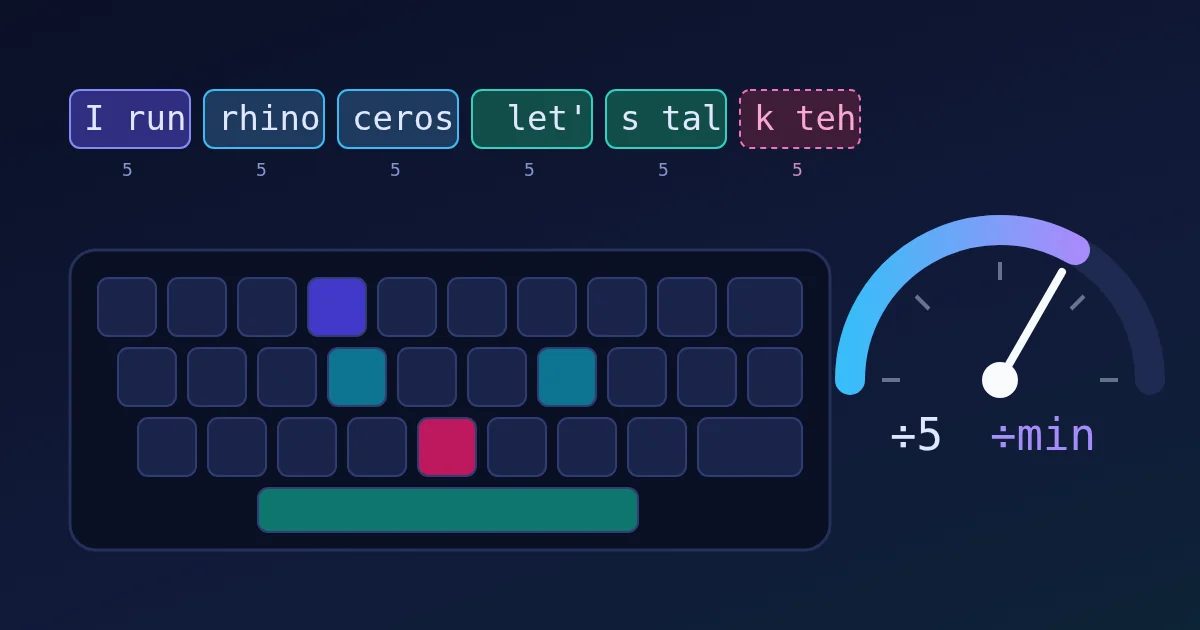
Words per minute (WPM) in a typing test is the number of characters you typed, divided by 5, divided by the minutes you typed for. The 5 is a standard word length: every test counts any 5 characters, including spaces and punctuation, as one "word", so long and short words are scored fairly. Where tests differ is in what they do with mistakes. Some count every character you typed (gross WPM), some subtract errors (net WPM), and some count only the words you got right. That is why one session can show 43 WPM on one site and 40 on another.
You can try each idea below in the FindUtils Typing Speed Test, a 60-second test that runs in your browser.
What Counts as One "Word"
Text-entry research and almost every typing test use the same rule: one word equals five characters, and spaces and punctuation count as characters.
| Text | Characters | Standard words |
|---|---|---|
I run | 5 | 1 |
rhinoceros | 10 | 2 |
let's talk | 10 | 2 |
| 200 characters typed in 1 minute | 200 | 40 WPM |
| 200 characters typed in 30 seconds | 200 | 80 WPM |
So "WPM" is really characters per minute divided by 5. If a test also shows CPM (characters per minute), you can check it: WPM ≈ CPM ÷ 5.
The research formula adds one small detail. Arif and Stuerzlinger (2009) give it as WPM = (|T| − 1) ÷ S × 60 × 1/5, where |T| is the length of the typed text and S is the seconds from the first keypress to the last. The "− 1" is there because the clock starts on the first character, so that character was never timed. Most online tests leave it out.
Three Ways to Handle Mistakes
| Method | What it counts | Who uses it (examples) |
|---|---|---|
| Gross (raw) WPM | Every character typed, right or wrong, ÷ 5 ÷ minutes | Typing.com's WPM ("errors are not deducted"), Monkeytype's "raw" |
| Net WPM | Gross WPM minus uncorrected errors per minute | The traditional typing-class and job-test formula |
| Correct-words WPM | Only characters of correctly typed words (with their spaces) ÷ 5 ÷ minutes | Monkeytype's main "wpm", the FindUtils Typing Speed Test |
Net WPM in its usual form is: net WPM = gross WPM − (uncorrected errors ÷ minutes). Two minutes at 80 gross WPM with 8 errors left in gives 80 − 4 = 76 net WPM. Every error left per minute costs 1 WPM. Errors you fix with Backspace are not subtracted, because fixing them already cost you time.
Accuracy also has no single definition. Typing.com computes an error rate (errors ÷ characters), rounds it to a whole percent, and subtracts it from 100. Monkeytype reports the percentage of correctly pressed keys. Some tests judge whole words instead of single keys.
One Session, Four Scores
Take one 60-second session. You type 45 words: 42 correct with 160 letters between them, and 3 words with one wrong letter each (4, 5 and 3 letters long). Counting the space after each word:
- Characters in correct words: 160 + 42 spaces = 202
- Characters in wrong words: 4 + 5 + 3 + 3 spaces = 15
- All characters typed: 217
| Scoring method | Calculation | Result |
|---|---|---|
| Gross WPM | 217 ÷ 5 ÷ 1 | 43 WPM |
| Net WPM (each wrong word = 1 error) | 43.4 − 3 | 40 WPM |
| Correct-words WPM | 202 ÷ 5 ÷ 1 | 40 WPM |
| Accuracy by keystroke (3 wrong keys of 217) | 100 − round(1.4) | 99% |
| Accuracy by word (wrong words count in full) | 202 ÷ 217 | 93% |
Same fingers, same minute, and the speed ranges from 40 to 43 WPM and the accuracy from 93% to 99%. Neither is wrong; they answer different questions. Gross WPM says how fast your hands move. Net and correct-words WPM say how much usable text you produced. Word-level accuracy is harsher because one slip spoils a whole word, which is what a reader notices.
How the FindUtils Typing Speed Test Scores You
The Typing Speed Test uses the correct-words method:
- Timing. The 60-second clock starts on your first keystroke, not when the page loads.
- Words. You get 50 short, common words. A word is judged when you press Space. You can use Backspace to fix a word before you press Space, but you cannot go back to an earlier word.
- WPM. Characters of the words you typed correctly, plus the space after each, ÷ 5 ÷ minutes, rounded to a whole number.
- CPM. The same characters per minute, without the ÷ 5.
- Accuracy. Correct characters ÷ all judged characters. A wrong word counts in full as wrong (the longer of what you typed and the target, plus its space), so this is a word-level accuracy, like the 93% line above.
- Finishing early. If you type all 50 words before the minute ends, the test stops, shows "Finished early!", and divides by the time you actually took. Because the words are short, typists above roughly 47 WPM usually finish before the 60 seconds are up.
- A word you are halfway through when time runs out is not counted.
The result also shows a label: Novice below 30 WPM, Beginner from 30, Intermediate from 50, Advanced from 70 and Expert from 100.
What Is a Good Typing Speed?
Published numbers vary with who was tested and what they typed:
| Study or source | Result |
|---|---|
| Dhakal et al. (2018), 168,960 online volunteers copying English sentences | Mean 51.56 WPM (SD 20.2); the fastest reached 120 WPM or more |
| Karat et al. (1999), average computer users | 32.5 WPM copying text, 19.0 WPM composing |
| Palin et al. (2019), 37,000 volunteers on mobile phones | 36.2 WPM with 2.3% uncorrected errors |
| Professional typists (physical keyboards) | Roughly 43 to 80 WPM; some dispatch-type jobs ask for 80 to 95 |
Two cautions. The 2018 volunteers chose to take a typing test, so they were likely faster than average; the authors note the sample was younger and interested in typing. And copying is much faster than writing your own words: the 1999 study found composition at about 19 WPM, well under half of copying speed. Your test score is a ceiling for real writing, not a prediction of it.
How to Get a Score You Can Trust
- Use the same test every time. Different scoring rules can move you several WPM, as the table above shows.
- Take three runs and keep the middle one. One lucky word list is not your speed.
- Watch accuracy first. On a correct-words test, a fast run full of slips scores lower than a steady one, because wrong words add nothing.
- Practise in short, timed blocks. A 25-minute session with the Pomodoro Timer is enough for a few runs plus targeted practice; the Pomodoro Timer guide covers the setup.
- Check real text. Paste something you wrote into the Character Counter, divide the character count by 5, and divide by the minutes it took you. That is your real writing WPM.
Need help with a project? The team behind FindUtils takes on freelance work, such as a Flutter app for iOS and Android built from your idea or design.
FAQ
How is WPM calculated?
Divide the number of characters typed (including spaces and punctuation) by 5, then divide by the time in minutes. 250 characters in 1 minute is 50 WPM. Tests then differ on whether characters from wrong words count.
What is the difference between gross and net WPM?
Gross WPM counts everything you typed, mistakes included. Net WPM subtracts the uncorrected errors per minute from the gross figure, so it measures usable output. 80 gross WPM with 4 errors left per minute is 76 net WPM.
Why do I get different scores on different typing tests?
Because they use different word lists, test lengths and mistake rules. A test of short common words is easier than one with capitals and punctuation, and a gross score is always at least as high as a net or correct-words score for the same typing.
What is the average typing speed?
In a 2018 study of 168,960 volunteers, the mean was 51.56 WPM. An older study of average computer users found 32.5 WPM when copying text and 19 WPM when composing. On phones, a 2019 study measured 36.2 WPM.
How does the FindUtils Typing Speed Test calculate accuracy?
It divides the characters of correctly typed words by all characters judged. A misspelled word counts in full as wrong, so one typo in a 5-letter word costs 6 characters (the word plus its space).
Is the Typing Speed Test free?
Yes. It is free, needs no account, and runs in your browser.
Related Reading
Sources
- Wikipedia: Words per minute (five-character word, examples, Karat et al. 1999, mobile typing 2019, professional ranges)
- Dhakal, Feit, Kristensson and Oulasvirta (2018), "Observations on Typing from 136 Million Keystrokes", CHI '18
- Arif and Stuerzlinger (2009), "Analysis of Text Entry Performance Metrics"
- Typing.com: How WPM and Accuracy are Calculated
- Monkeytype: About (wpm, raw wpm and accuracy definitions)
- SpeedTypingOnline: Typing Equations (gross and net WPM)