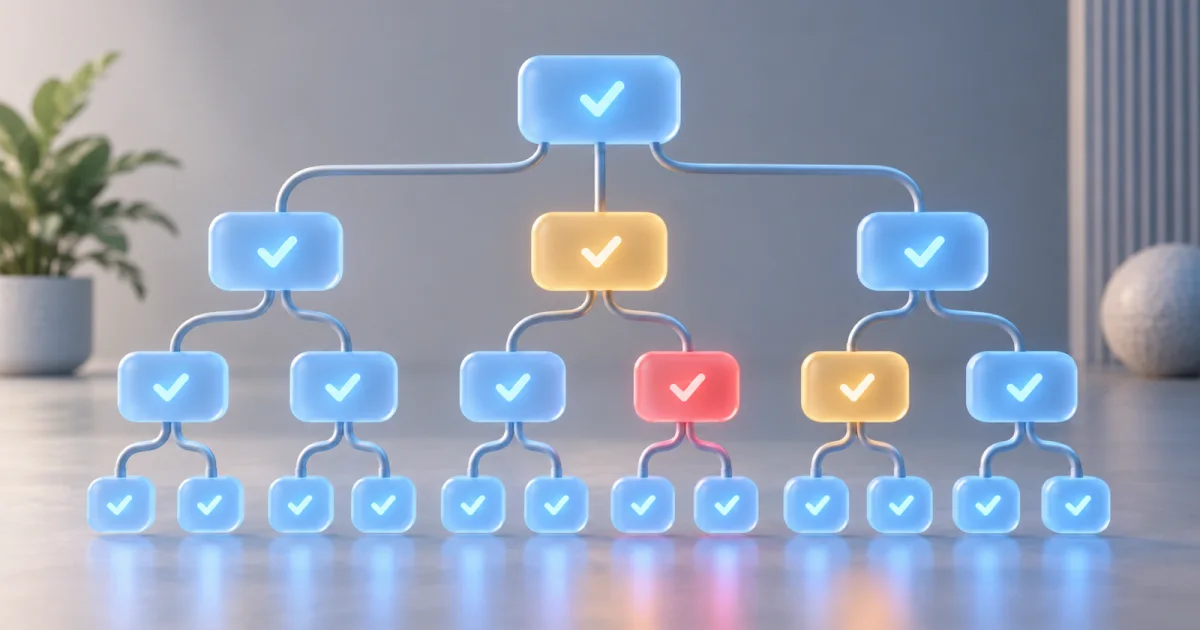
A GEO audit checks whether a page is accessible, clear, and supported by evidence. Start with the FindUtils GEO Analyzer to identify content and technical checks that need review. Then verify each finding against the page and the relevant search provider's documentation.
The report's AI citability score is a FindUtils heuristic. It does not measure the probability that an AI system will cite a page. It does not establish a Google ranking factor or a penalty. Use the individual checks to plan work, then measure actual search results separately.
How do SEO and GEO relate?
SEO concerns how search systems discover and present pages. GEO concerns the usefulness and presentation of sources in generated answers. The work overlaps: clear text, accessible pages, useful internal links, accurate metadata, and supported claims help readers understand a source.
Google states that its existing SEO practices apply to AI Overviews and AI Mode. It does not require special AI markup or a new machine-readable file. A page must meet the stated search eligibility requirements, but eligibility does not guarantee inclusion. See Google's AI features guidance.
Do not assume that a feature used by one provider applies to every other provider. Check the documentation for the search surface you want to evaluate. Record the provider, query, date, and cited page when you measure an outcome.
What does the FindUtils report cover?
The analyzer reports technical, content, GEO, and crawler-access checks. The scores summarize its own rules. The report does not observe every request from a real crawler or every generated answer that mentions the topic.
| Report area | What to inspect | What the result does not prove |
|---|---|---|
| Crawler access | Rules found in robots.txt | Access from every real crawler address |
| Content | Headings, text, metadata, and image descriptions | Factual accuracy or original expertise |
| Structured data | Detected JSON-LD and related checks | Guaranteed rich results or citations |
| Technical | Response, canonical, index controls, and discovery files | Indexing or ranking on its own |
| Citability score | The analyzer's combined indicators | A measured citation probability |
A missing signal is a reason to investigate. It is not always a defect. For example, a page without an FAQ may answer its question completely. Adding unrelated questions merely to change a score can reduce the usefulness of the page.
Run a page audit
Step 1: Choose one canonical page
Open the GEO Analyzer. Enter the public page URL that you want search systems to use. Begin with an important guide, service page, or reference page.
Record why this page matters. A useful audit starts with a reader's question, such as “How do I preserve strings when converting ENV to JSON?” That question gives you a way to judge whether the page answers its intended need.
Step 2: Read the checks before the score
Review each failed or warning result. Confirm that the report analyzed the expected page. A redirect, an error response, or an access challenge can cause the tool to inspect different content from the article you intended.
Separate confirmed defects from suggestions. An absent title is a direct metadata issue. A preference for a particular content format is an editorial suggestion. Record these differently so a score does not decide your entire content structure.
Step 3: Review proposed fixes
The report can provide explanations and suggested snippets. Read them before you use them. Replace example names, URLs, and dates with true values from the page.
A copied prompt or snippet does not authorize an agent to publish changes. Review the resulting change through your normal process. Keep the original report so you can compare the same checks after the edit.
Step 4: Inspect crawler access
Read the robots.txt result for each relevant user agent. Decide whether the rule matches your publishing policy. A crawler used for training can have a different purpose from a crawler used for search.
For Google's AI search features, Googlebot controls Search crawling. Google-Extended controls uses in other Google systems. These are separate controls in the Google AI features guidance.
Do not allow every crawler merely to raise a score. Use the Robots.txt Generator to prepare explicit rules that match your intended access policy.
Step 5: Compare related pages
Use Compare mode to inspect pages with similar reader needs. Compare the specific findings: missing definitions, inaccessible text, unsupported claims, or broken internal links.
A competing page with a higher tool score does not prove that its score caused better search results. The pages can differ in reputation, relevance, age, external links, and many other factors. Record an observed difference without turning it into a causal claim.
Step 6: Export a review record
Copy the report as Markdown or export JSON when you need a record. Include the URL and the date. Keep your own notes beside the tool's findings.
A useful record separates three items:
- What the tool reported.
- What you confirmed by inspection.
- What you changed and why.
This record makes later updates easier to assess. It also prevents a revised score from becoming the only evidence that work helped.
Review the page's answer and evidence
The first paragraph should answer the main question directly. Name the subject so a reader can understand the paragraph without a hidden reference to an earlier section. Use later paragraphs for examples, conditions, and limitations.
For a conversion guide, a strong opening can explain the input, output, and main loss. For a calculator, it can state the formula's purpose and assumptions. For a comparison, it can identify the relevant differences without declaring one product universally best.
There is no required paragraph length that guarantees citation. Use the space the answer needs. Remove repeated keywords and generic introductions when they delay the answer.
Check evidence at the point of use
Put the source close to the claim it supports. Name the standard, documentation, or measured example. Distinguish an illustration from an experiment.
For example, a hypothetical file-size calculation should state its assumptions. A measured result should identify the input, settings, and method. Do not describe a constructed example as customer experience.
Explain limits before they change a decision
A result can be correct within one narrow scope. Make that scope visible. Syntax validation does not prove data validity. A format conversion can preserve text while losing types. A crawler-rule check does not prove that a real crawler can complete a request.
These distinctions help a reader use the result correctly. They also give a quoted passage the context it needs to remain accurate outside the full article.
Use structured data that matches the page
Structured data describes visible content. Add the types that apply to the page's actual role. More types do not automatically make a page better.
For an article, keep the headline, author, dates, and image consistent with the article. Use a real person or organization as the author. Do not add invented credentials or unrelated profile links. Google's Article documentation describes its supported properties.
Use the JSON-LD Generator to prepare a block. Inspect the output with the Structured Data Tester. A local syntax check does not replace the receiving platform's own validation requirements.
When should a page use a list or FAQ?
Use an ordered list for a sequence. Use a table for comparable fields. Add an FAQ when readers have distinct questions that the main text does not answer clearly.
An ItemList should describe an actual list. FAQ markup should describe questions and answers visible on the page. Do not invent a list or duplicate the whole article merely to add another schema type.
How should author information work?
Give the real author or responsible organization. If an author page exists, link to it. State only experience and qualifications that you can verify.
A byline identifies responsibility. It does not independently prove expertise. Demonstrate expertise through correct explanations, useful examples, source selection, and honest limits.
Treat llms.txt as an optional documentation aid
An llms.txt file can provide a short Markdown directory of important resources. The proposal lives at llmstxt.org. It is not a replacement for a sitemap, robots.txt, canonical links, or page content.
A compact file can look like this:
# Example Documentation

> Guides and reference material for the example service.

## Guides

- [Start here](https://example.com/guides/start): Explain the first task.
- [Conversion limits](https://example.com/guides/limits): List known data changes.

## Reference

- [API reference](https://example.com/api): Document requests and responses.
Keep the links current if you publish this file. Serve the Markdown content itself rather than a surrounding HTML page. Do not promise a search benefit merely because the file exists.
Check technical access separately
An HTTP response with a crawler-like User-Agent string is a useful diagnostic. It does not authenticate the requester as that crawler. Real crawler requests can come from different addresses and encounter different access rules.
Google documents how to verify genuine crawler requests. Use this method when you interpret server logs. Do not equate a successful local request with proof of Googlebot access.
Use the Bot Crawl Checker for a focused access investigation. Check the HTTP response, robots controls, canonical URL, and returned page content together.
Measure outcomes without inventing a score
Record actual outcomes separately from the audit. A useful measurement can include whether the intended URL is indexed, which query produced an appearance, and which page received a citation.
Keep the observation method stable when you compare dates. Generated answers can change between requests. A single screenshot or one query does not establish a lasting increase.
Do not report “citation probability” from a page score unless a documented validation method supports that interpretation. FindUtils' score is a prioritization aid. An increase means the page satisfies more of that tool's rules.
Minimum viable GEO review
If you need a short review sequence, use these steps:
- Confirm that the canonical page returns its intended content.
- Read the opening answer and identify its main limitation.
- Verify the factual claims that affect a reader's decision.
- Correct broken internal links and inconsistent metadata.
- Check crawler and indexing controls against your publishing policy.
- Ensure structured data describes visible content.
- Record the changes and measure actual outcomes later.
Use the Heading Structure Analyzer for heading checks. Use the Meta Tag Generator when title and description fields need a new value. Keep each tool's output subject to review.
FAQ
Q1: Does GEO require a different kind of article? A: It requires a useful answer with clear context and supported claims. Do not add a fixed format when it does not help the reader.
Q2: Does the citability score predict AI citations? A: No. It summarizes FindUtils checks. The report does not provide a validated probability of inclusion in a generated answer.
Q3: Does llms.txt guarantee visibility? A: No. Treat it as an optional documentation directory. Its presence does not establish indexing, ranking, or citation.
Q4: Should I allow every AI crawler? A: Choose access rules by crawler purpose and your publishing policy. Training access and search access are not interchangeable.
Q5: Should every guide include Article, ItemList, and FAQ markup? A: No. Select types that describe the visible content. Additional types do not guarantee better results.
Q6: How often should I repeat the audit? A: Repeat relevant checks after changes to content, templates, navigation, or access controls. Use a schedule that fits how often the site changes.
Q7: Does this audit measure real Core Web Vitals? A: No. Use an appropriate field or lab performance report for that separate question.
Next steps
Audit one important page. Confirm its findings. Make the smallest changes that improve the answer or correct a defect. Keep the report so the next review starts from evidence.