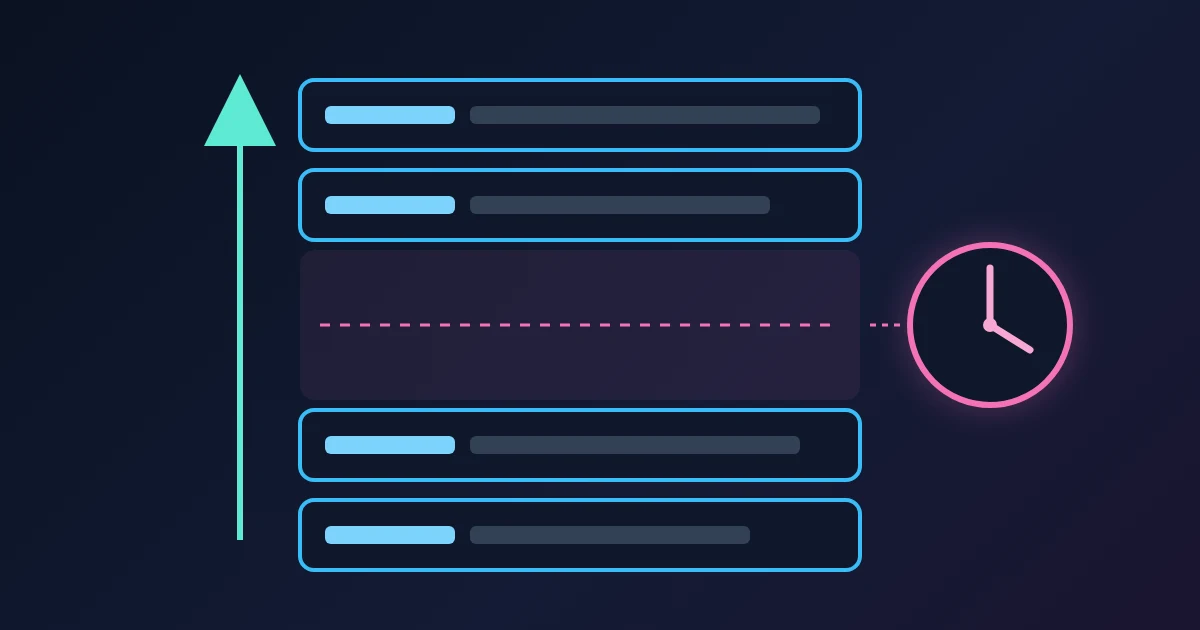
To read email Received headers, start at the bottom and work up. Every mail server that accepts a message adds one Received: line at the top of the headers, so the lowest line is the first hop and the highest is the last. Each line says who handed the message over (from), who took it (by), how (with) and when (the date after the semicolon). Convert those dates to one time zone, subtract each from the next, and the biggest gap shows where the message waited.
If you want the arithmetic done for you, paste the headers into the FindUtils Email Header Analyzer. It lists the hops oldest first with the time between them. This post explains what the tool is reading, so you can check the result and spot the lines that cannot be trusted.
Why the Route Is Written Upside Down
The rule comes from the SMTP standard, RFC 5321. A server that accepts a message "MUST insert trace ("time stamp" or "Received") information at the beginning of the message content", and servers "MUST prepend Received lines to messages; they MUST NOT change the order of existing lines". Each new stamp goes on top of the pile, so the pile reads newest first.
That gives you two simple rules:
- The bottom
Received:line is the oldest hop. It is usually the server that took the message from the sender's mail program or application. - The top
Received:line is the newest. It is usually written by your own provider, at or near final delivery.
The Return-Path: line that often sits above them is added at final delivery too. It holds the envelope sender (where bounces go), which can differ from the From: address you see.
The Parts of a Received Line
A typical line, wrapped over several lines as headers often are:
Received: from mx.example.org (mx.example.org. [198.51.100.40])
        by mx.google.com with ESMTPS id k7si120345
        for <[email protected]>
        (version=TLS1_3 cipher=TLS_AES_256_GCM_SHA384 bits=256/256);
Tue, 27 Oct 2026 07:21:41 -0700 (PDT)| Part | What it means |
|---|---|
from mx.example.org | The name the sending machine gave when it said hello. The sender chooses it. |
(mx.example.org. [198.51.100.40]) | What the receiving server saw: usually the reverse DNS name of the connection and its IP address in square brackets. RFC 5321 says the address comes from the TCP connection, so this part is written by the receiver, not by the sender. |
by mx.google.com | The server that accepted the message and wrote this line. |
with ESMTPS | The protocol. ESMTP is extended SMTP, ESMTPS adds TLS encryption, ESMTPA means the sender logged in, and ESMTPSA means both (RFC 3848). LMTP usually marks the last hand-off inside a provider, to the mailbox store. |
id k7si120345 | The receiving server's own ID for the message. Quote it when you ask that provider about a message. |
for <[email protected]> | The recipient this copy was for. It is optional. |
; Tue, 27 Oct 2026 07:21:41 -0700 | When this server accepted the message, by its own clock, with its time-zone offset. |
Header lines are allowed to wrap: RFC 5322 lets a long field continue on the next line if that line starts with a space or tab. When you read headers by hand, treat the indented lines as part of the line above.
A Worked Example: Where Did 35 Minutes Go?
Here are the four Received: lines of a sample message (shortened, with documentation addresses), newest first as they appear in the headers:
Received: by 2002:a05:6400:1b2c:b0:2a1:9f3e:7c41 with SMTP id m12csp88123;
        Tue, 27 Oct 2026 07:21:42 -0700 (PDT)
Received: from mx.example.org (mx.example.org. [198.51.100.40])
        by mx.google.com with ESMTPS id k7si120345 ...;
        Tue, 27 Oct 2026 07:21:41 -0700 (PDT)
Received: from queue.example.org (queue.example.org [203.0.113.18])
        by mx.example.org (Postfix) with ESMTPS id 4Nf2Xq;
        Tue, 27 Oct 2026 13:46:58 +0000 (UTC)
Received: from [192.168.1.23] (unknown [203.0.113.77])
        by queue.example.org (Postfix) with ESMTPSA id 4Nf0Zt;
        Tue, 27 Oct 2026 13:46:54 +0000 (UTC)
Date: Tue, 27 Oct 2026 16:46:52 +0300
Read from the bottom up and convert everything to UTC:
| Hop | Accepted by | Timestamp (UTC) | Gap |
|---|---|---|---|
| Date header | sender's mail program | 13:46:52 | |
| 1 | queue.example.org | 13:46:54 | 2 s |
| 2 | mx.example.org | 13:46:58 | 4 s |
| 3 | mx.google.com | 14:21:41 (07:21:41 -0700) | 34 min 43 s |
| 4 | Google's internal server | 14:21:42 | 1 s |
The message left the sender's laptop and crossed the sender's own two servers in six seconds. Then it took almost 35 minutes to be accepted by the recipient's provider. In the Email Header Analyzer, the same headers show as four hops with +4s, +35m and +1s badges.
The key point: a gap is charged to the hop before it. The +35m sits on hop 3, but the message spent that time on mx.example.org, the server that was trying to hand it over. Hop 3's stamp only records when the receiving side finally said yes.
Common reasons a message waits at a hand-off like this:
- A temporary rejection and a retry. The receiving server answered with a 4xx "try again later" code, and the sending server queued the message. RFC 5321 says a sender "MUST delay retrying" after a failed attempt and that the retry interval "SHOULD be at least 30 minutes". Greylisting (RFC 6647) uses exactly this: it temporarily rejects mail from unfamiliar sources and accepts the retry.
- A busy or rate-limited outgoing queue on the sending side, common with bulk senders.
- A scheduled send. If the gap is between the
Date:header and the first hop instead, the message was probably written earlier and sent later. RFC 5322 says theDate:field is when the creator marked the message ready, such as pressing Send, and is "specifically not intended to convey the time that the message is actually transported".
The headers tell you where the time went. Only the logs of the server that held the message can tell you why. Give that server's administrator the id from its line and the timestamps.
Which Lines You Can Trust
A sending program can put any text it likes into the headers it sends, including made-up Received: lines. Only lines added by servers you trust are reliable, and the only servers you know for sure are your own provider's.
So, to find where a suspicious message really came from:
- Find the highest
Received:line written by a server outside your provider. Itsbypart names your provider's server, and itsfrompart names the outside machine. - Take the IP address in square brackets inside the parentheses of that line. Your provider's server recorded it from the connection.
- Treat every line below it as a claim, not a fact.
Watch for the case in hop 1 above: from [192.168.1.23] (unknown [203.0.113.77]). The first bracketed address is what the sending machine called itself, a private home-network address here. The address the server saw is 203.0.113.77, inside the parentheses. Name and address checks then go on that second one: look it up in IP Address Lookup, check its name with Reverse DNS Lookup, and see whether it is listed in IP Blacklist Checker.
The same caution applies to Authentication-Results:. RFC 8601 tells receiving servers to delete any such header that claims to come from inside their own domain before adding their own, so read the one with your provider's name at the start.
Clock Trouble: When a Later Hop Looks Earlier
Each timestamp comes from the clock of the server that wrote it. If one clock is off, a later hop can show an earlier time, which looks like a negative delay. That is not a delay at all; it means at least one server's clock is wrong. RFC 5321 asks servers to write explicit offsets such as -0800, which is why you can always convert to one zone. A Timezone Converter helps when you work through the times by hand.
The Email Header Analyzer shows the size of each gap, not its direction, so when a gap looks odd, compare the two timestamps in the raw text.
A Checklist for Reading Received Headers
- Copy the full headers (Gmail: Show original; Outlook: View message details; Apple Mail: Raw Source).
- Read
Received:lines from the bottom up, joining wrapped lines. - Convert every timestamp to UTC before subtracting.
- Compare
Date:with the first hop to catch a scheduled or delayed send. - Find the biggest gap and remember it belongs to the server before that hop.
- Trust only the lines your own provider wrote, and use the address inside the parentheses.
- For authentication results, read the
Authentication-Results:line written by your provider.
Need help with a project? The team behind FindUtils takes on freelance work through Upwork, including a Laravel bug fix, version upgrade or new feature for your app.
FAQ
Should I read email headers from the top or the bottom?
From the bottom. Each server adds its Received: line at the top, so the lowest line is the first hop and the highest is the last.
How do I tell where an email was delayed?
Convert each Received: timestamp to one time zone and subtract each from the next. The biggest gap shows where the message waited, and that time was spent on the server of the hop before the gap.
What does ESMTPS or ESMTPSA mean in a Received header?
They are protocol names from RFC 3848. ESMTPS means the hand-off used TLS encryption. ESMTPSA means TLS was used and the sender logged in, which is typical for the first hop from a mail program.
Can Received headers be faked?
The lines below your provider's first one can be, because the sender supplies them. The lines your own provider added, and the connection address it recorded, are the ones to rely on.
Why is the Date header earlier than every Received line?
The Date: header is set by the sender's program when the message is marked ready, not when it travels. A short gap is normal. A long one usually means a scheduled send or a message that sat in an outbox.
Related Reading
Sources
- RFC 5321: Simple Mail Transfer Protocol (section 4.4 Trace Information, section 4.5.4.1 Sending Strategy)
- RFC 5322: Internet Message Format (sections 2.2.3, 3.6.1 and 3.6.7)
- RFC 3848: ESMTP and LMTP Transmission Types Registration
- RFC 6647: Email Greylisting
- RFC 8601: Message Header Field for Indicating Message Authentication Status
- Gmail Help: Trace an email with its full header