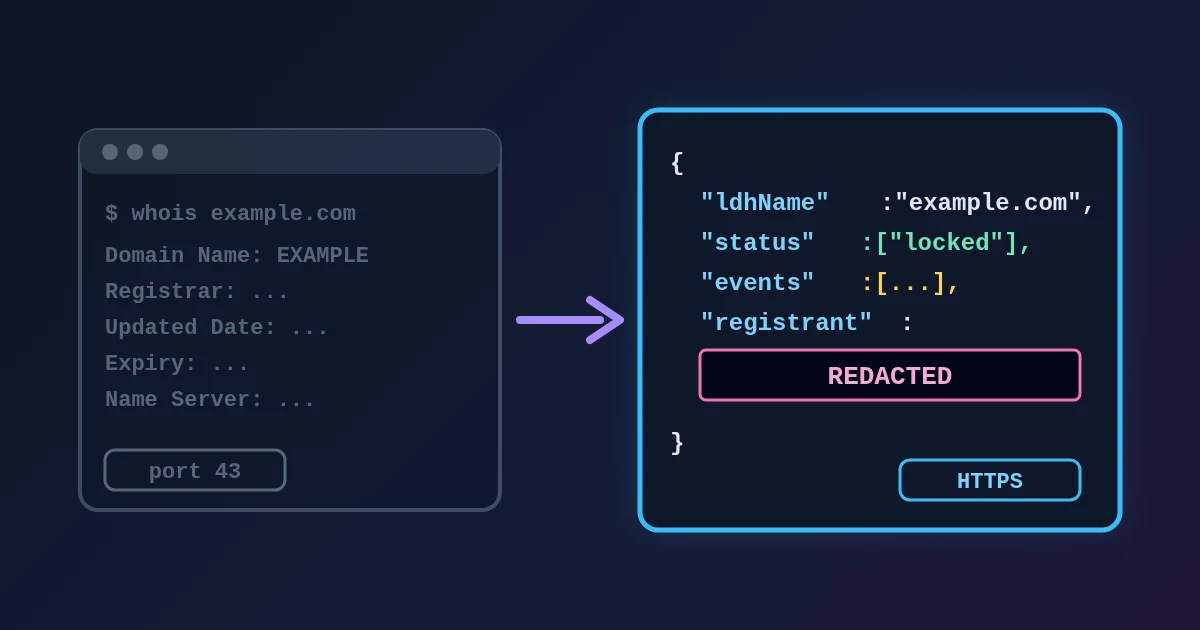
RDAP (Registration Data Access Protocol) is the replacement for WHOIS. Both answer the same question, "how is this domain registered?", but WHOIS returns free-form text over a bare TCP connection, while RDAP returns structured JSON over HTTPS with a standard set of fields. Since 28 January 2025, ICANN treats RDAP as the definitive source for generic domains such as .com, .org and .app. The owner's name and email are usually missing because public records have redacted personal data since 2018, not because the lookup failed. What you still get is the registrar, the key dates, the status locks, the nameservers and DNSSEC, which answer most practical questions.
You can see this in practice with the free WHOIS Lookup, which reads RDAP records in your browser. The details below come from real lookups on 29 October 2026.
WHOIS: A Text Service From Another Era
WHOIS is described in RFC 3912: a client opens TCP port 43, sends a line of text and reads whatever text comes back. The RFC itself admits the gaps. There is no standard output format, no way to signal the character set, and no authentication or encryption. Every registry and registrar formatted its answer differently, so every WHOIS client had to guess where the expiry date was.
RDAP: The Same Questions, Answered as JSON
RDAP was published by the IETF in 2015 and is now defined mainly by RFC 9082 (how to ask) and RFC 9083 (what the answer looks like). A query is a plain HTTPS URL such as:
https://rdap.verisign.com/com/v1/domain/example.com
The answer is JSON with named parts: events for dates, status for locks, nameservers, secureDNS for DNSSEC and entities for the registrar and contacts. Because the field names are fixed, a tool can always put the expiry date in the same place. RDAP also allows differentiated access, so an authenticated, authorised requester can be shown more than the public.
ICANN's announcement of 27 January 2025 made the switch official: from 28 January 2025 RDAP is the definitive source for gTLD registration data, and registries and registrars may retire their port-43 WHOIS services.
| WHOIS | RDAP | |
|---|---|---|
| Transport | TCP port 43, plain text | HTTPS |
| Output | Free-form text, different per operator | Standard JSON fields |
| Finding the server | Hard-coded lists in each client | IANA bootstrap files |
| International names | No defined character set | UTF-8, A-labels and U-labels |
| Access levels | Same answer for everyone | Public and authorised views |
| Status for gTLDs | Retired as the official source in 2025 | Official source since 28 January 2025 |
How a Lookup Finds the Right Server
No single server holds every domain. Each extension's registry runs its own RDAP service, and RFC 9224 says how a client finds it: download IANA's bootstrap file, find the extension, and use the base URL listed for it. Public redirect services such as rdap.org do this lookup for you and answer with an HTTP 302 to the registry. In our tests:
| Domain | Registry RDAP server |
|---|---|
| example.com | rdap.verisign.com |
| wikipedia.org | rdap.publicinterestregistry.org |
| bbc.co.uk | rdap.nominet.uk |
| nic.fr | rdap.nic.fr |
Coverage is not complete. The bootstrap file published on 28 October 2026 lists 1,203 extensions out of the 1,436 in the root zone. Every generic extension has to offer RDAP, but country-code registries decide for themselves: only 73 of the 248 two-letter country codes were listed. .uk, .fr and .nl were in; .de, .io, .eu, .tr, .co, .me and .jp were not. For an extension that is not listed, an RDAP client has nowhere to send the query, so it reports "not found" even for a domain that exists. The registry's own web lookup is the fallback, and the IANA Root Zone Database tells you who that registry is.
Why the Owner Is Hidden
Until 2018, WHOIS showed the registrant's name, postal address, phone and email for anyone who asked. The EU's GDPR took effect on 25 May 2018, and ICANN adopted a temporary specification the same month that let registries and registrars redact personal data in public output. That policy has since become permanent (ICANN registration data policy). RFC 9537 later added a standard way for RDAP to mark which fields were removed.
Here is what the registrar's RDAP record for wikipedia.org showed in the registrant section on 29 October 2026:
| Field | Value |
|---|---|
| Name | REDACTED REGISTRANT |
| Organisation | REDACTED FOR PRIVACY |
| Street, city, postcode | REDACTED FOR PRIVACY |
| State / province | CA |
| Phone, email | REDACTED FOR PRIVACY |
| Contact | A web form at the registrar |
Two things are typical. The state or country often stays visible, and instead of an email you get a contact form that forwards your message without revealing the address. Many registrants also use a privacy or proxy service, which replaces the details with the service's own even before redaction.
If you have a legitimate reason to see the real data, for example a trademark or abuse case, ICANN's Registration Data Request Service passes requests to participating registrars. Otherwise, the registrar's own disclosure process is the route.
Registry Record vs Registrar Record
A lookup can return two different records, and it helps to know which one you are reading.
- The registry record comes from the operator of the extension (Verisign for .com, Public Interest Registry for .org). It always has the dates, status, nameservers and DNSSEC, and names the registrar.
- The registrar record comes from the company the domain was bought through. For .com and .net, only the registrar holds contact data, so the registry record has no registrant section at all.
The registry record usually links to the registrar's. For wikipedia.org, the registry response has a related link to rdap.markmonitor.com, and that is where the redacted registrant section above came from. A record with only a registrar and no contacts is therefore normal; it is the registry's view.
What the Record Still Tells You
Even with the owner hidden, the public record answers most real questions:
| Question | Field to read |
|---|---|
| When does my domain expire? | Expiry date (expiration event) |
| Is the domain new? A sign of phishing? | Registration date |
| Where do I transfer or renew it? | Registrar |
| Is it protected against hijacking? | Status: client/server transfer and update prohibited |
| Why does the domain not resolve? | Status: client hold or server hold |
| Is it about to be released? | Status: redemption period, pending delete |
| Did my DNS move reach the registry? | Nameservers |
| Did my DNSSEC switch-on finish? | DNSSEC signed / delegationSigned |
Two details trip people up. RDAP records two update times: last changed is the last change to the registration, while last update of RDAP database is just when the registry refreshed its data and changes every few minutes. The first one is the date that matters. And RDAP times are in UTC, so a tool that shows them in local time can display a change made late in the evening UTC as the next day.
The meaning of each status code is listed on ICANN's EPP status page, and RFC 8056 maps the EPP names (clientTransferProhibited) to the spaced RDAP names (client transfer prohibited).
International Domain Names
RFC 9082 allows RDAP queries with either the ASCII form of an international name (the A-label, such as xn--bcher-kva.com) or the Unicode form (bücher.com), but servers may match only one of them, and many clients only accept ASCII. The safe input is the A-label. If you have only the Unicode version, paste the address into the URL Parser and copy the Host field, which is already converted.
A Short Checklist for Reading a Domain Record
- Look up the registered domain, not
www.or another subdomain. - If the result is "not found", check whether the extension is in the IANA bootstrap file before assuming the domain is free.
- Read the registration and expiry dates in UTC terms when the day matters.
- Treat transfer prohibited as good news, and hold, redemption period or pending delete as a warning.
- Compare the nameservers with what DNS Lookup returns.
- Expect the owner to be redacted; use the registrar's contact form or RDRS if you really need to reach them.
Need help with a project? The team behind FindUtils takes on freelance work through Upwork, including a fast REST API or back-end service built in Go.
FAQ
What is the difference between WHOIS and RDAP?
WHOIS returns unstructured text over TCP port 43. RDAP returns standard JSON over HTTPS, supports international names and can give authorised users more data. RDAP replaced WHOIS as the official source for generic domains on 28 January 2025.
Why does a WHOIS lookup say REDACTED FOR PRIVACY?
Since GDPR took effect in May 2018, registries and registrars remove personal data such as the registrant's name, address, phone and email from public records. Often only the state or country and a contact form remain.
Is WHOIS still available?
Some operators still run port-43 WHOIS, but for generic domains it is no longer required or authoritative. Country-code registries set their own rules, and some offer only WHOIS or a web lookup.
Why does an RDAP lookup fail for .de or .io domains?
Those extensions were not listed in IANA's RDAP bootstrap file on 28 October 2026, so a client cannot find an RDAP server for them. Use the registry's own website lookup instead.
Can I still find out who owns a domain?
Not from the public record in most cases. You can write through the registrar's contact form, or, with a legitimate interest, file a request through ICANN's RDRS or the registrar's disclosure process.
Related Reading
Sources
- RFC 3912: WHOIS Protocol Specification
- RFC 7480: HTTP Usage in RDAP
- RFC 9082: RDAP Query Format (section 3.1.3, domain path segment)
- RFC 9083: JSON Responses for RDAP
- RFC 9224: Finding the Authoritative RDAP Service
- RFC 9537: Redacted Fields in RDAP Responses
- RFC 8056: EPP and RDAP Status Mapping
- IANA RDAP bootstrap file for domains
- IANA Root Zone Database
- ICANN: Launching RDAP; Sunsetting WHOIS (27 January 2025)
- ICANN: gTLD Registration Data Policies and Specifications
- ICANN: Registration Data Request Service (RDRS)
- ICANN: EPP Status Codes, What Do They Mean
- about.rdap.org: RDAP.org redirect service