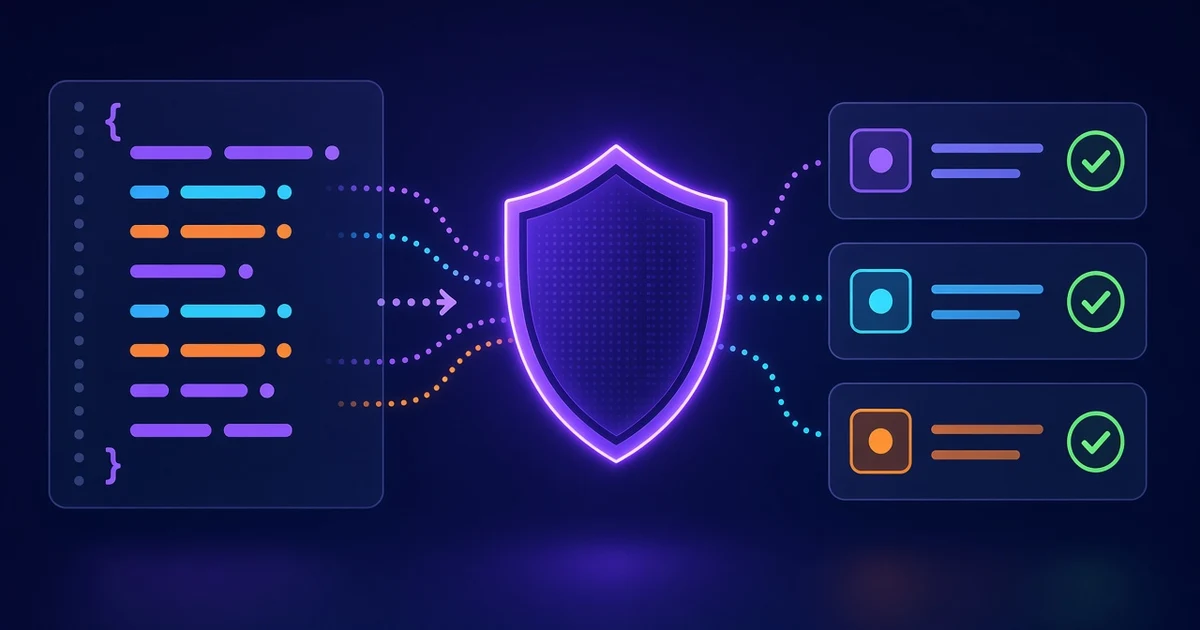
An AI coding agent is a tool that can inspect your project, write and change code, and sometimes run commands or tests for you. The safest way to work with one is a repeatable loop: give it context, agree on a plan, hand it a small task, verify the result, and commit the reviewed change.
This guide explains that workflow, how to write project instructions for each popular agent, and the mistakes to avoid. You can practise the same skills in the FindUtils AI Agent Starter Guide. It has simulated terminals and editors, with lessons for Claude Code, GitHub Copilot, Cursor, Gemini, Codex and Windsurf. The exercises do not run a real agent, and your progress is saved in your browser.
What is an AI coding agent, and how is it different from autocomplete?
Autocomplete suggests what you might type next. An AI coding agent works toward a larger goal: fix a bug, add an API endpoint, update tests, or refactor code across several files.
Autocomplete might suggest the next line inside a function. An agent might read the function, find where it is called, propose a change, edit the related files, and run the relevant tests.
Agents can also misunderstand a requirement, miss a dependency, or write code that looks correct but fails in an unusual case. Treat an agent as a capable assistant, not as a source of truth. You stay responsible for the requirements, the permissions, the architecture and the final result: the agent can do the work, but you decide what work is right and whether the result is acceptable.
How should you work with an AI coding agent?
Follow these seven steps for every meaningful coding task.
Step 1Commit your existing work first
Before an agent changes files, commit your current, reviewed work. This gives you a clear starting point: you can see exactly what the agent changed, and go back if you need to.
If your working directory holds unfinished changes, review and separate them first. Never commit credentials or sensitive files just to get a clean working directory. A good rhythm is: review your changes, commit your finished work, give the agent one task, review its changes and run the checks, then commit the accepted result. Small commits make a mistake easy to isolate.
Step 2Give the agent project context
An agent cannot reliably guess every convention in your codebase. Tell it which technologies you use, where the important code lives, how the application is organized, and how to run the tests.
Keep stable information in a project instruction file, so you do not repeat it in every conversation. Useful instructions name the stack and architecture, the commands for tests, lint and build, the existing patterns to reuse, the folders not to touch, and the rules for migrations and security. Keep them short, specific and accurate: an outdated instruction can be worse than a missing one.
Step 3Set permissions and keep real secrets away
Some agents can run terminal commands, install dependencies, edit files or call outside services. Choose permissions that fit the task, and review risky actions yourself: database changes, deployments, new dependencies, and commands that touch files outside the project.
Do not give an agent production credentials when test credentials will do. Use a local database, fake customer records and test API keys. Keep real secrets out of prompts, screenshots, logs and instruction files. An agent can make a mistake even when it is trying to do the right thing.
Step 4Ask for a plan before code
For anything beyond a small, obvious change, ask the agent to read the relevant code and explain its approach first. A useful plan names the problem, the files that will change, the steps, the risks and edge cases, and the tests that will prove the result.
Review the plan before you approve the work. If the agent wants to replace an existing component, add a dependency you do not need, or change the database structure, ask why. A wrong plan is cheap to change; wrong code takes much longer to clean up.
Step 5Work in small, focused tasks
Do not ask an agent to build a whole application in one request. Split the work into changes that you can understand and verify one at a time.
For user registration, that could be: define the expected behavior, add the backend validation, add the form, add authorization and error handling, write and run the tests, and review the whole flow. Give each task a clear acceptance criterion that describes observable behavior, such as: "An email address that already exists shows a validation error and creates no second account."
Step 6Verify with tests and a diff review
An agent saying "done" does not mean the work is correct. Read the Git diff and look for unexpected files, deleted functionality, changed dependencies, duplicated logic and security problems.
Run the relevant tests, lint and build. For a user-facing change, try the behavior in the application too. Ask the agent to report what it changed and why, which checks actually ran, which passed or failed, what stays untested, and any known limits. Do not accept "the tests pass" without seeing the results: tests are evidence, not proof that every requirement is met.
Step 7Write repeated mistakes into the instruction file
If an agent keeps ignoring an existing service, uses a library you do not want, or edits a protected folder, turn the correction into a rule. For example: "Use the existing PaymentService for payment operations. Do not add another payment integration without approval."
Keep each rule actionable, and say why when it helps. Review the file from time to time: remove duplicates, resolve contradictions, and delete rules that no longer apply. Over time the file becomes a practical record of how your project should be maintained.
Where should you put AI agent project instructions?
Each coding agent reads project guidance from its own place.
| Agent | Instruction file or folder | Typical content |
|---|---|---|
| Claude Code | CLAUDE.md | Project context, commands, conventions and boundaries |
| GitHub Copilot | .github/copilot-instructions.md | Repository-wide coding guidance |
| Cursor | .cursor/rules/ | Project rules and context-specific guidance |
| Gemini CLI | GEMINI.md | Project information and working instructions |
| OpenAI Codex | AGENTS.md | Repository instructions and development workflow |
These are common locations, not interchangeable formats: their scope, syntax and loading behavior differ. Cursor's .cursor/rules/ is a folder of rule files, not one Markdown file. Check the current documentation before you rely on a scope: GitHub's repository instruction guide, Cursor's rules documentation, and Anthropic's Claude Code workflow documentation.
Example project instruction file
Here is a short example for a TypeScript application. Adapt the commands and conventions to your project.
# Project Context

## Technology
- Frontend: React and TypeScript
- Backend: Node.js
- Database: PostgreSQL

## Commands
- Tests: npm run test
- Lint: npm run lint
- Build: npm run build

## Development Rules
- Follow existing project patterns.
- Reuse existing services before adding new ones.
- Ask before installing dependencies.
- Do not modify production configuration.
- Do not access real customer data.
- Review database migrations before running them.
- Check all callers when changing a shared function.

## Workflow
- Propose a plan before substantial changes.
- Keep changes small and focused.
- Add tests for changed behavior.
- Report tests that could not be run.
Do not fill the file with every coding preference you have. Include the rules that help the agent make correct decisions in this project. The instruction file gives reusable context; your task prompt still needs to explain the goal of the task.
How should you use each AI coding agent?
The same workflow applies to every agent, but their interfaces and context features differ. For exact commands, settings and permissions, use each product's current official documentation: interfaces change often.
Claude Code
Claude Code works in your repository: it reads the code, proposes changes, and works with files and development tools. Start with the task and the expected outcome. For substantial work, ask for a plan before you allow edits. Keep durable project guidance in CLAUDE.md, and keep each conversation focused on one task. Review file changes and command results, and grant extra permissions only when a task needs them.
GitHub Copilot
GitHub Copilot helps with code suggestions, questions about the project and coding tasks in supported editors. Give it the relevant files and context instead of assuming it knows every dependency or convention. Use repository instructions for shared expectations about patterns and testing. When it works as an agent, inspect each proposed edit and verify the outcome.
Cursor
Cursor combines a code editor with AI-assisted workflows. Use project rules for your conventions, and give the agent a clear scope before a multi-file change. For a larger feature, ask it to name the affected files and explain its strategy first. Review the changes in the editor, including files you did not expect it to touch, and confirm the result with tests and in the running application.
OpenAI Codex
Codex supports agent workflows that inspect a repository, implement a change and verify it. Describe the project's requirements and constraints in AGENTS.md. Give each task a defined goal, clear boundaries and acceptance criteria, and ask for a plan when the change is complex or risky. Check the diff, the test output and any step that needed elevated permissions before you accept the work.
Gemini CLI
Gemini CLI brings an agent to your terminal. Use GEMINI.md for project context and development rules. In unfamiliar code, start with an investigation: ask the agent to find the relevant components and propose a plan before it changes anything. Review the modified files and the commands it ran, and verify the result yourself before you commit.
What are the 12 habits for building a SaaS with an AI agent?
A SaaS application needs more than working screens. It must handle many customers, failures, permissions and changing data safely. Use these habits when you review agent-written features:
- Two users at once: ask what happens when two customers change the same record or submit the same action at the same time.
- Outside service failures: plan for timeouts, rejected requests, unavailable APIs, retries and duplicate webhooks.
- Who can reach an endpoint: check authentication and authorization, including IDOR (insecure direct object reference), where changing an ID in a request exposes another customer's data.
- Read the migration first: check a database migration for destructive changes before you run it, and try it on disposable data.
- The cause before the fix: ask the agent to reproduce and explain a bug before it changes code.
- Know when it breaks: log useful errors, without passwords, tokens or sensitive customer data.
- Check every caller: when a shared function changes, look at every caller and test the features that depend on it.
- Commit before you hand it over: make a clean recovery point before an agent edits the project.
- Ask for a plan first: review the approach before substantial changes begin.
- Keep real secrets away: use fake data, local services and test credentials instead of production access.
- Understand what you keep: ask for an explanation or a simpler version of code you cannot follow.
- Write the mistake down: add a recurring correction to your instructions, so the next task follows it.
Each habit has its own illustrated page in the AI Agents for SaaS series, which you can turn page by page or save as a PDF.
Which prompt patterns work with AI coding agents?
A good prompt names the goal, the context, the constraints and what success looks like. Clear requirements matter more than elaborate formatting.
Investigate before fixing
- Weak: "Fix the login bug."
- Better: "Users sometimes get a 401 response after refreshing the dashboard. Inspect the authentication flow, find the root cause, and explain it before editing code. Propose a minimal fix and a regression test."
This separates the investigation from the change.
Define a narrow feature
- Weak: "Build a subscription system."
- Better: "Add an endpoint that lets an authenticated customer view their current subscription. Reuse our existing billing service. Do not add dependencies or change the database schema. Plan the implementation before editing."
A narrow scope prevents unwanted architectural changes.
Preserve behavior during a refactor
- Weak: "Clean up this function."
- Better: "Refactor the order-total calculation for readability. Keep its inputs, outputs and rounding behavior. Find every caller and add tests for the existing edge cases."
Ask for meaningful tests
- Weak: "Add more tests."
- Better: "Add tests for a duplicate payment webhook, a payment API timeout and two simultaneous purchase requests. Mock the external services and say which failure cases stay untested."
Ask for a focused review
- Weak: "Is this code good?"
- Better: "Review this diff for authorization problems, wrong database operations, missing error handling and broken callers. Report each finding with its file and an explanation. Do not change code yet."
Ask for an honest handoff
- Weak: "Finished?"
- Better: "Summarize the changed files, the implemented behavior, the tests that actually ran, the remaining risks, and the manual checks I should do. Separate verified results from assumptions."
What common mistakes should you avoid?
- Asking for too much at once. A large request produces changes that are hard to understand and review. Split a broad feature into small tasks with their own acceptance criteria.
- Trusting a confident explanation. An agent can describe a wrong implementation with confidence. Check the code and the results, not the explanation.
- Ignoring authorization. A working endpoint can still expose another customer's records. Check permissions on the server, not only by hiding buttons in the interface.
- Allowing unnecessary changes. An agent may add a dependency or rewrite a component when a small change was enough. Check the plan and the diff for anything outside the requested scope.
- Accepting tests without checking what they cover. Passing tests may skip concurrency, failed services, malformed input or unauthorized access. Ask which cases were tested and which were not.
- Overloading the instruction file. A long file with contradictions makes the rules hard to follow. Keep the important rules clear, organized and current.
- Skipping the final review. Do not merge or deploy because the agent reports success. Understand the change, read the diff, and finish the verification first.
How do you choose an AI coding agent?
No single agent fits every developer or project. Choose by the way you work and the controls your application needs.
| Question | What to check |
|---|---|
| Interface: where do you work? | Terminal, your current editor, an AI editor, or another supported environment |
| Permissions: how much control do you need? | File access, command approvals, execution boundaries and access to outside services |
| Project context: can it follow your conventions? | Instruction files, file selection, repository understanding and context management |
| Cost: does it fit your budget? | Current plans, usage limits, billing rules and your expected workload |
| Verification: can you inspect its work? | Diffs, executed commands, test results and the review workflow |
Try the same small, realistic task in each agent you consider, and compare how clearly you can instruct it, inspect its work, manage its permissions and verify the result. Use current product documentation for anything that changes, such as prices and limits. The interactive guide lets you explore each workflow before an agent touches your own repository.
Tools used in this guide
- AI Agent Starter Guidean interactive playground with simulated lessons for the major coding agents.
- AI Agents for SaaSthe 12 habits as an illustrated series, page by page.
- AI Model Pickercompare AI models for your coding workflow.
- Claude Code Usage Analyzertrack your Claude Code token usage and costs.
FAQ
Q1: Do I need programming experience to use an AI coding agent? A: You can start with little experience, but basic code, Git and testing knowledge matter. The less you understand a generated change, the harder it is to spot a mistake or maintain the code later.
Q2: Can an AI coding agent build an entire application? A: An agent can help with many parts of an application: interfaces, APIs, tests and database changes. A reliable application still needs clear requirements, architecture decisions, security review, integration tests and ongoing maintenance.
Q3: Does an instruction file guarantee that the agent follows every rule? A: No. An instruction file is guidance, and an agent can misread, miss or misapply it. Enforce important restrictions with permissions, automated checks and human review as well.
Q4: Should I let an agent run terminal commands automatically? A: That depends on the environment, the task and the possible consequences. Routine checks in an isolated development environment can be fine; destructive operations, production access and unfamiliar commands deserve your explicit review.
Q5: What should I do when an agent makes the same mistake again and again? A: Explain the mistake, show the pattern you want, and add a short rule to the project instruction file. If the rule already exists, check that it is accurate, clear and loaded by the agent in that context.
Q6: Is the FindUtils AI Agent Starter Guide free, and does it run a real agent? A: It is free and needs no signup. It does not run a real agent: it uses simulated terminals and editors, so you can practise without giving an agent access to your files. Lesson progress and quiz scores are saved in your browser's local storage.
What should you remember before your next AI coding task?
Good results come from a disciplined workflow, not from longer prompts. Give the agent the context it needs, define a small task, agree on the plan, control its permissions, and verify the result. Read the diff, commit the accepted change, and write down what you learned for the next task.
Let the agent help write the code, but keep the responsibility for understanding, testing and accepting it.