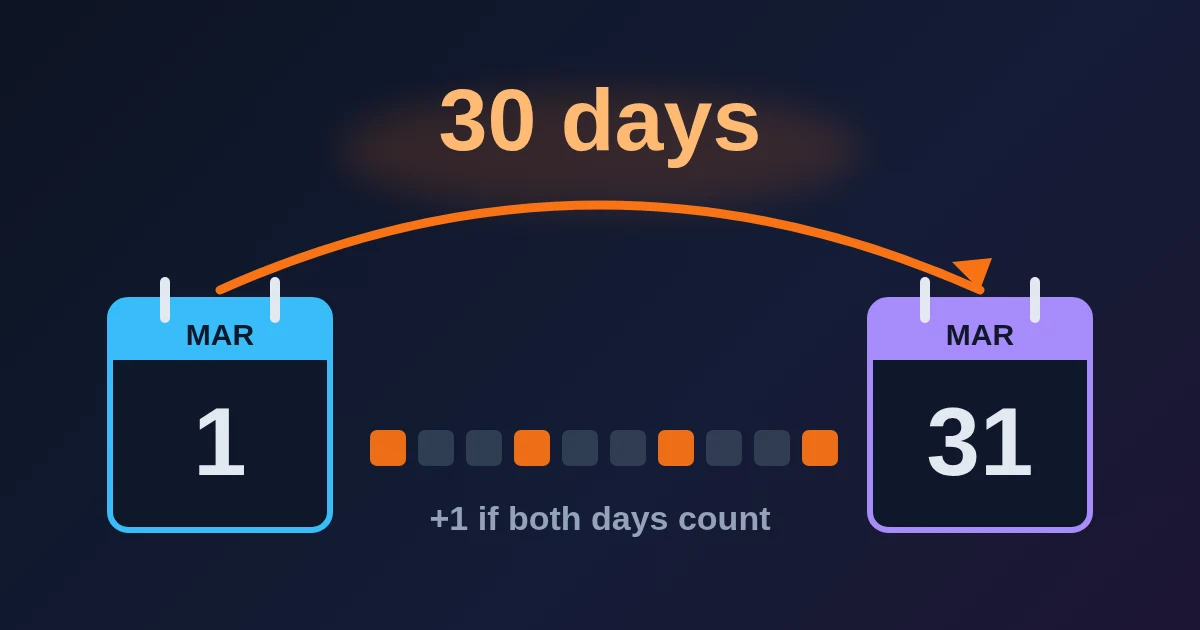
To find the number of days between two dates, open the FindUtils Date Difference Calculator, pick a Start Date and an End Date, and read Total Days. The count is the end date minus the start date, so the start day is not counted twice: 1 March to 31 March is 30 days. If both the first and the last day should count (a 31-day conference, a rental charged per day), add 1. The page also shows a years-months-days line, total weeks, months, hours and minutes, and it works in your browser with no signup.
This guide explains what each number counts and when to read one rather than another. For the reasons day counts disagree between calculators, read How many days between two dates?.
How to Use Date Difference Calculator, Step by Step
- Open Date Difference Calculator. It opens with today as the start date and the date 30 days from now as the end date.
- Set the Start Date. Click the field and pick a day, or type it in.
- Set the End Date. It can be in the past or the future. The results update as soon as both dates are set; there is no button to press.
- Read the orange Difference panel for the years-months-days line, then the six boxes under it for the totals.
- Click Export in the top-right corner of the orange panel to save the result as CSV or JSON, or to print it.
What Each Result Means
| Result | What it counts | 1 Jan 2026 to 1 Jan 2027 |
|---|---|---|
| Difference (orange panel) | Whole years, then whole months, then the days left over | 1 years 0 days |
| Total Days | Calendar days from the start date to the end date, the start day not included | 365 |
| Total Weeks | Total Days divided by 7, rounded down to whole weeks | 52 |
| Total Months | The number of calendar months between the two month names, ignoring the day of the month | 12 |
| Total Hours | Total Days × 24 | 8,760 |
| Total Minutes | Total Days × 1,440 | 525,600 |
| Weeks (decimal) | Total Days ÷ 7 to one decimal place | 52.1 |
Two of these need a note:
- Total Months is a count of month changes, not of full months. 15 January to 14 February shows 1 under Total Months, while the Difference line says 30 days because no full month has passed. Use the Difference line when you need complete months.
- Total Hours and Total Minutes assume every day has 24 hours. A range that includes a daylight saving change has one hour more or less on a real clock. For an exact clock-time gap, use the Time Difference Calculator.
Exclusive and Inclusive Day Counts
The calculator gives the exclusive count, the number of days you have to step forward to get from the start date to the end date. That is the right number for:
- nights in a hotel (check-in 10 May, check-out 14 May = 4 nights),
- the time left until an event ("how many days until 24 December"),
- deadlines written as "within 30 days after" a date, which also leave the first day out.
Add 1 for an inclusive count, where both the first and the last date are days you count:
- a project that runs from 1 March to 31 March (31 calendar days),
- a festival from Friday to Sunday (3 days),
- a daily rate charged for the start day and the end day.
The calculator has no inclusive switch, so do the +1 yourself. The blog post on day counting has more examples.
When the End Date Is Earlier
If you pick an end date before the start date, a note appears under the results: "Note: End date is before start date". Total Days stays correct and is shown without a minus sign: 29 October to 19 October 2026 shows 10 days.
The other numbers are less reliable in this direction. In our tests the Difference line for that same 10-day range read "-1 years 11 months 20 days", and Total Weeks showed 2 instead of 1. For a backward range, read Total Days, or swap the two dates so the earlier one is the Start Date.
Month Ends: Which Number to Trust
Months have 28 to 31 days, so "one month later" has no single answer near the end of a month. Date libraries such as Python's dateutil and JavaScript's Temporal treat 31 January plus one month as 28 February and so report 31 January to 1 March 2026 as 1 month 1 day. Other tools count only whole steps from the 31st and say 29 days. Both are defensible. The day count, 29, is the same in every method.
The Difference line of this calculator can drift by a day or two in these cases, and in our tests it also depended on the time zone of the device:
| Dates | Total Days | Difference line (Europe, Asia) | Difference line (the Americas) |
|---|---|---|---|
| 31 Jan 2026 to 1 Mar 2026 | 29 | 1 months 2 days | 29 days |
| 1 Mar 2026 to 31 Mar 2026 | 30 | 30 days | 1 months 2 days |
| 29 Feb 2024 to 28 Feb 2025 | 365 | 11 months 30 days | 11 months 30 days |
| 1 Jan 2000 to 29 Oct 2026 | 9,798 | 26 years 9 months 28 days | 26 years 9 months 27 days |
Total Days was the same in every time zone we tried (Istanbul, Berlin, Tokyo, New York and Los Angeles). So the rule is simple: for anything that costs money or has a legal deadline, use Total Days, and treat the years-months-days line as a readable summary. For someone's age in years, months and days, the Age Calculator is built for that question.
Business Days
The calculator counts calendar days only; weekends and public holidays are included. To get working days:
- Take Total Days and divide by 7. Each whole week has 5 weekdays.
- Count the weekdays in the days left over by hand.
- Subtract the public holidays that fall on weekdays in your country.
Example: Monday 2 November 2026 to Monday 30 November 2026 is 28 days, which is exactly 4 weeks, so 20 weekdays. In the United States, Thanksgiving (Thursday 26 November) leaves 19 business days.
Limits to Know
- Dates only. The page has two date fields and no time of day. For hours and minutes between two clock times, use the Time Difference Calculator.
- No business-day or holiday mode, as above.
- No inclusive switch. Add 1 to Total Days yourself.
- Labels are not singular-aware. One year shows as "1 years".
- Unix timestamps need converting first. Turn them into dates with the Unix Timestamp Converter, then compare the dates here.
FAQ
How many days are there between two dates?
Subtract the earlier date from the later one. The Date Difference Calculator does this and shows it as Total Days. 1 March to 31 March 2026 is 30 days.
Does the calculator include the end date?
It counts the days from the start date up to the end date, so one of the two end points is left out. Add 1 to Total Days if both the first and the last day should count.
Why does Total Months say 1 when less than a month has passed?
Total Months counts the change of month name, so 15 January to 14 February is 1. The Difference line, which only counts full months, says 30 days.
Can it count business days?
No. It counts calendar days. Work out weekdays from Total Days (5 per full week) and subtract holidays, as shown above.
Does it handle leap years?
Yes. Total Days uses the real calendar, so 1 March 2024 to 1 March 2025 is 365 days and 1 March 2023 to 1 March 2024 is 366, because 29 February 2024 sits inside the second range.
Are my dates sent anywhere?
No. The calculation runs in your browser, with no account and no usage limit.