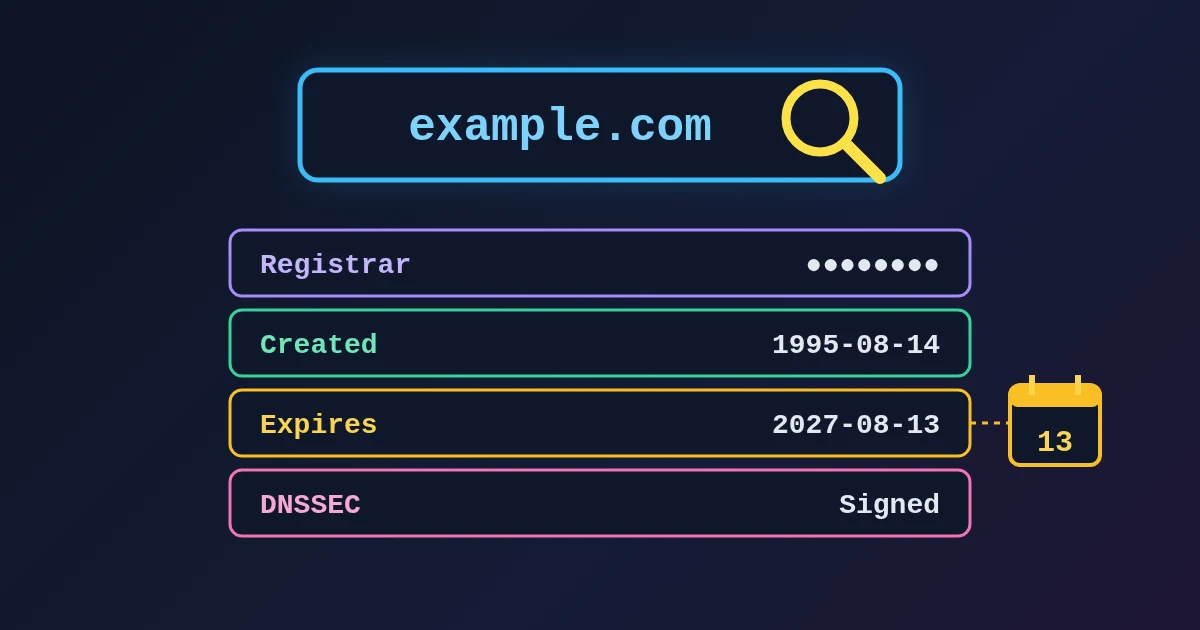
To look up who a domain is registered with and when it expires, type the domain into the FindUtils WHOIS Lookup and press Lookup. In a few seconds you see the registrar, the registration date, the last updated and expiry dates, the domain status codes, the nameservers and whether DNSSEC is signed. There is no sign-up and no daily limit.
The tool reads the public RDAP record, the JSON-based successor to the old WHOIS text service. Since 28 January 2025, ICANN treats RDAP as the definitive source of registration data for generic domains such as .com, .org and .app. What you will usually not see is the owner's name or email, because registries and registrars redact personal data. This guide shows how to run a lookup, what each field means and why some lookups come back empty. For the background on WHOIS, RDAP and redaction, read WHOIS vs RDAP: why domain lookups hide the owner and what they still show.
How to Use WHOIS Lookup, Step by Step
- Open WHOIS Lookup.
- Type the domain in the Domain Name box, for example
example.com. You can also paste a full link such ashttps://example.com/page?x=1; the tool keeps only the domain. Spaces and capital letters are fine. - Press Lookup (or Enter).
- Read the record. The fields are explained in the next section.
- Copy the result with Copy All if you want to paste it into a ticket or a note.
Use the registered domain, not a subdomain. www.example.com returns "Domain not found or RDAP data unavailable for this TLD", while example.com returns the full record, because only the domain itself is registered.
What Each Field Means
This is what the tool showed for example.com on 29 October 2026:
| Field | example.com | What it tells you |
|---|---|---|
| Registrar | RESERVED-Internet Assigned Numbers Authority | The company that manages the registration. This is where a transfer or renewal happens |
| Registration Date | August 14, 1995 | When the domain was first registered. A domain created a few days ago deserves extra care in a suspicious email |
| Last Updated | August 14, 2026 | The last change to the registration (renewal, nameservers, status) |
| Expiry Date | August 13, 2027 | The date the current registration period ends |
| Domain Status | client delete prohibited, client transfer prohibited, client update prohibited | Locks and states, explained below |
| Nameservers | elliott.ns.cloudflare.com, hera.ns.cloudflare.com | The DNS servers the domain is delegated to |
| DNSSEC | Signed (Secure) | Whether the registry holds a DNSSEC key record (DS) for the domain |
Dates are shown in your device's time zone. RDAP stores times in UTC, so a change made at 23:31 UTC appears as the next day if you are east of UTC. If a date looks one day off, that is the reason.
Copy All gives you plain text that is easy to paste:
Domain: EXAMPLE.COM
Registrar: RESERVED-Internet Assigned Numbers Authority
Created: August 14, 1995
Updated: August 14, 2026
Expires: August 13, 2027
Status: client delete prohibited, client transfer prohibited, client update prohibited
Nameservers: elliott.ns.cloudflare.com, hera.ns.cloudflare.com
DNSSEC: Signed
The domain name is shown the way the registry stores it. The .com registry returns EXAMPLE.COM in capitals, and other registries return lower case. Both mean the same domain.
How to Read the Domain Status Codes
The status values are the EPP status codes that registries and registrars set, written in the spaced form RDAP uses (RFC 8056). The prefix tells you who set them: client codes come from the registrar, server codes from the registry.
| Status | Meaning | Action needed? |
|---|---|---|
| client transfer prohibited | Registrar lock against transfers | No. This is the normal, safe state. Ask your registrar to remove it before you move the domain |
| client delete / update prohibited | Registrar lock against deletion or changes | No. Common on valuable domains |
| server ... prohibited | The same locks, set by the registry | No. Often a paid "registry lock" for high-value names |
| client hold / server hold | The domain is not published in DNS, so it does not resolve | Yes. Usually unpaid, disputed or suspended. Contact the registrar |
| auto renew period | The registry has just renewed the domain automatically | Only if you did not want to keep it |
| redemption period | The domain was deleted; the holder can restore it, usually for 30 days | Yes, if it is yours: restore it now |
| pending delete | The domain is about to be released | Too late to renew; it will become available to register |
ICANN's EPP status code page explains every code in plain words.
Reading the DNSSEC Field
Signed (Secure) means the registry has a DS record for the domain, so DNSSEC-aware resolvers can check the domain's DNS answers. Unsigned means there is no DS record at the registry. A domain can sign its own zone and still show Unsigned if the DS record was never added at the registrar. If you switched DNSSEC on at your DNS host, the WHOIS Lookup is a quick way to confirm the last step happened. The DNS Security Scanner checks the DNS side in more detail.
When a Lookup Returns Nothing
There are three messages you may see instead of a record:
| Message | Usual cause | What to do |
|---|---|---|
| "Please enter a valid domain name (e.g. example.com)" | A typo, an IP address, an underscore, a trailing dot (example.com.) or non-Latin letters such as bücher.com | Fix the input. For international names, see below |
| "Domain not found or RDAP data unavailable for this TLD" | The domain is not registered, you typed a subdomain, or the extension has no public RDAP service | Check the spelling and the registered domain, then check whether the extension supports RDAP |
| "Failed to retrieve WHOIS data. Please try again." | The registry's server refused or limited the request for a moment | Wait a minute and try again |
Some extensions have no RDAP service yet. RDAP clients find the right server through IANA's bootstrap file. In the version published on 28 October 2026, extensions such as .de, .io, .eu, .tr, .co, .me and .jp were not listed, so a lookup for them ends in "not found" even when the domain exists. For those, use the lookup on the registry's own website; the IANA Root Zone Database lists the registry for every extension. .com, .net, .org, .app, .dev, .ai, .fr, .nl and .uk all worked in our tests.
International domain names have to be entered in their ASCII form (Punycode), for example xn--bcher-kva.com instead of bücher.com. To get that form, paste the address into the URL Parser: its Host field shows xn--bcher-kva.com. Paste that into WHOIS Lookup and the record loads.
What WHOIS Lookup Can and Cannot Tell You
It can tell you where a domain is registered, how old it is, when it expires, whether it is locked and where its DNS lives. That covers most practical questions: a renewal check, a transfer, a new DNS provider, or a quick look at a suspicious link.
It usually cannot tell you who owns it. For generic domains, personal contact data has been redacted since 2018, and many registrants also use a privacy service. If you have a legitimate need, such as a legal claim, ICANN's Registration Data Request Service or the registrar's own disclosure process is the route.
It also shows the registry's view. For .com and .net, the registry record names the registrar but not the registrant, so a field you expected may simply not be there.
Practical Checks You Can Do With It
- Before a domain expires: read the Expiry Date for every domain you rely on and put a reminder at least 30 days before it.
- Before a transfer: look for client transfer prohibited and ask your registrar to unlock it.
- After moving DNS: compare the Nameservers with the answers from DNS Lookup, then watch the change spread with the DNS Propagation Checker.
- For a suspicious link: a domain registered days ago, plus a URL Safety Checker warning, is a strong reason not to click.
- For a certificate question: pair the record with the SSL Certificate Checker to see who the certificate was issued for and when it expires.
Common Mistakes to Avoid
Mistake 1: Looking Up the Subdomain
www., mail. or shop. are not registered on their own. Look up the part you buy from a registrar, such as example.com or example.co.uk.
Mistake 2: Reading "Not Found" as "Available"
"Not found" also appears when the extension has no RDAP service. Before you assume a .de or .io name is free, check it at the registry or at a registrar's search box.
Mistake 3: Confusing Last Updated With Expiry
Last Updated is the last change to the record. Expiry Date is the one that matters for renewals.
Mistake 4: Panicking About "Prohibited"
"Transfer prohibited" is a lock that protects the domain. The codes that need action are hold, redemption period and pending delete.
FAQ
How do I find out when a domain expires?
Enter the domain in WHOIS Lookup and read the Expiry Date. If the holder does not renew, most generic domains pass through a grace period and a 30-day redemption period before they are released.
Can I see who owns a domain?
Usually not. Personal contact data is redacted in public RDAP records. You will see the registrar, dates, status, nameservers and DNSSEC. For a legitimate request, use ICANN's RDRS or contact the registrar.
Why does WHOIS Lookup say "Domain not found" for a domain that works?
Either you entered a subdomain, or the extension (for example .de or .io) has no public RDAP service listed with IANA. Use the registered domain, or the registry's own lookup for that extension.
Is WHOIS Lookup the same as WHOIS?
It answers the same questions using RDAP, the modern replacement. RDAP returns structured JSON over HTTPS, which is why the fields are always in the same place.
How do I look up a domain with accents or non-Latin letters?
Enter its Punycode form, which starts with xn--. The URL Parser shows that form in its Host field when you paste the address.
Is WHOIS Lookup free?
Yes. It is free, needs no account and has no daily limit. The domain you type is sent to the public RDAP service and the registry that holds the record, as with any WHOIS client.
Next Steps
- Read WHOIS vs RDAP: why domain lookups hide the owner and what they still show.
- Check the DNS records themselves with the DNS Lookup guide.
- Planning a DNS move? Follow the DNS Propagation Checker guide.
- Check the certificate with the SSL Certificate Checker guide.
Sources
- ICANN: Launching RDAP; Sunsetting WHOIS (27 January 2025)
- RFC 9082: RDAP Query Format
- RFC 9083: JSON Responses for RDAP
- RFC 9224: Finding the Authoritative RDAP Service
- IANA RDAP bootstrap file for domains
- RFC 8056: EPP and RDAP Status Mapping
- ICANN: EPP Status Codes, What Do They Mean
- ICANN: Registration Data Request Service (RDRS)
- IANA Root Zone Database