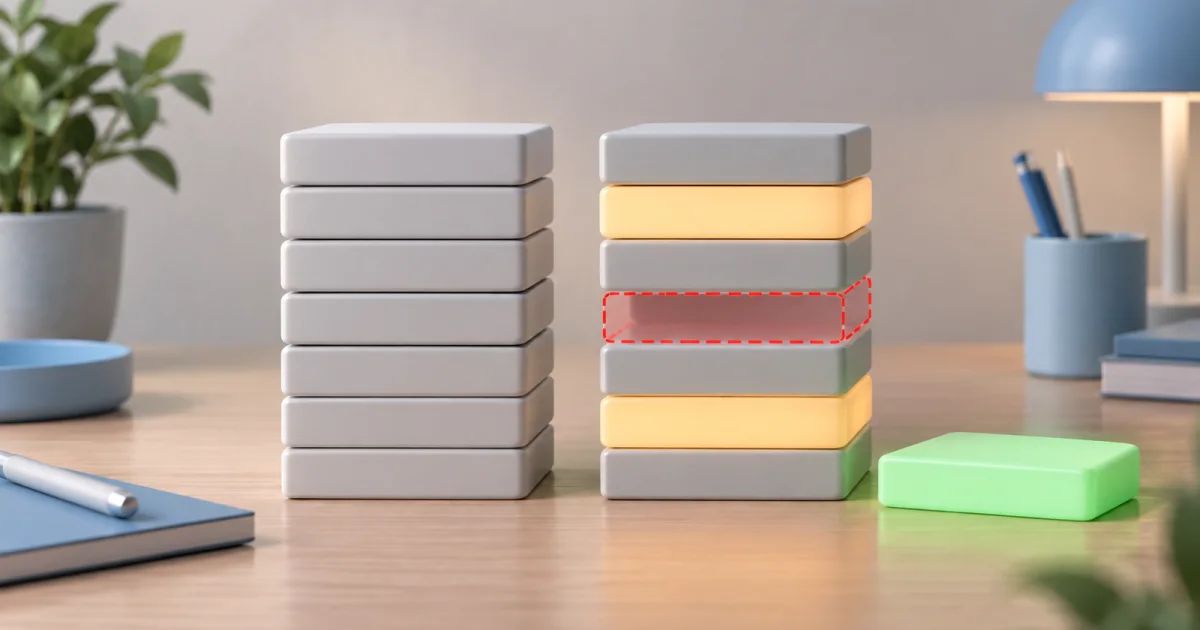
To combine contacts from several old phones, export each address book as a .vcf file, merge the files into one, and import that single file into your new phone's account. FindUtils Merge VCF joins the files in your browser, skips a later card when its name, phone numbers and email addresses all match an earlier one, and copies every other card exactly as written, photos included. The contacts are not uploaded.
This guide covers why merging before importing saves cleanup, how to order the files, exactly which cards count as duplicates, and what to do about near-duplicates the merge leaves alone.
Why Merge Before You Import
A .vcf file can hold many contacts: the vCard standard, RFC 6350, defines a vCard entity as one or more BEGIN:VCARD … END:VCARD blocks. Contacts services add what you import to what is already there:
- iCloud turns every person in an imported vCard into a separate entry in All Contacts.
- Google Contacts imports vCard or CSV files and has an overall limit of 25,000 contacts.
Neither page describes any duplicate check during import. Import three overlapping exports and the people on all three appear three times. Merging first removes the exact repeats before they reach the account, and leaves you with one file to keep as a backup.
How to Merge the Exports
Step 1: Collect the files
Export from each source: an old phone's contacts app, a Google or iCloud export, an Outlook export, or the .vcf attachments people sent you. Keep the original files until the import looks right.
Step 2: Drop them in order
Open Merge VCF and drop the files, or add them in several rounds. Each file is listed with its number of cards. A file with no complete card is marked with the reason and left out, and the others still merge.
Step 3: Decide on Skip duplicates
Skip duplicates is on by default and shows how many cards it would drop. Turn it off to keep every card.
Step 4: Download and import
Download merged-contacts.vcf and import it once into the account your new phone uses.
Put the Best Export First
Order matters twice. Cards are written in the order of the file list, then in their order inside each file. And when two cards are duplicates, the first one is kept. Put your newest or most complete export at the top, so its version of each person, with the current photo and job title, is the one that survives.
Which Cards Count as Duplicates?
A later card is skipped only when all three of these match an earlier card:
| Field | How it is compared |
|---|---|
| Name | The display name (FN, or N when FN is missing), trimmed, case ignored, repeated spaces collapsed |
| Phone numbers | Digits only, sorted, so formatting and order do not matter |
| Email addresses | Lowercased and sorted |
Some examples:
| Earlier card | Later card | Skipped? |
|---|---|---|
Ada Lovelace, +44 (20) 1234, [email protected] | ada lovelace, 44201234, [email protected] | Yes: same name, same digits, same email |
Ada Lovelace, 44201234, [email protected] | Ada Lovelace, 44201234, [email protected] | No: the email differs |
Ada Lovelace, +1 555 0100 | Ada Lovelace, 555 0100 | No: the country code adds digits |
John Smith, 555 0100 | J. Smith, 555 0100 | No: the names differ |
The rule is strict on purpose: it never guesses that two different-looking people are the same. It also compares only those three fields. If a later duplicate carries an extra detail, such as an address or a birthday the first card lacks, that detail is dropped with the card, so check the skipped count and turn Skip duplicates off when your older exports hold details the newest one does not.
A card with no name, phone or email, such as one holding only a company, is skipped only when an identical card came first.
What Survives the Merge
Every kept card is copied line by line as it appeared in its file. That keeps:
- Photos, which are long encoded lines inside the card.
- Custom fields, such as
X-properties written by one app and read by the same app later. - The vCard version of each card. A file can mix 2.1, 3.0 and 4.0 cards; each keeps its own
VERSION.
Cards are joined with the line ending of the first file you add. RFC 6350 specifies CRLF line breaks, so an export that already uses them passes them on unchanged.
A card cut off before END:VCARD, which happens when an export or an email attachment was truncated, is refused and counted, so a broken card cannot run into the next one.
What About Near-Duplicates?
Cards like "J. Smith" and "John Smith", or the same person with and without a country code, stay as two cards. You have two ways to deal with them:
- After importing, use your contacts app's own duplicate or merge feature, which can combine two cards field by field.
- Before importing, convert the merged file with VCF to CSV, clean the rows in a spreadsheet, and turn it back into a vCard with CSV to VCF. This rewrites the cards, so photos and fields without a CSV column may not survive the round trip.
Common Mistakes
Importing the merged file into an account that already has the contacts. Import adds; it does not replace. If the account already holds last year's contacts, the merged file doubles them. Import into an empty account, or clean up afterwards.
Putting the oldest export first. With Skip duplicates on, the first copy wins. An old export at the top keeps old details.
Expecting fuzzy matching. Only exact matches on name, phone digits and emails are skipped. Everything else is kept for you to decide.
Tools Used in This Guide
| Tool | Use |
|---|---|
| Merge VCF | Combine several .vcf exports into one file, skipping exact duplicates |
| VCF to CSV | Review or clean contacts in a spreadsheet |
| CSV to VCF | Turn a cleaned spreadsheet back into an importable vCard file |
| Merge Bookmarks | The same job for browser bookmarks from several computers |
FAQ
Can I import several VCF files at once into Google Contacts?
Merge them into one file first. Drop all the .vcf exports on Merge VCF, download merged-contacts.vcf and import that single file. Exact duplicates across the exports are skipped on the way.
Which copy of a duplicate contact is kept?
The first one, in the order of the file list and then the order inside each file. Put your newest export at the top of the list.
Why are two cards for the same person both still in the file?
Something on them differs: the name as written, a phone number's digits, or an email address. Only cards that match on all three are skipped, so near-duplicates are left for your contacts app to merge.
Are my contacts uploaded when I merge them?
No. The .vcf files are read and joined in your browser tab, and the merged file is created there for download.
Next Steps
Drop your exports on Merge VCF and import the merged file once. To review the result in a spreadsheet first, open it with VCF to CSV.