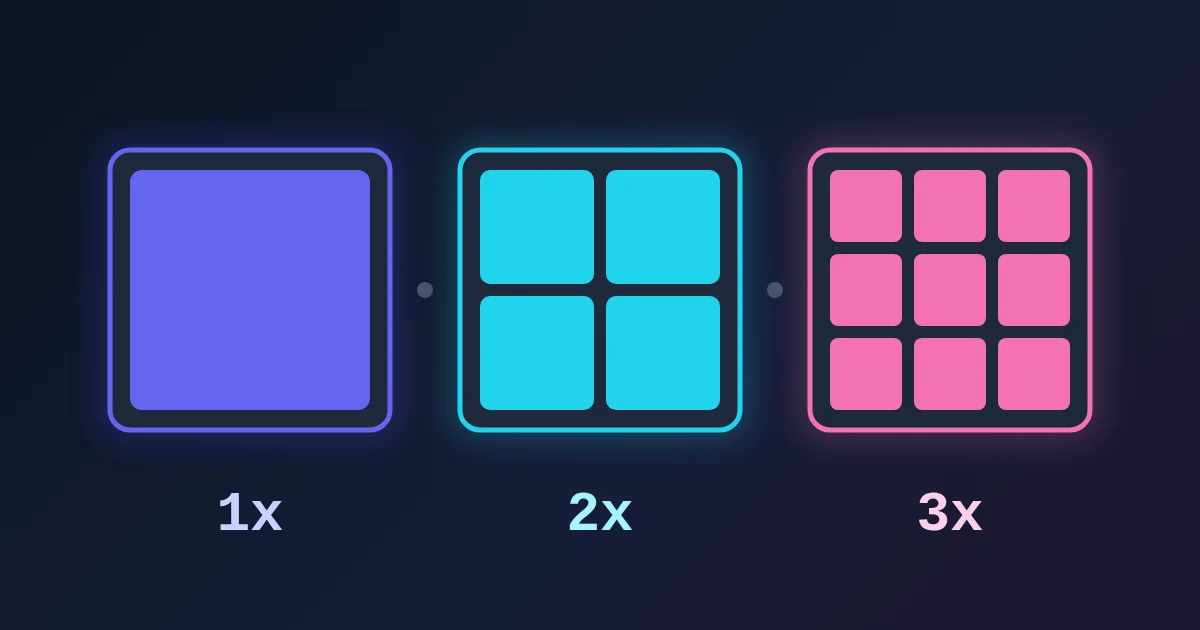
Device pixel ratio (DPR) is the number of hardware pixels a screen uses to draw one CSS pixel along each axis. A phone with a panel 1170 pixels wide and a DPR of 3 lays web pages out as if it were 390 pixels wide, and draws every CSS pixel with a 3 × 3 block of hardware pixels. In the browser it is window.devicePixelRatio. iOS calls the same layout unit a point, Android calls it a dp, and Flutter and React Native call it a logical pixel: one unit of roughly constant physical size, drawn with as many hardware pixels as the screen has.
That one ratio explains why phones report "low" resolutions, why a 1x image looks soft on a new laptop, and why a canvas chart can be blurry. The rest of this post gives the formulas, the platform names, and the fixes.
Two Kinds of Pixel
Physical pixels (also called device pixels) are the dots on the panel. A spec sheet that says 2880 × 1800 counts these.
Logical pixels are a unit for layout. The CSS specification anchors the CSS pixel to a reference pixel: the visual angle of one pixel on a 96 dpi screen at arm's length, about 0.26 mm (1/96 inch) when read at about 28 inches. Because the unit is defined by how big it looks rather than by the hardware, a 16-pixel font reads at a similar size on a laptop and on a phone held closer to the eye.
The DPR connects them:
physical pixels = logical pixels × DPR
logical pixels  = physical pixels ÷ DPR
At a DPR of 2, one logical pixel is a 2 × 2 block, four hardware pixels. At 3, it is 3 × 3, nine.
One Idea, Five Names
| Platform | Name of the logical unit | Baseline (ratio 1) | How code reads the ratio |
|---|---|---|---|
| Web (CSS) | CSS pixel (px) | 96 px per inch, the reference pixel | window.devicePixelRatio |
| iOS | Point (pt) | @1x: one pixel per point | Scale factor: @1x, @2x, @3x |
| Android | Density-independent pixel (dp) | 160 dpi ("mdpi") | px = dp × (dpi / 160) |
| Flutter | Logical pixel | About 96 per inch (38 per cm) | MediaQuery.devicePixelRatioOf(context) |
| React Native | Layout size (dp) | One pixel per unit at ratio 1 | PixelRatio.get() |
Android's density buckets map straight onto ratios: mdpi (~160 dpi) is 1x, hdpi (~240) 1.5x, xhdpi (~320) 2x, xxhdpi (~480) 3x and xxxhdpi (~640) 4x. Android's documentation gives the example of a 48 × 48 dp icon, exported at 48, 72, 96, 144 and 192 pixels for those five buckets.
Why the Ratio Is Often Not a Whole Number
Apple screens use 2x or 3x, but many devices do not:
- Android phones commonly report values such as 2.625 or 2.75. Flutter's own documentation mentions the Nexus 6 at 3.5.
- Windows display scaling sets the ratio directly: a Full HD laptop at 125% reports 1.25 and a screen width of 1536 CSS pixels; at 150%, 1.5 and 1280.
- Page zoom changes it. MDN notes that zooming in makes a CSS pixel larger, so
devicePixelRatiogoes up: a 1x screen at 200% zoom reports 2. Pinch-zoom on a phone does not change it, because it magnifies without resizing the CSS pixel.
Fractional ratios have a side effect. CSS sizes are reported as whole numbers, so a 1080-pixel panel at 2.625 (exactly 411.4 CSS pixels) is reported as 412, and multiplying back gives 1082, not 1080. Treat physical sizes worked out from a fractional ratio as accurate to a pixel or two.
What the Ratio Changes in Practice
Images need more pixels than their layout size
A 200 × 100 image slot on a 3x phone covers 600 × 300 hardware pixels. A 200 × 100 file is stretched to fill them and looks soft. Each platform has a way to ship sharper versions:
-
Web: an
srcsetwithxdescriptors lets the browser pick.HTML123<class="text-rose-400">img src="logo-200.png" srcset="logo-200.png 1x, logo-400.png 2x, logo-600.png 3x" width="200" height="100" alt="Logo">
In our test in Chrome, the browser chose the 1x file at a ratio of 1, the 2x file at 2, and the 3x file at both 3 and 2.625.
-
iOS: add
@2xand@3xversions to the asset catalog. -
Android: put each size in
drawable-mdpiup todrawable-xxxhdpi(and launcher icons in themipmap-folders). -
Flutter: put variants in
2.0x/and3.0x/folders next to the base image.AssetImagepicks the closest one: Flutter's docs say a ratio of 1.8 gets the2.0xfile and 2.7 gets the3.0xfile. -
React Native:
PixelRatio.getPixelSizeForLayoutSize(200)returns the pixel width to request from an image server, 600 on a 3x device.
Vector formats such as SVG avoid the problem entirely for icons and logos.
A canvas is blurry until you scale it
A <canvas> has its own pixel buffer. If the buffer is 300 × 150 and the element is 300 × 150 CSS pixels on a 2x screen, the browser stretches it and lines blur. Make the buffer DPR times larger and scale the drawing:
const canvas = document.getElementById("chart");
const ctx = canvas.getContext("2d");
const cssWidth = 300, cssHeight = 150;
const dpr = window.devicePixelRatio || 1;

canvas.style.width = cssWidth + "px";
canvas.style.height = cssHeight + "px";
canvas.width = Math.round(cssWidth * dpr);
canvas.height = Math.round(cssHeight * dpr);
ctx.scale(dpr, dpr); // keep drawing in CSS pixels
We ran this at four ratios: the buffer became 300 × 150 at 1x, 600 × 300 at 2x, 900 × 450 at 3x and 788 × 394 at 2.625x, while the element stayed 300 CSS pixels wide in every case.
Thin lines land between pixels
At 3x, a line 0.4 logical pixels from a pixel edge falls in the middle of a hardware pixel and is drawn as a soft blend. React Native's PixelRatio.roundToNearestPixel() snaps a size to the hardware grid: on a 3x device, roundToNearestPixel(8.4) returns 8.33, which is exactly 25 hardware pixels.
Media queries can test it
CSS can switch assets by density with the resolution media feature:
@media (min-resolution: 2dppx) {
  .hero { background-image: url("[email protected]"); }
}
dppx means dots per CSS pixel, which is the same number as devicePixelRatio. In our test, it matched at 2, 2.625 and 3, and not at 1.
Why a Phone Page Can Still Look Tiny
The ratio only works as described when the page tells the browser to use the device width:
<class="text-rose-400">meta name="viewport" content="width=device-width, initial-scale=1">
Without it, MDN explains, mobile browsers lay the page out on a wider virtual viewport (980 pixels is a typical value) and shrink the result to fit the screen, so a layout meant for 390 pixels never gets used and media queries for narrow screens never fire.
Worked Conversions
| Device setup | Logical size | Ratio | Physical size |
|---|---|---|---|
| 13-inch Retina-class laptop | 1440 × 900 | 2 | 2880 × 1800 |
| Full HD laptop at 125% scaling | 1536 × 864 | 1.25 | 1920 × 1080 |
| iPhone 14 Pro | 393 × 852 pt | 3 | 1179 × 2556 |
| Android phone at 2.625 | 412 × 915 dp | 2.625 | about 1080 × 2400 |
| Android icon, 48 dp at xxhdpi | 48 × 48 dp | 3 | 144 × 144 |
To check your own device, open the FindUtils Screen Resolution Detector. It shows the screen size in CSS pixels, the viewport, the pixel ratio and the effective physical resolution in one view; the Screen Resolution Detector guide explains each reading. To make the 1x, 2x and 3x versions of an image, resize it with the Image Resizer and shrink the files with the Image Compressor. For icons, the Favicon Generator exports the usual sizes at once.
Need help with a project? The team behind FindUtils takes on freelance work, such as a Flutter app for iOS and Android built from your idea or design.
FAQ
What is device pixel ratio in simple terms?
It is how many hardware pixels a screen uses for one CSS pixel along each side. A ratio of 2 means each CSS pixel is drawn with 2 × 2 = 4 hardware pixels.
Why does my phone say its width is 390 pixels?
Browsers report CSS pixels. A phone with a 1170-pixel-wide panel and a ratio of 3 is 1170 ÷ 3 = 390 CSS pixels wide.
Is a CSS pixel the same as an iOS point or an Android dp?
They are the same idea, a layout unit of roughly fixed physical size, but each platform sets its own baseline: 96 per inch for CSS, @1x for iOS, 160 dpi for Android. In practice a phone that is 390 points wide in an app is also 390 CSS pixels wide in its browser.
What image size do I need for a 3x screen?
Three times the layout size in each direction. A 200 × 100 slot needs a 600 × 300 image. Provide 1x, 2x and 3x versions, or use SVG for icons.
Why does devicePixelRatio change when I zoom?
Page zoom makes each CSS pixel larger, so more hardware pixels are used for it and the ratio goes up. Pinch-zoom does not change it.
How do I get the device pixel ratio in Flutter?
Call MediaQuery.devicePixelRatioOf(context). MediaQuery.sizeOf(context) returns the screen size in logical pixels; multiply the two for physical pixels.
Related Reading
Sources
- MDN Web Docs: Window.devicePixelRatio
- W3C CSS Values and Units Module Level 4: the reference pixel
- Android Developers: Support different pixel densities
- Apple Human Interface Guidelines: Images
- Flutter API: FlutterView.devicePixelRatio
- Flutter docs: Adding assets and images, resolution-aware image assets
- React Native docs: PixelRatio
- MDN Web Docs: Responsive images
- MDN Web Docs: Viewport meta tag
- MDN Web Docs: resolution media feature