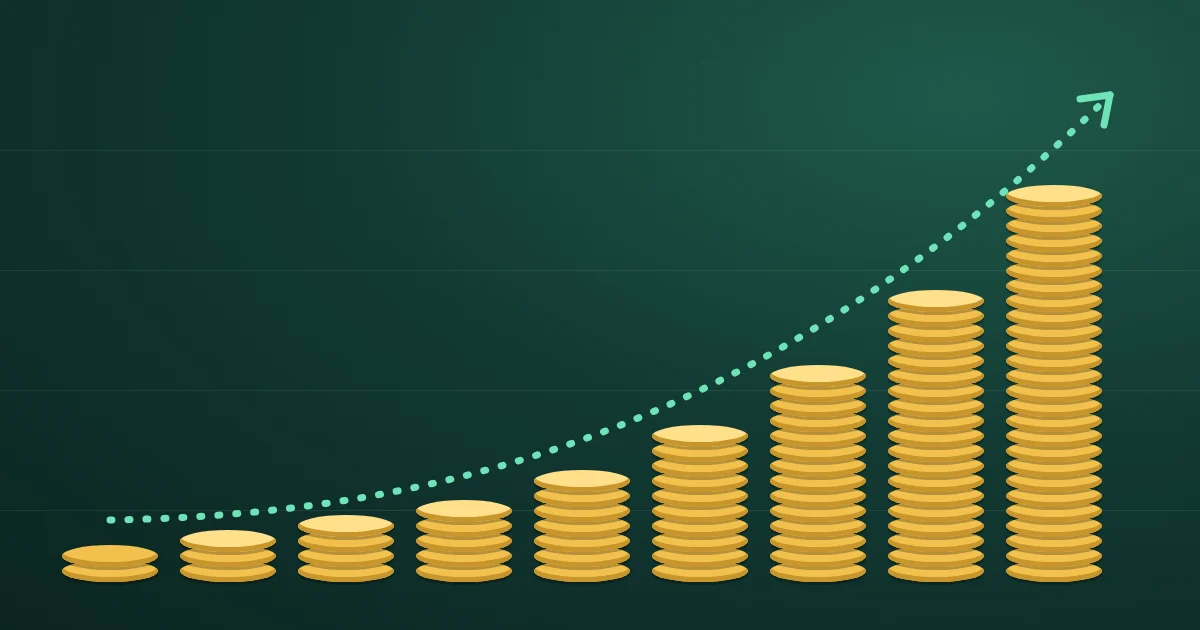
A compound interest calculator projects how a balance grows when each period's interest is added to the balance and then earns interest itself. In the FindUtils Compound Interest Calculator, you enter an initial investment, an annual interest rate, a number of years, a compounding frequency, and an optional regular contribution, and it shows the future value, your total contributions, the total interest earned, and a growth chart. It is free, needs no account, and on the tool page the numbers are calculated in your browser.
This guide explains each input, the formula behind the result, how frequency and contributions change the answer, and how to sanity-check a projection before you rely on it.
What Is Compound Interest?
Compound interest is interest earned on earlier interest as well as on the money you put in. The U.S. Securities and Exchange Commission's investor education site, Investor.gov, gives the simplest example: $100 earning 5% a year becomes $105 after one year and $110.25 after two, because in the second year the $5 of interest also earns 5%.
The extra 25 cents looks small, but it repeats every period on a growing base. Simple interest, by contrast, is paid only on the original amount, so it grows in a straight line instead of a curve.
| $10,000 at 8% for 30 years | Ending balance | Interest earned |
|---|---|---|
| Simple interest | $34,000 | $24,000 |
| Compounded monthly | $109,357 | $99,357 |
Same rate, same time, same deposit. The difference is entirely interest on interest.
The Compound Interest Formula
For a single deposit, the future value is:
A = P × (1 + r/n)^(n × t)
- A is the future value.
- P is the initial investment (the principal).
- r is the annual interest rate as a decimal, so 5% is 0.05.
- n is the number of compounding periods per year, such as 12 for monthly.
- t is the number of years.
Regular contributions add a second part. When a fixed amount C is added at the end of every compounding period, which is what the FindUtils calculator assumes, the contributions grow to:
Contributions = C × ((1 + r/n)^(n × t) − 1) ÷ (r/n)
The calculator adds the two parts together. You do not need to work the formulas by hand, but knowing them makes it easy to spot an input mistake.
How to Use the Compound Interest Calculator
The calculator has five inputs and updates the result as you type.
Step 1Enter the Initial Investment
Type the amount you are starting with. If you are starting from nothing and will only add money over time, enter 0 and use the contribution field instead.
Step 2Enter the Annual Interest Rate
Enter the yearly rate as a percentage, such as 5 for 5%. For a savings account or certificate of deposit, use the rate your bank quotes. For an investment, any rate is an assumption about the future, so try a cautious figure and an optimistic one rather than a single number.
Step 3Set the Time Period
Enter the number of years the money will stay invested. Time is the input that changes the result most, because it sits in the exponent of the formula.
Step 4Choose the Compounding Frequency
Pick Yearly, Quarterly, Monthly, Bi-weekly, or Weekly. Use the frequency stated in your account terms. If you are modelling an investment whose returns you only know as a yearly figure, Yearly is the honest choice.
Step 5Add a Regular Contribution (Optional)
The Regular Contribution field is the amount added each compounding period. With Monthly selected, a contribution of 200 means $200 every month. With Yearly selected, it means one deposit a year. Match the frequency to how often you actually add money.
Read the Results
The results panel shows the Future Value, Total Contributions (your initial investment plus every regular contribution), and Total Interest Earned (the future value minus your contributions). The Growth Over Time chart shows how the balance builds year by year. With the default inputs, $10,000 at 5% for 10 years compounded monthly, the future value is $16,470, of which $6,470 is interest.
Worked Examples
These figures were calculated with the formulas above, the same end-of-period method the calculator uses, and are rounded to the dollar.
Example 1: A Lump Sum Left Alone
$10,000 at 6% for 20 years, with no contributions:
| Compounding | Future value |
|---|---|
| Yearly | $32,071 |
| Quarterly | $32,907 |
| Monthly | $33,102 |
| Bi-weekly | $33,155 |
| Weekly | $33,178 |
Moving from yearly to monthly compounding adds about $1,031 over twenty years. Moving from monthly to weekly adds only $76 more. Frequency matters, but far less than the rate and the number of years.
Example 2: Small Monthly Contributions
$0 to start, $200 a month, 7% a year, compounded monthly, for 30 years. You contribute $72,000 in total, and the future value is about $243,994. Roughly $171,994, more than two thirds of the ending balance, is interest.
Example 3: Starting Ten Years Earlier
Two savers both stop at the same age and earn 7% compounded monthly:
| Saver | Monthly amount | Years | Total contributed | Future value |
|---|---|---|---|---|
| Starts early | $200 | 40 | $96,000 | $524,963 |
| Starts later | $400 | 30 | $144,000 | $487,988 |
The later saver puts in $48,000 more and still ends with about $37,000 less. Ten extra years of compounding outweigh twice the monthly amount.
Example 4: A Starting Balance Plus Contributions
$5,000 to start, $300 a month, 6% compounded monthly, for 15 years. Total contributions are $59,000, and the future value is about $99,516, so interest supplies about $40,516.
How to Check a Result in Your Head
Two quick checks catch most typing mistakes.
The Rule of 72
Divide 72 by the annual rate to estimate how many years it takes money to double. Investor.gov's example: at 9%, an investment doubles about every 8 years. The rule is an approximation, close in the middle of the range and less exact at the ends:
| Annual rate | Rule of 72 estimate | Exact doubling time (yearly compounding) |
|---|---|---|
| 2% | 36 years | 35.0 years |
| 4% | 18 years | 17.7 years |
| 6% | 12 years | 11.9 years |
| 8% | 9 years | 9.0 years |
| 10% | 7.2 years | 7.3 years |
| 12% | 6 years | 6.1 years |
If the calculator shows $10,000 at 8% for 9 years growing to roughly $20,000, the inputs are probably right. If it shows $200,000, a rate was likely typed as 80 instead of 8.
Interest Should Exceed Contributions Only Over Long Periods
In the first few years, almost all of the balance is your own money. If Total Interest Earned is larger than Total Contributions after two or three years at a normal savings rate, recheck the rate and the period.
Interest Rate vs APY
A bank account often shows two numbers: the interest rate and the annual percentage yield (APY). The rate is the yearly figure before compounding; the APY is what a year of compounding actually produces. In the United States, Regulation DD (the Truth in Savings rule) defines APY from the interest earned in a year, as set out in Appendix A to 12 CFR Part 1030.
A 5% rate gives these yields:
| Compounding | APY from a 5% rate |
|---|---|
| Yearly | 5.00% |
| Quarterly | 5.09% |
| Monthly | 5.12% |
| Weekly | 5.12% |
| Daily | 5.13% |
When you enter a bank's figure into the calculator, use the interest rate with the bank's compounding frequency. If you only know the APY, enter it with Yearly compounding; both routes give about the same one-year result.
Common Mistakes to Avoid
Mistake 1: Mixing Up the Contribution Frequency
The contribution is added once per compounding period. Entering a monthly amount with Yearly selected adds it only once a year, which understates the result. Entering a yearly amount with Monthly selected adds it twelve times a year, which overstates it.
Mistake 2: Treating the Result as Spending Power
The calculator shows a nominal amount: future dollars, not today's dollars. To see spending power, subtract an expected inflation rate from your interest rate as a rough adjustment, or check the effect of rising prices with the Inflation Calculator. For example, $10,000 at 7% compounded yearly for 30 years grows to about $76,123, but at 3% inflation that is worth roughly $31,000 to $32,000 in today's money.
Mistake 3: Using One Optimistic Rate
Investment returns vary from year to year, and the calculator assumes the same rate every year. Run a low, middle, and high rate and plan around the range, not the top figure.
Mistake 4: Forgetting Taxes and Fees
The result is before taxes, fund fees, and account charges. A 1% yearly fee reduces the growth rate itself, so it compounds against you over long periods. Subtract expected fees from the rate when you model an investment.
Mistake 5: Comparing Different Compounding Without Converting
Two accounts quoting 5% can pay different amounts if one compounds yearly and the other monthly. Compare the APY figures, or run both through the calculator with their own frequencies.
Compound Interest Calculator vs Spreadsheets vs Bank Calculators
| Aspect | FindUtils Compound Interest Calculator | Spreadsheet (FV function) | Bank or broker calculators |
|---|---|---|---|
| Setup | None; open the page | Build the formula yourself | None |
| Contributions | Fixed amount each period | Any pattern you can model | Varies |
| Frequencies | Yearly, quarterly, monthly, bi-weekly, weekly | Any | Varies |
| Chart | Built in | Build it yourself | Sometimes |
| Account needed | No | No | Sometimes |
| Neutrality | Not tied to a financial product | Neutral | Often promotes the provider's products |
A spreadsheet is the better choice when contributions change from year to year. For a quick, neutral projection with a chart, the calculator is faster.
Tools Used in This Guide
- Compound Interest CalculatorProject growth with compounding and regular contributions
- Savings CalculatorPlan toward a savings goal
- Investment CalculatorModel investment growth over time
- Retirement CalculatorEstimate a retirement balance
- Inflation CalculatorSee how prices change the value of money
- FIRE CalculatorEstimate a financial independence target
- Credit Card Payoff CalculatorSee compounding working against you on a balance
FAQ
How is compound interest calculated?
The balance is multiplied by one plus the periodic rate once per period: A = P(1 + r/n)^(nt). Each period's interest joins the balance, so the next period earns interest on a larger amount.
Does compounding monthly make a big difference?
It helps, but less than most people expect. $10,000 at 6% for 20 years grows to $32,071 with yearly compounding and $33,102 with monthly compounding. The rate and the number of years have a much larger effect.
Are contributions added at the start or the end of each period?
The FindUtils calculator assumes the end of each compounding period. Contributions made at the start of each period would earn one extra period of interest, so the real result would be slightly higher.
What interest rate should I enter?
For a bank account, use the rate the bank quotes with its compounding frequency. For investments, no rate is guaranteed, so compare a cautious and an optimistic assumption.
Does the calculator account for inflation or taxes?
No. It shows a nominal, pre-tax future value. Subtract expected inflation, taxes, and fees from the rate for a rough real-terms estimate.
What is the Rule of 72?
A shortcut for doubling time: divide 72 by the annual rate. At 8%, money doubles in about 9 years. It is close for rates between about 6% and 10% and less precise outside that range.
Is the Compound Interest Calculator free?
Yes. It is free, has no usage limits, and needs no account. On the tool page, the calculation runs in your browser and the numbers you enter are not uploaded.
Next Steps
- Compare when each money tool fits in 31 finance calculators and when to use each.
- Plan the other side of the ledger with the mortgage payment guide.
- Turn the projection into a retirement plan with the Retirement Calculator.