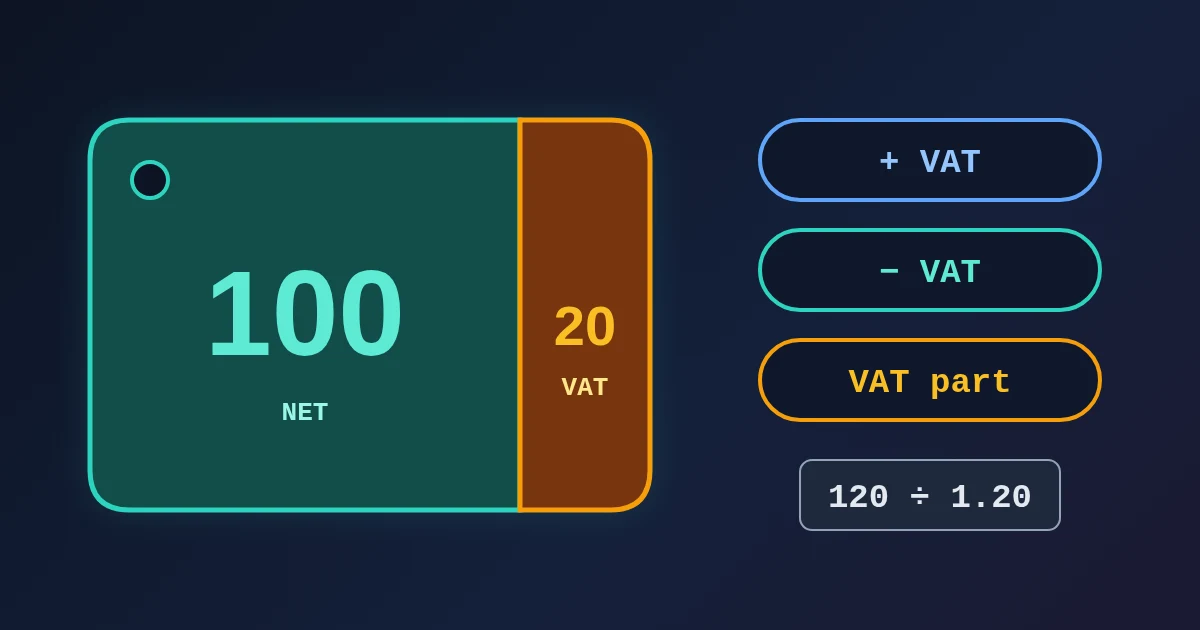
To add VAT to a price, multiply the net price by 1 plus the VAT rate: 100 at 20% becomes 100 × 1.20 = 120. To remove VAT from a price that already includes it, divide by 1 plus the rate: 120 ÷ 1.20 = 100. To find just the VAT inside a total, multiply the total by rate ÷ (100 + rate): 120 × 20/120 = 20, which is one sixth of the price at 20%. The FindUtils VAT Calculator does all three. Pick a mode, type the amount and the rate, and it shows the net price, the VAT amount and the gross price, with the formula underneath. It runs in your browser, and there is no sign-up.
The most common mistake is to subtract the rate from a gross price. 120 minus 20% is 96, not 100. This guide shows the three modes, real results for several countries, a table of VAT fractions, and the checks to do before a figure goes on an invoice. Every example was run on the live tool.
How to Use the VAT Calculator, Step by Step
- Open the VAT Calculator.
- Choose a Calculation Mode:
- Add VAT: you have a net price (excluding VAT) and want the price your customer pays.
- Remove VAT: you have a gross price (including VAT) and want the net price.
- Extract VAT: you have a gross price and want the VAT part only, for example for a receipt in your books.
- Enter the amount. The label changes with the mode: Net Amount (excl. VAT) for Add VAT, Gross Amount (incl. VAT) for the other two.
- Set the VAT Rate. Click a preset (5%, 8%, 10%, 18%, 20%, 21% or 25%) or type any rate, including decimals such as 5.5 or 25.5.
- Read the Results. The Net Price, VAT Amount and Gross Price cards update as you type. The formula used is shown under them.
The amount field shows a $ sign, but the math is the same for any currency. Results are shown to two decimal places.
The Three Formulas
| You have | You want | Formula | Example at 20% |
|---|---|---|---|
| Net price | Gross price | net × (1 + rate/100) | 50 × 1.20 = 60 |
| Net price | VAT amount | net × rate/100 | 50 × 0.20 = 10 |
| Gross price | Net price | gross ÷ (1 + rate/100) | 60 ÷ 1.20 = 50 |
| Gross price | VAT amount | gross × rate ÷ (100 + rate) | 60 × 20/120 = 10 |
Remove VAT and Extract VAT start from the same gross price and give the same split. Remove VAT is the one to use when you need the net price, and Extract VAT when you need the tax. In both modes the calculator shows all three figures.
Real Results From the Tool
| Mode | Amount | Rate | Net Price | VAT Amount | Gross Price |
|---|---|---|---|---|---|
| Add VAT | 50 | 20% (UK, France) | 50.00 | 10.00 | 60.00 |
| Remove VAT | 120 | 20% | 100.00 | 20.00 | 120.00 |
| Remove VAT | 1200 | 20% (Turkey standard rate) | 1000.00 | 200.00 | 1200.00 |
| Remove VAT | 59.99 | 20% | 49.99 | 10.00 | 59.99 |
| Extract VAT | 119 | 19% (Germany) | 100.00 | 19.00 | 119.00 |
| Extract VAT | 242 | 21% (Netherlands, Spain) | 200.00 | 42.00 | 242.00 |
| Remove VAT | 125.50 | 25.5% (Finland) | 100.00 | 25.50 | 125.50 |
| Remove VAT | 10.55 | 5.5% (France, reduced) | 10.00 | 0.55 | 10.55 |
The 59.99 row is a typical shop price. 59.99 ÷ 1.20 is 49.991666…, shown as 49.99. The VAT is the rest, 10.00. Rates change, so check your country's current rate with its tax authority before you invoice. The EU's Your Europe VAT rates table lists the standard and reduced rates for every member state.
VAT Fractions: The Shortcut for Prices That Include VAT
The VAT inside a gross price is the VAT fraction of that price: rate ÷ (100 + rate). HMRC's VAT Notice 700, paragraph 7.3.1 uses the example of £2.40 at 20%. The VAT is 40 pence, which is one sixth of £2.40 and not 20% of it.
| Rate | VAT fraction | VAT in a gross price of 100 |
|---|---|---|
| 5% | 1/21 | 4.76 |
| 7% | 7/107 | 6.54 |
| 10% | 1/11 | 9.09 |
| 19% | 19/119 | 15.97 |
| 20% | 1/6 | 16.67 |
| 21% | 21/121 | 17.36 |
| 23% | 23/123 | 18.70 |
| 25% | 1/5 | 20.00 |
| 27% | 27/127 | 21.26 |
So at 20%, a gross price minus one sixth is the net price. At 25%, the VAT is one fifth of the gross price, even though the rate is a quarter of the net price.
Four Mistakes the Calculator Helps You Avoid
1. Subtracting the rate from a gross price. 120 − 20% = 96, but the net price is 100. VAT was added to the net price, so you divide by 1.20 to undo it. Multiplying by 0.80 always takes off too much. The Percentage Calculator guide explains this reversal trap for any percentage.
2. Not knowing which kind of price you have. A supplier quote, a marketplace listing and a shop shelf may show net or gross prices. Find out first, then pick Add VAT or Remove VAT. Running the wrong mode on 100 at 20% gives 120 instead of 83.33, a difference of 36.67.
3. Rounding too early. Work out the VAT from the full amount, then round the result once. If you first round a net price of 49.991666… to 49.99 and then add 20%, you get 59.988, which you then have to round back to 59.99. On a single price this rarely matters, but on many invoice lines it can move the total by a cent or more. The rules on where to round differ by country (see the next section).
4. Using an old rate. Rates change. The UK standard rate has been 20% since 4 January 2011, and HMRC lists the earlier rates in Notice 700, paragraph 3.3.1. Turkey's general rate went from 18% to 20% on 10 July 2023. Use the rate that applied on the date of the supply, which can be an older rate when you correct an earlier invoice.
Rounding on Invoices
The calculator shows results to two decimals. Official invoices follow your country's rounding rules. HMRC, for example, lets invoice traders round the VAT on each line down to 0.1p or to the nearest 1p or 0.5p, as long as they use the same method every time. It also lets them round the total VAT down to a whole penny (Notice 700, paragraph 17.5). EU law does not set one method, and each member state sets its own. When a VAT amount ends exactly on half a cent, such as 8.50 × 19% = 1.615, round it with the method your bookkeeping uses. Do not just copy a figure that has already been rounded. Our post on VAT rounding per line or per invoice shows how the method changes an invoice total.
Tips
- Credit notes. A negative amount, such as −120 at 20%, gives −100 net and −20 VAT, the reverse of the original split.
- Reduced rates. Many countries have reduced rates, such as 5.5% or 10% in France and 7% in Germany. Type them into the rate field.
- Price after margin. If you set prices from cost, work out the net price with the Profit Margin Calculator first, then add VAT here. The Break-Even Calculator helps you check how many sales cover your costs.
- Making the invoice. The Invoice Generator builds a printable invoice with line items and a tax line.
- Percent questions that are not VAT. For discounts, markups and percentage change, use the Percentage Calculator.
FAQ
How do I remove 20% VAT from a price?
Divide the price by 1.20. 120 ÷ 1.20 = 100 net, and the VAT is 20. Taking 20% off the gross price (120 × 0.80 = 96) gives the wrong answer.
How do I work out the VAT included in a total?
Multiply the total by rate ÷ (100 + rate). At 20% that is one sixth: a total of 60 includes 10 of VAT. In the calculator, choose Extract VAT.
Can I use the VAT Calculator for GST or sales tax?
Yes. GST works the same way: net × (1 + rate) gives the gross price, and gross ÷ (1 + rate) gives the net price. US sales tax is usually added to a net shelf price, so use Add VAT with your combined state and local rate.
Does the calculator support decimal rates like 5.5% or 25.5%?
Yes. Type the rate into the VAT Rate field. 125.50 at 25.5% gives 100.00 net and 25.50 VAT.
Is my data sent anywhere?
No. On this page, the calculations run in your browser.
Related Reading
Sources
- HMRC: VAT guide (VAT Notice 700), paragraphs 3.3.1 (historic rates), 7.3.1 (VAT fractions) and 17.5 (rounding on invoices)
- Your Europe: VAT rules and rates (EU standard and reduced rates)
- EY: Türkiye increases VAT rates on goods and services (Presidential Decree No. 7346, 20% from 10 July 2023)
- European Commission: VAT rates (the 15% minimum standard rate, Article 97 of the VAT Directive)