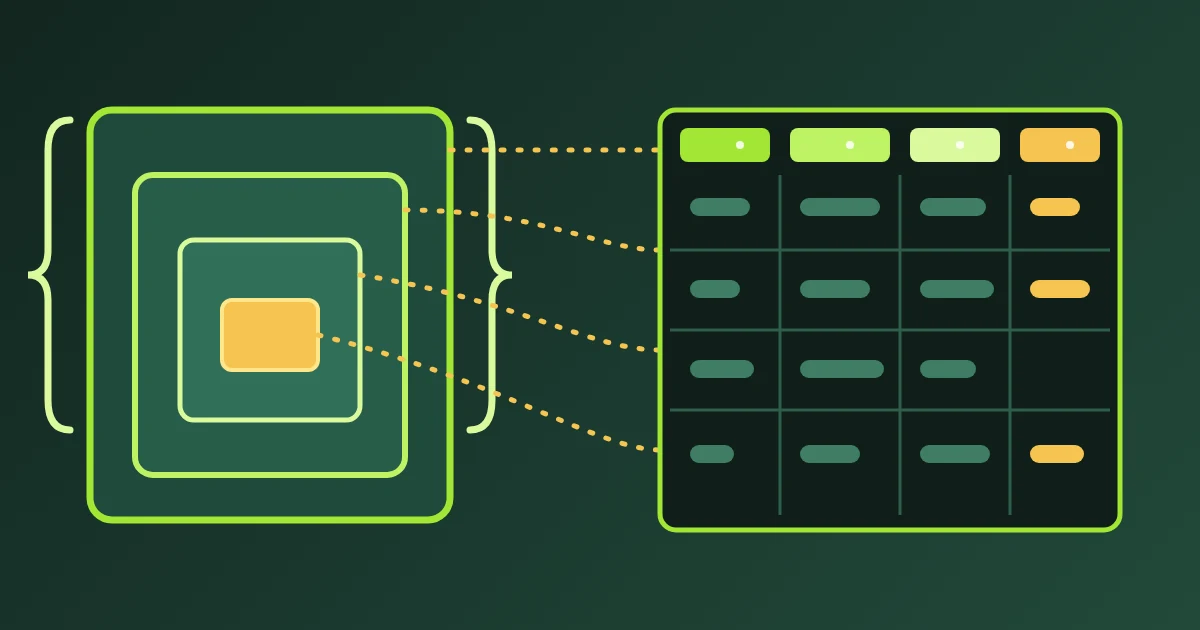
Convert a CSV to NDJSON when a program wants one JSON object per line instead of a table. The FindUtils NDJSON CSV Converter, set to CSV to NDJSON, reads the header row, makes each header cell a key, and writes one object for each data row. The conversion runs in your browser, and the tool does not upload or store the file.
This guide explains what JSON Lines is, how the header becomes keys, what the Coerce types switch changes, what happens to a row that does not match the header, and how to name the output for a loader.
Why Convert CSV to NDJSON?
A spreadsheet holds a table. Many programs read a stream instead. NDJSON is that stream: one JSON object on each line, with nothing wrapping the whole file. A reader parses one line, handles it, and forgets it. Three groups of consumers ask for this shape.
- Log shippers and streaming exports. Each line is complete on its own, so a reader can start in the middle of a file.
- Bulk loaders that read one record per line. The loader never holds the whole file in memory.
- Machine-learning fine-tune datasets. A training file is usually
.jsonl, with one training record per line.
How to Convert CSV to NDJSON Online
Step 1Load the CSV
Open the FindUtils NDJSON CSV Converter and pick CSV to NDJSON at the top. Upload a .csv, .tsv or .txt file, drop it on the page, or paste the text.
Step 2Check the Delimiter and the Keys
The Delimiter setting is Auto by default. Auto reads the header line and picks the character that splits it into the most fields. It tests a comma, a semicolon, a tab and a pipe. Set the delimiter by hand only when Auto reads the file incorrectly. Then read the key list and the notes under the output, because a renamed key is reported there.
Step 3Choose the Type Setting
Coerce types is off by default, and every value stays a string. Coercion changes codes such as postal codes, so read the rules in the next section before you turn it on.
Step 4Download
Download the file or copy the text. Use Download rather than Copy for a large result. Rename the file to .jsonl if your loader insists on that extension.
How the Header Becomes Keys
The first row supplies the keys, in the order the columns appear.
- Each header cell is trimmed, so
pricebecomesprice. - An empty header cell becomes
column_N, where N is its position. Inname,,emailthe second key iscolumn_2. - A duplicate name gets a numeric suffix. The second
emailbecomesemail_2and the third becomesemail_3. A note names each rename. - Turn the header row setting off for a file with no header. The keys are then
column_1,column_2, and so on, and the first row becomes data.
Reading follows RFC 4180. A quoted field may hold the delimiter, a doubled double quote, or a line break, and the whole field stays one value. A quote inside an unquoted field is a literal character, so 5" pipe stays one value. Blank lines produce no object, and the tool reports how many it skipped.
What Coerce Types Does and Does Not Do
With Coerce types off, every value is a JSON string. This is the safe setting for identifiers. With the switch on, the tool converts only these five cases.
| Cell | Becomes |
|---|---|
true | the boolean true |
false | the boolean false |
null | JSON null |
| an empty cell | JSON null |
| a plain number | a JSON number |
A plain number has no leading zero, and it may carry a fraction or an exponent. Three limits follow from that rule.
007stays the text"007", because a leading zero is not a plain number.- An integer of 2^53 or more stays text, so a 64-bit identifier keeps every digit.
1.0becomes the number1, and19.90becomes19.9. A JSON number carries no trailing zero.
Nothing else changes. A date stays a string, and a value with a currency symbol stays a string.
A Worked Example
This CSV has a header row and three data rows.
sku,name,price,in_stock,zip
A-100,Wall clock,19.90,true,01005
A-101,Desk lamp,34.00,false,90210
A-102,Floor mat,7,true,
With Coerce types off the tool writes this NDJSON.
{"sku": "A-100","name": "Wall clock","price": "19.90","in_stock": "true","zip": "01005"}
{"sku": "A-101","name": "Desk lamp","price": "34.00","in_stock": "false","zip": "90210"}
{"sku": "A-102","name": "Floor mat","price": "7","in_stock": "true","zip": ""}
With Coerce types on the same CSV gives this NDJSON.
{"sku": "A-100","name": "Wall clock","price":19.9,"in_stock": true,"zip": "01005"}
{"sku": "A-101","name": "Desk lamp","price":34,"in_stock": false,"zip": "90210"}
{"sku": "A-102","name": "Floor mat","price":7,"in_stock": true,"zip": null}
Compare the two zip values in the second output. 01005 keeps its leading zero and stays text. 90210 reads as a plain number, so it becomes the number 90210. One column now holds two JSON types.
Rows That Do Not Match the Header
- A wide row keeps the first values, one for each key, and drops the rest. The tool names the row, for example
Row 3 has 4 values for 3 columns; the extra values were dropped.The header is row 1. - A narrow row fills each missing key with
"", or withnullwhen Coerce types is on. Every object keeps the full key set.
Dotted Names and the Output File
- A header cell named
user.nameproduces the keyuser.name. The tool does not rebuild a dot path into a nested object, so every object stays one level deep. - The objects are written in header key order, one per line, with LF line ends and one trailing newline. The download name is the file stem plus
.ndjson, ordata.ndjsonwhen you pasted the text..jsonlis the same format under another extension. - The input cap is 10 MB, which is 10,000,000 characters. Nothing is uploaded, and you can confirm that in the network panel of your browser.
Practical Examples
Example 1: A Product Sheet for a Bulk Loader
Export the product sheet as CSV. Convert it with Coerce types on, so price and quantity arrive as numbers. Check the sku column and any other code column in the output before you load the file.
Example 2: A Prompt and Completion Sheet for a Fine-Tune File
Write one training record per row in the spreadsheet. Convert with Coerce types off, so every field stays a string. Rename the download to .jsonl and check the key names against the format your training job expects.
Example 3: A Contacts Export for a Log-Style Pipeline
Export the contacts as CSV and convert the file. Each line then stands alone, which is what a reader that takes one record per line needs. Open the source rows in CSV Viewer first if you want to check them as a table.
Common Mistakes
- Expecting nested objects from dotted headers. A header cell
user.namegives the keyuser.name, not a nesteduserobject. Rebuild the nesting in the program that reads the file, or accept the flat keys. - Leaving Coerce on for codes. Postal codes and phone numbers lose their meaning as numbers.
007survives, but90210becomes a number. Turn Coerce types off for a file that carries codes. - A header with duplicate names. Two columns named
emailgive the keysemailandemail_2. The reader on the other side expects one name. Rename the columns before you convert. - Forcing the wrong delimiter. A semicolon file read with a forced comma delimiter gives one column. The key is then the whole header line, and every object holds one long string.
- Keeping the .ndjson extension. Many training jobs and loaders accept
.jsonlonly. The bytes are the same, so rename the downloaded file.
Tools Used in This Guide
- NDJSON CSV ConverterCSV to NDJSON: one JSON object per line from a CSV header and rows. The reverse, JSON Lines back into a table, is on the same page.
- JSON to CSVFor a JSON array of objects rather than JSON Lines.
- CSV ViewerCheck the source rows as a table before you convert.
FAQ
Q1: Is FindUtils CSV to NDJSON free to use? A: Yes. The tool is free and needs no account. It converts one file at a time in the browser.
Q2: What is the difference between NDJSON, JSON Lines and JSONL?
A: They name the same format: one JSON value per line, separated by a newline. .jsonl is the extension the format usually carries.
Q3: Why is my numeric column still a string? A: Coerce types is off by default. Turn it on for real JSON numbers, and read the leading-zero and 2^53 rules first.
Q4: Can I convert a file with no header row?
A: Yes. Turn the header row setting off. The keys become column_1, column_2, and so on.
Q5: Can I convert a semicolon-separated export? A: Yes. Auto reads the header line and detects the semicolon. Set the delimiter by hand only when Auto reads the file incorrectly.
Q6: Is my file uploaded?
A: No. The CSV is parsed in the browser and no request carries it. The same converter is on the FindUtils API as csv_to_ndjson for scripted use.
Next Steps
Convert one file and compare the first and last lines with the source rows before you feed a loader. The converter is in beta, so read the notes under the output on every run.
- Convert a file with the NDJSON CSV Converter in the CSV to NDJSON direction.
- Turn JSON Lines back into a table on the same page, with the direction switched to NDJSON to CSV.
- Read the NDJSON to CSV guide for the reverse direction.
- Read the CSV to JSON guide when you need one JSON array instead of lines.
Sources
- JSON Lines — the format: one valid JSON value per line, UTF-8, newline separated.
- ndjson-spec — the newline-delimited JSON specification.
- RFC 4180 — the CSV rules for quoting, doubled quotes and embedded line breaks.
- Number.MAX_SAFE_INTEGER — why an integer above 2^53 cannot be held exactly.
- PostgreSQL COPY — a bulk loader that reads a file line by line.
- OpenAI model optimization — fine-tune datasets in JSONL form.