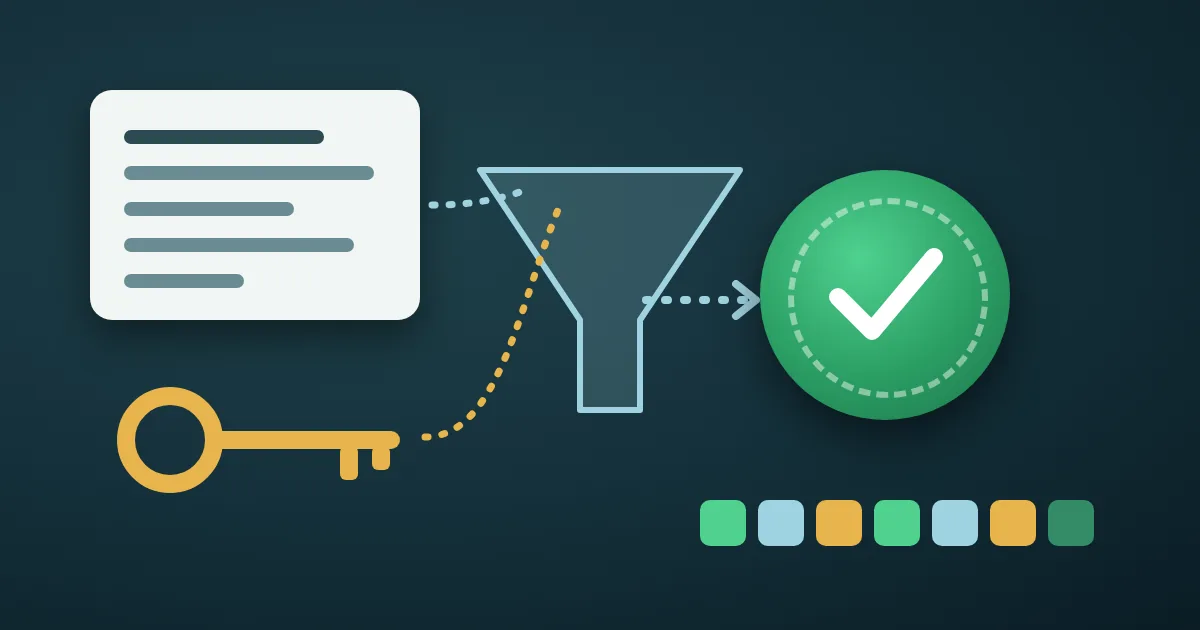
An HMAC generator takes a message and a secret key and returns a short fingerprint that only someone with the same key can produce. Paste the message into the FindUtils HMAC Generator, type the secret key, choose HMAC-SHA256, and the signature appears at once as lowercase hexadecimal, ready to compare with the value a webhook or API sent you. It is free, needs no signup, and on the tool page the HMAC is computed in your browser.
This guide covers what HMAC is, how to use each field, a test vector you can reproduce in ten seconds, how GitHub, Stripe and Slack build the message they sign, and why a signature you compute by hand often does not match.
What Is an HMAC?
HMAC (hash-based message authentication code) is defined in RFC 2104. It runs a hash function twice, mixing the key into both passes:
HMAC(K, text) = H(K XOR opad, H(K XOR ipad, text))
ipad and opad are two fixed padding strings (the bytes 0x36 and 0x5C repeated to the hash's block size). The result proves two things at once: the message was not changed, and it was signed by someone who knows the key. A plain hash proves only the first, because anyone can recompute SHA-256(message) after editing the message. Without the key, nobody can compute a matching HMAC.
The tool offers four algorithms. Each output is the hash length written as hex, two characters per byte, and the tool shows that length under the result:
| Algorithm | Output | Hex length | Hash block size |
|---|---|---|---|
| HMAC-SHA1 | 160 bits | 40 characters | 64 bytes |
| HMAC-SHA256 | 256 bits | 64 characters | 64 bytes |
| HMAC-SHA384 | 384 bits | 96 characters | 128 bytes |
| HMAC-SHA512 | 512 bits | 128 characters | 128 bytes |
The block sizes come from RFC 2104 (64 bytes for SHA-1 and the hashes of its era) and RFC 4231, which gives 128 bytes for SHA-384 and SHA-512. They matter for one rule: a key longer than the block size is hashed first, so making it longer still adds nothing.
How to Generate an HMAC Online
Step 1Paste the Message
Open the HMAC Generator and paste the exact text that was signed into Message. For a webhook, that is the raw request body, byte for byte, plus whatever the provider adds to it (see the table further down). One extra space or line break gives a completely different result.
Step 2Enter the Secret Key
Type or paste the shared secret into Secret Key. The tool uses the key exactly as typed, as UTF-8 text. That is what GitHub, Stripe and Slack expect: Slack's documentation says you do not need to convert the signing secret to binary and should treat it as a standard UTF-8 string. If a service tells you to decode its key from hex or Base64 into raw bytes before signing, the tool's result will not match that service.
Step 3Choose the Algorithm
The default is HMAC-SHA256, which is what most webhook providers use. Pick HMAC-SHA1 only when a legacy system asks for it, and SHA-384 or SHA-512 when the receiver expects them. The algorithm must be the same on both sides; there is no "stronger" choice that still matches.
Step 4Copy the Signature
The HMAC Signature panel updates as you type, once both Message and Secret Key are filled in. Click Copy to take the lowercase hex value. If the value you are checking has a prefix such as sha256= or v0=, add the prefix yourself or remove it from the other value before you compare.
A Test Vector You Can Reproduce
GitHub publishes a test pair for its webhook signatures. Enter these values with HMAC-SHA256:
- Message:
Hello, World! - Secret Key:
It's a Secret to Everybody
The tool shows:
757107ea0eb2509fc211221cce984b8a37570b6d7586c22c46f4379c8b043e17
That is the value in GitHub's documentation, where the header form is sha256=757107ea…3e17. Now press Enter after Hello, World! so the message ends with a line break. The signature becomes 8fde2e970f9163923fb1cb61bb945626ff2b4091d87e622ee3ad600160592325. Every character counts, including the invisible ones. We checked both values with OpenSSL's openssl dgst -sha256 -hmac as well.
How Webhook Providers Build the Signed Message
Most providers do not sign the body alone. Here is what three common ones put into the HMAC, according to their own documentation:
| Provider | Header | Message to paste into the tool | Algorithm | Header value |
|---|---|---|---|---|
| GitHub | X-Hub-Signature-256 | The raw body | HMAC-SHA256 | sha256= + hex |
| Stripe | Stripe-Signature | The t value, a ., then the raw body | HMAC-SHA256 | t=…,v1= + hex |
| Slack | X-Slack-Signature | v0:, the X-Slack-Request-Timestamp value, :, then the raw body | HMAC-SHA256 | v0= + hex |
So a Stripe event delivered with t=1492774577 and the body {"id":"evt_1"} is checked by signing this exact message with your whsec_… endpoint secret:
1492774577.{"id":"evt_1"}Compare the tool's output with the v1 value only. Stripe's documentation says the v0 signature it sends with test events is fake, and that you should ignore every scheme except v1. GitHub still sends an older X-Hub-Signature header made with HMAC-SHA1, which it keeps only for legacy purposes.
The timestamp in Stripe's and Slack's message is there to stop replay attacks: an old request with a valid signature should still be refused. Slack's example rejects requests more than five minutes from local time, and Stripe's libraries use a default tolerance of five minutes. To read a timestamp header as a date, paste it into the Unix Timestamp Converter.
Why Your HMAC Does Not Match
When the tool's value and the header's value differ, the cause is almost always one of these six.
1. The body was parsed before it was signed
Frameworks often turn a JSON body into an object and back, which reorders keys or drops whitespace. The provider signed the bytes it sent, not your re-serialized copy. Stripe's documentation says the body must be "the exact UTF-8 string Stripe sent, without any modifications". Log the raw body and paste that.
2. A line ending changed
Copying a body from a terminal or log can add or drop a final newline, or turn \r\n into \n. Browsers store the line breaks in a text box as \n, as the HTML standard describes, so a body with Windows line endings cannot be reproduced by pasting it into any web form. Check the signature in code for such bodies.
3. The wrong secret
Test and live endpoints have different secrets, and so do two endpoints of the same account. Stripe notes that the secret the Stripe CLI prints for forwarded events is not the one shown for a Dashboard endpoint. A space copied at the end of the key changes the result as surely as a wrong key: It's a Secret to Everybody with a trailing space gives 587de830…7bf2d instead of 757107ea…3e17.
4. The prefix or timestamp is missing
Signing the body alone when the provider signs timestamp.body (Stripe) or v0:timestamp:body (Slack) can never match. Comparing sha256=757… with 757… fails too. Build the message from the table above and strip the prefix before comparing.
5. A different algorithm or encoding
An HMAC-SHA1 value is 40 hex characters and an HMAC-SHA256 value is 64. If the lengths differ, the algorithms differ. If the header value contains +, / or ends in =, it is Base64 rather than hex, and the same bytes will look completely different from the tool's hex output.
6. Comparing by eye
Two 64-character values can differ in one character in the middle. Paste both into the Diff Checker to see the exact position. In code, never compare with ==: GitHub recommends a constant-time comparison such as crypto.timingSafeEqual in Node.js, and Python has hmac.compare_digest for the same reason, to avoid leaking how many characters matched through timing.
How Long Should an HMAC Key Be?
RFC 2104 allows a key of any length but says that a key shorter than the hash output is "strongly discouraged as it would decrease the security strength of the function". For HMAC-SHA256 that means at least 32 bytes of random data. RFC 7518, which defines the JWT algorithms, makes the same size a requirement for HS256: a key of 256 bits or larger MUST be used.
To create one, set the Random Key Generator to Hex and a length of 64 characters, which carries 256 bits of randomness. Keep the key in your server's configuration, never in front-end code or a public repository.
HMAC vs Hash vs Digital Signature
| Plain hash (SHA-256) | HMAC-SHA256 | Digital signature (RSA, ECDSA) | |
|---|---|---|---|
| Needs a key | No | One shared secret | A private key to sign, a public key to verify |
| Detects changes | Yes | Yes | Yes |
| Proves who sent it | No | Anyone with the shared key | Only the private key holder |
| Typical use | Checksums, file integrity | Webhooks, API request signing, HS256 JWTs | Certificates, RS256 and ES256 JWTs, signed software |
| FindUtils tool | MD5 & SHA Hash Generator | HMAC Generator | JWT Decoder verifies RS256 tokens |
The HS256 algorithm of JSON Web Tokens is HMAC with SHA-256 (RFC 7518). The JWT Decoder verifies and signs HS256, HS384 and HS512 tokens on the page, so use it rather than rebuilding the token's signing input by hand.
Common Mistakes to Avoid
Mistake 1: Pasting a live production secret into a web page
The tool computes the HMAC in your browser, and nothing you type is sent from the page. Even so, the safest habit is to debug with a test endpoint's secret, or to rotate a secret after it has been copied around during an incident. GitHub, Stripe and Slack all let you regenerate a signing secret.
Mistake 2: Using HMAC to store passwords
HMAC is fast by design, which makes it a poor password hash. Use a slow, salted algorithm instead, as explained in the bcrypt vs Argon2id guide.
Mistake 3: Treating HMAC as encryption
An HMAC does not hide the message; it is sent next to the message in plain view. It only proves the message was not changed. To keep the content secret as well, encrypt it.
Mistake 4: Skipping the timestamp check
A valid signature on an old request is still a valid signature. If the provider sends a timestamp, check that it is recent before you accept the event.
Tools Used in This Guide
- HMAC GeneratorCompute HMAC-SHA1, SHA-256, SHA-384 or SHA-512 signatures as hex
- Random Key GeneratorCreate a random hex key of the right length for signing
- MD5 & SHA Hash GeneratorCompute plain hashes when no key is involved
- JWT DecoderDecode, verify and sign HS256 tokens
- Unix Timestamp ConverterRead the timestamp in a signature header as a date
- Diff CheckerFind the one character where two signatures differ
- 2FA Code TesterSee HMAC-SHA1 at work in the six-digit codes of authenticator apps
FAQ
How do I generate an HMAC-SHA256 online?
Open the FindUtils HMAC Generator, paste the message, type the secret key, and keep the algorithm on HMAC-SHA256. The 64-character hex signature appears as you type; click Copy to use it.
How do I verify a webhook signature?
Rebuild the exact message the provider signed (for GitHub the raw body, for Stripe timestamp.body, for Slack v0:timestamp:body), compute the HMAC-SHA256 with your signing secret, and compare it with the hex value in the header, without its prefix. In production code, use a constant-time comparison.
Why does my HMAC not match?
Usually because the body was changed before signing (parsed JSON, a line ending), the secret is wrong or has a trailing space, or the provider's timestamp or prefix was left out. Compare the two values in a diff tool to see where they differ.
What is the difference between HMAC and SHA-256?
SHA-256 is a hash anyone can compute. HMAC-SHA256 mixes a secret key into SHA-256, so only someone who holds the key can produce or check the value.
Is HMAC-SHA256 the same as HS256?
Yes. HS256 is the JSON Web Token name for HMAC using SHA-256, as defined in RFC 7518.
Can an HMAC be reversed?
No. You cannot get the message or the key back from an HMAC. It is a check value, not encryption.
Is my secret key uploaded?
No. On the tool page the HMAC is computed in your browser, and the key and message you type are not sent to a server.
Next Steps
- See how authenticator apps turn HMAC-SHA1 into six-digit codes in how 2FA codes work.
- Learn what plain hashes can and cannot prove in the hash text and files guide.
- Read and check tokens with the JWT decoder guide.
- Browse every security tool in the complete guide to online security tools.
Sources
- RFC 2104: HMAC: Keyed-Hashing for Message Authentication
- RFC 4231: Identifiers and Test Vectors for HMAC-SHA-224, HMAC-SHA-256, HMAC-SHA-384, and HMAC-SHA-512
- RFC 7518: JSON Web Algorithms (JWA)
- GitHub Docs: Validating webhook deliveries
- Stripe Docs: Receive Stripe events in your webhook endpoint
- Slack Developer Docs: Verifying requests from Slack
- Python documentation: hmac.compare_digest
- HTML Standard: The textarea element