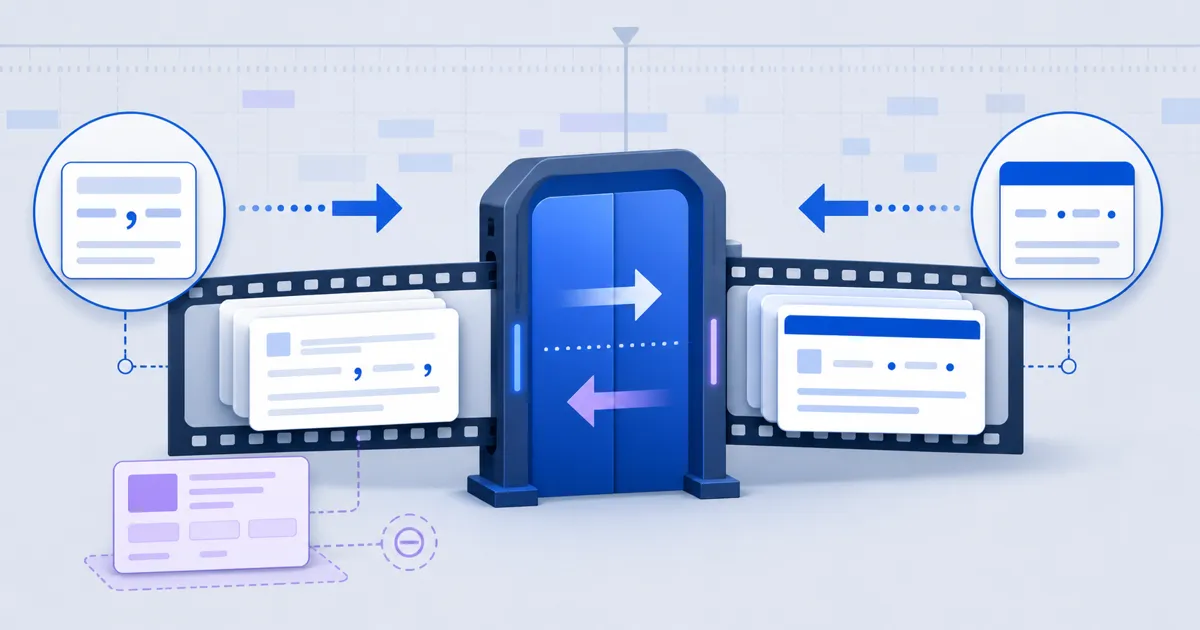
Convert SRT to VTT by adding the WEBVTT header and changing timestamp fractions from commas to dots. FindUtils SRT to VTT also converts WebVTT back to SubRip. The tool does not upload or store your caption input.
This guide explains both directions, the data that SRT cannot keep, and the review steps after conversion. The tool changes the caption format only. It does not translate, retime, rewrite, or burn captions into video.
Why Convert SRT to VTT?
Use WebVTT when a web player or an HTML track element needs captions. Use SRT when an editor or delivery system asks for SubRip. Small syntax differences can stop an otherwise correct caption file from loading.
- Required header: WebVTT starts with WEBVTT. SRT has no file header.
- Timestamp separator: WebVTT uses a dot before milliseconds. SRT uses a comma.
- Cue identifiers: WebVTT identifiers are optional. SRT uses sequential cue numbers.
- Cue settings: WebVTT can carry position and alignment settings.
- Metadata: WebVTT can include NOTE, STYLE, and REGION blocks.
FindUtils parses the cues before it writes the destination format. This structured process is safer than a global punctuation replacement.
How to Convert SRT to VTT Online
Paste or upload one caption file, confirm the direction, and review the generated result. The page detects WebVTT from its header or timing separator. You can use the direction control when the automatic choice is wrong.
Step 1Open the Caption Converter
Open FindUtils SRT to VTT. Paste caption text or upload an SRT, VTT, or text file.
Step 2Confirm the Direction
Check whether the page selected SRT to VTT or VTT to SRT. Use the direction control to override the detected choice.
Step 3Choose Identifier Handling
For WebVTT output, select Keep cue numbers when you need source identifiers. When the option is off, the output contains timing lines without identifiers.
Step 4Convert the File
The result appears beside the source. A bad timing line stops the process and reports its line number. Correct that line before another conversion.
Step 5Review Important Cues
Check the first cue, the last cue, multiline text, and any WebVTT settings. Use Diff Checker to compare caption text after a manual edit.
Step 6Copy or Download the Result
Copy the output or download captions.vtt or captions.srt. Test that file in the actual player or delivery system.
Practical Subtitle Conversion Examples
Caption conversion works when the text and timing are correct, but the destination requires another file format. FindUtils normalizes timestamps to hours, minutes, seconds, and three fraction digits.
Scenario 1: Add SRT Captions to HTML Video
An editor supplies an SRT file for a web video. Convert it to WebVTT, connect the VTT file to the track element, and test the captions in the target browser.
The timing line 00:01:02,5 --> 00:01:05,25 becomes 00:01:02.500 --> 00:01:05.250. The tool also adds the WEBVTT header.
Scenario 2: Move WebVTT into an SRT Editor
An editing system accepts SRT but not VTT. Convert the file, then check whether removed cue settings affect placement. SRT output receives new sequential numbers starting at 1.
Scenario 3: Start with a Media File
Use Subtitle Extractor when captions remain inside a supported media file. Then convert the extracted caption text only when its format differs from the required output.
Scenario 4: Review a Caption Revision
Use Diff Checker to compare two text versions. Expected timestamp punctuation changes can hide real caption edits. Review text and timing as separate concerns.
SRT vs WebVTT: Which Format Should You Use?
Choose the format required by the destination. WebVTT is the correct choice for an HTML track element. SRT remains common in editing and delivery workflows. Keep the original VTT when it contains layout or metadata that SRT cannot represent.
| Format detail | SRT | WebVTT |
|---|---|---|
| File header | None | WEBVTT |
| Fraction separator | Comma | Dot |
| Cue identifiers | Sequential numbers | Optional text identifiers |
| Cue settings | Not supported | Supported |
| NOTE, STYLE, REGION | Not supported | Supported |
| Typical use | Editors and delivery systems | Web video captions |
The converter skips NOTE, STYLE, and REGION blocks as metadata. It removes cue settings from SRT output. These changes mean that some VTT-to-SRT conversions are not fully reversible.
Common Caption Conversion Mistakes
Most errors come from the wrong direction, one malformed timing line, or an assumption that both formats keep the same metadata. Review the destination requirements before you convert.
Mistake 1: Changing Only the Separator
A VTT file also needs its header and cue structure. Use a parser instead of replacing commas with dots.
Mistake 2: Expecting SRT to Keep WebVTT Layout
SRT cannot represent cue settings, STYLE blocks, or REGION blocks. Keep the source VTT when those features matter.
Mistake 3: Treating Cue Numbers as Caption Text
Cue numbers are identifiers. SRT output receives a new sequence. They do not become visible caption lines.
Mistake 4: Ignoring a Timestamp Error
One invalid timing line stops the conversion. Correct the reported source line before you use the output.
Mistake 5: Skipping Playback Tests
Valid caption text does not prove that the player has the correct URL, language, kind, or MIME type. Test the final integration.
Tools Used in This Guide
These FindUtils tools support caption extraction, conversion, and review. Each linked tool exists in the current catalog.
- SRT to VTTConvert SRT to WebVTT or WebVTT back to SRT.
- Subtitle ShifterMove every cue by one offset when the track is early or late.
- ASS to SRTFlatten a styled ASS or SSA script to plain SubRip first.
- Subtitle ExtractorExtract available subtitle data from supported media input.
- Diff CheckerCompare two caption files as text.
FAQ
These answers cover the main questions about free SRT and WebVTT conversion. FindUtils does not upload or store your caption input. The downloaded result still needs normal access controls.
Q1: Is FindUtils SRT to VTT free to use? A: Yes. FindUtils SRT to VTT is free and does not require an account. It converts one file at a time in the browser.
Q2: Can I convert VTT back to SRT on the same page? A: Yes. Select VTT to SRT or use the detected direction. The output receives sequential cue numbers and comma timestamp fractions.
Q3: Does HTML video use SRT or WebVTT? A: The HTML track element uses WebVTT. Convert SRT to VTT before you connect the caption file to the element.
Q4: Does the converter change caption text? A: The tool keeps cue text while it changes file structure and timestamps. It does not translate, rewrite, or retime the captions.
Q5: What happens to WebVTT settings in SRT output? A: SRT cannot represent them. The converter removes cue settings and skips NOTE, STYLE, and REGION metadata blocks.
Q6: Can the tool handle timestamps without an hours field? A: Yes. WebVTT can omit hours. The converter expands the output to a full hours, minutes, and seconds form.
Q7: Is it safe to convert a private transcript online? A: FindUtils performs the conversion in the browser and does not upload or store the caption input. Protect the downloaded transcript and its storage location.
Next Steps
Convert one representative file and test it in the destination before you process more captions. Keep the source when WebVTT settings or metadata are important.
- Convert either direction with SRT to VTT.
- Fix a constant delay with the Subtitle Shifter.
- Flatten a styled script with ASS to SRT.
- Read the Subtitle Extractor guide when the starting point is a media file.
- Extract a supported subtitle track with Subtitle Extractor.
- Compare manual revisions with Diff Checker.