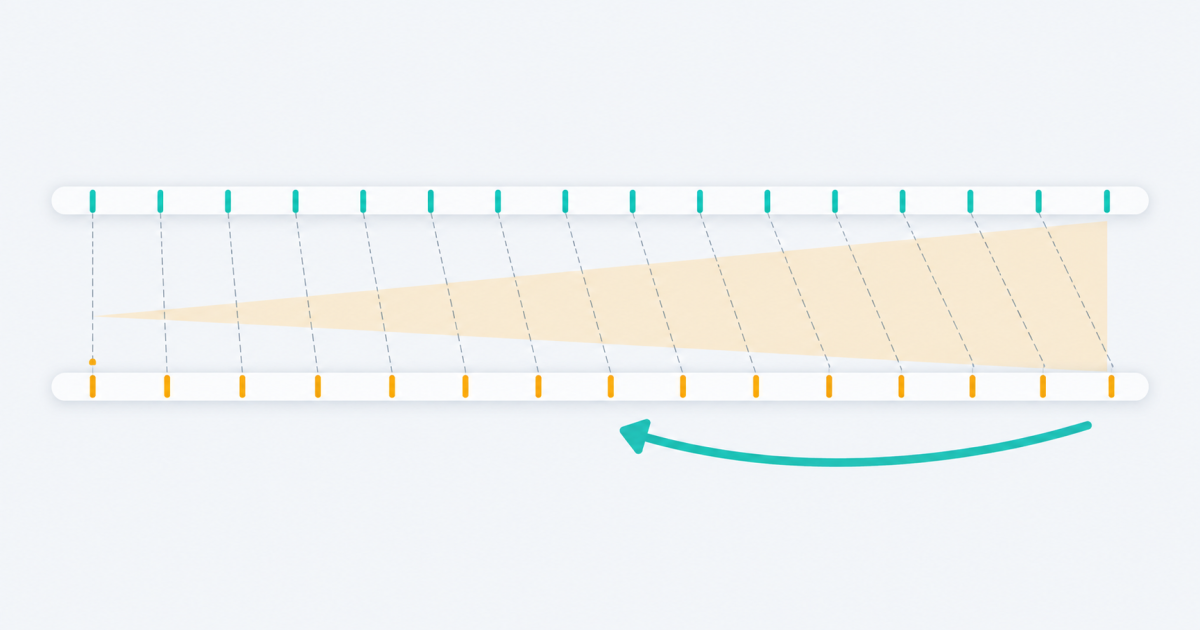
Subtitle drift is captions falling further out of sync the longer a video plays. FindUtils Subtitle FPS Converter corrects it by rescaling every timestamp in an SRT or WebVTT file in your browser. The tool does not upload or store your caption file.
This guide explains how to tell drift from a simple delay, which direction to convert, and what the factor under the two dropdowns is telling you.
Is It Drift or a Delay?
This is the whole diagnosis, and it takes fifteen seconds. Check the first subtitle and the last one.
- Out by the same amount at both ends. A delay. Every cue needs the same correction, which is what the Subtitle Shifter applies.
- Roughly right at the start, badly out at the end. Drift. The error grows with elapsed time, so no single delay can line up both ends. This tool is the one you want.
Drift almost always means the video has been converted between frame rates since the subtitles were timed. Film runs at 23.976 frames per second; PAL broadcast and DVD run at 25. Playing film material at 25 makes it finish about four percent sooner, and a subtitle file timed for the original keeps drifting further ahead of the picture.
Why a Delay Cannot Fix It
A delay adds a constant. Drift is a multiplication.
Timed for 23.976, played at 25:

  cue at 10s        ->  9.590s       0.4 seconds out
  cue at 10 min     ->  9 min 35s    25 seconds out
  cue at 1 hour     ->  57 min 33s   2 min 27s out
Delay the file by 25 seconds to fix the ten-minute mark and the opening is now 25 seconds late and the ending is still two minutes out. The error is proportional to elapsed time, so the correction has to be proportional too.
How to Convert
- Find the frame rate your subtitles were timed for. It is usually the frame rate of the release they shipped with — 23.976 for most film sources, 25 for PAL.
- Find the frame rate of the video you are actually watching. Most players show it in a media information panel; in VLC it is under Tools > Codec Information.
- Set Source FPS to the first and Target FPS to the second.
- Drop your
.srtor.vttfiles. Each is rescaled as it is read. - Check the preview and the drift figure, then download. One file downloads on its own; several come back as a ZIP.
What the Factor Means
The number under the dropdowns is source divided by target — the value every timestamp is multiplied by.
| Conversion | Factor | Effect |
|---|---|---|
| 23.976 to 25 | 0.95904 | track becomes about 4% shorter |
| 25 to 23.976 | 1.04270 | track becomes about 4% longer |
| 23.976 to 29.97 | 0.8 | track becomes 20% shorter |
| 29.97 to 23.976 | 1.25 | track becomes 25% longer |
Seeing it before you convert is a quick sanity check. If the factor is very close to 1.0, the two rates you picked are nearly identical and frame rate is probably not your problem.
Which Direction?
If you guess wrong the drift doubles instead of disappearing, which is at least obvious. The rule:
- Captions run ahead of the speech and the gap grows: your source rate is lower than your target. Converting 23.976 to 25 is the common case.
- Captions fall behind and the gap grows: the other way round, 25 to 23.976.
The swap button between the two dropdowns re-runs every loaded file with the rates reversed, so testing the other direction costs one click.
The Drift Figure
Each converted file reports how far its last cue moved. That is the largest change in the file and the most useful number on the page:
- A couple of minutes across a feature is normal for 23.976 to 25.
- A few milliseconds means the two rates are almost the same and nothing meaningful happened.
- A change in the wrong direction means the source and target are the wrong way round.
About 23.976 and 29.97
These are shorthand. The real rates are 24000/1001 and 30000/1001, artefacts of the transition to colour television in the 1950s. The tool uses the rounded decimals, which are accurate to well under a millisecond across a feature-length file — far tighter than the eye can detect and far tighter than the cue timings themselves.
Doing Both Corrections
Frame rate and a constant offset can both be wrong at once — a file that drifts and starts late. Fix the frame rate first, then shift the result. Doing it the other way means the shift is rescaled along with everything else and has to be redone.
Limits
- Timestamps only. Cue text, line breaks and WebVTT cue settings are copied exactly as read.
- The output keeps the input format, so a
.vttstays a.vtt. - Source and target must differ; identical rates are refused because there is nothing to rescale.
- The tool cannot read the frame rate of a video file. Take it from your player, which is quick and reliable, rather than guessing it from the subtitles.
Privacy
Files are read in your browser with the File API and rescaled in the tab. Nothing is sent to a server, nothing is stored, and the page keeps working offline once loaded. You can confirm it in your browser's network tab while you convert.