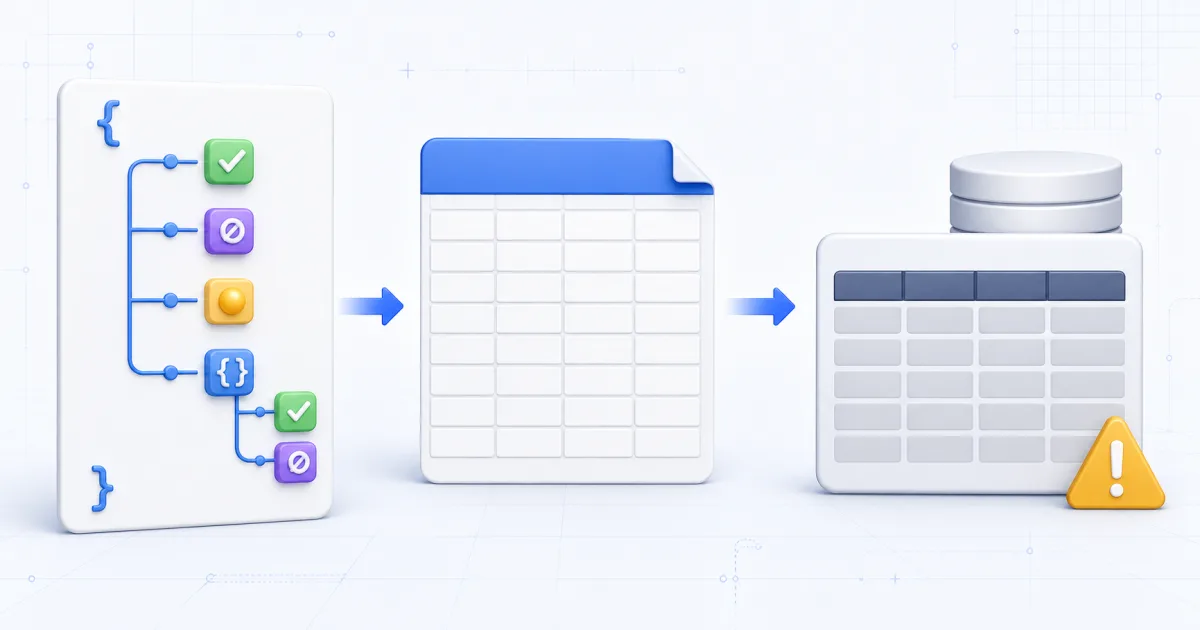
CSV is a good interchange format for flat tables. It is a poor place to keep JSON type information.
That creates a hidden problem in a common conversion path:
- Convert JSON to CSV.
- Convert the CSV to SQL.
The rows can look correct at the end. The data types can still be wrong.
JSON and CSV Store Different Information
JSON values have clear types. A value can be a string, number, boolean, null, object or array.
CSV has rows, columns and text fields. It does not have a standard type system.
Consider this JSON object:
{
  "active": true,
  "score": 1.5,
  "deleted_at": null,
  "settings": { "theme": "dark" }
}
CSV can store the visible characters. It cannot state which characters came from a boolean or a string.
Booleans Become Ambiguous Text
The JSON value true is a boolean. The JSON value "true" is a string.
Both can become the CSV field true.
The next converter sees the same characters in both cases. It must guess whether the SQL value should be TRUE or 'true'.
A wrong guess can create a text column. The import succeeds, but boolean queries do not work as expected.
Direct JSON to SQL conversion sees the original value. It can write a boolean literal for PostgreSQL and MySQL.
SQLite uses 1 and 0 because it has no separate boolean storage class. See the SQLite datatype reference.
Null and Empty Text Can Collapse Together
JSON null is an explicit literal. An empty JSON string is a different value with zero characters.
CSV often represents both as an empty field.
After that step, a SQL converter cannot know whether to write NULL or ''.
This difference affects filters, counts and constraints. IS NULL does not match an empty string.
This direct conversion preserves null versus empty string because it inspects the parsed JSON values. JavaScript number parsing can still lose precision for large integers; represent exact identifiers as strings.
Nested Objects Need an Explicit Rule
A nested object does not fit naturally into one CSV cell.
Some converters call JavaScript string conversion and produce [object Object]. That result destroys the object data.
Others serialize the object as JSON text. This choice keeps the content but still stores it in one cell.
A direct SQL converter can use the second rule deliberately:
{"theme": "dark"}becomes a quoted SQL text value that contains valid JSON.
This does not normalize the object into a related table. That task needs schema design and knowledge about future queries.
Number Inference Needs Every Row
The first row does not always show the correct numeric type.
One row can contain 4. A later row can contain 4.5.
If the converter reads only the first row, it can choose an integer column too early. A reliable converter checks every row before it creates the schema.
It can widen integers and decimals to a numeric type. It should not let a null value choose the type.
This converter chooses text when a column mixes booleans and numbers. That is its inference policy, not a universal SQL restriction. A different schema could preserve the original value and type separately.
Missing Keys Create Another Limit
JSON objects in one array can have different keys.
[{"id":1,"name": "Ada"},{"id":2,"email": "[email protected]"}]A table needs one set of columns. The safe set is the union of every key.
The first row receives NULL for email. The second row receives NULL for name.
This mapping loses one distinction. A missing key and a key set to null both become SQL NULL. Add a presence field or store the original JSON when that distinction matters.
When the CSV Route Is Safe
The two-step route can work for a flat table with an explicit column schema. Preserve identifiers as text. Check leading zeros, null rules, decimal precision, and spreadsheet interpretation.
It is also useful when a person must review the rows in a spreadsheet before SQL generation.
Use direct conversion when the source contains:
- Booleans.
- Null values.
- Nested objects or arrays.
- Numbers that need reliable inference.
- Keys that differ between rows.
Review the SQL Before You Run It
Generated SQL is a starting schema. JSON does not identify primary keys, unique constraints or indexes.
Review the inferred columns. Check text columns for nested JSON. Add constraints only after you inspect the source data.
Run a small sample before a large import. Use a transaction when the destination process supports one.
The JSON to SQL guide explains dialect rules, NDJSON input and batch size.
Related Tools
- JSON to SQL converts typed values directly.
- JSON to CSV is useful for flat spreadsheet data.
- CSV to SQL creates SQL from a reviewed table.
- SQL Formatter makes generated statements easier to inspect.