Profit margin is the profit on a sale as a percentage of the selling price; markup is the same profit as a percentage of the cost. The FindUtils Profit Margin Calculator shows both at once. Enter a cost of $40 and a selling price of $60 and it returns a profit of $20.00, a margin of 33.33% and a markup of 50.00%. Two more modes work the other way: give it a cost and a target margin or a target markup, and it returns the selling price you need. It is free, needs no account, and the numbers are calculated in your browser as you type.
This guide walks through the three modes with examples produced with the tool on findutils.com, the formulas behind each result, and what to include in the cost so the margin means something.
How Do You Calculate Profit Margin with the Calculator?
- Open the tool at findutils.com/finance/profit-margin-calculator/.
- Pick a Calculation Mode: Cost & Price, Target Margin or Target Markup.
- Enter the Cost Price: what the item costs you to buy or make.
- Enter the second value: the Selling Price in Cost & Price mode, the Target Margin % or the Target Markup % in the other two.
- Read the Results panel: Selling Price, Profit (shown as Loss when it is negative), Profit Margin and Markup, each with its formula underneath.
- Press Reset to go back to the starting values: cost $50, selling price $100, margin 50% and markup 100%.
With the starting values the tool shows a profit of $50.00, a margin of 50.00% and a markup of 100.00%.
What Do the Three Modes Calculate?
| Mode | You enter | The tool returns | Formula |
|---|---|---|---|
| Cost & Price | Cost and selling price | Profit, margin, markup | Profit = price − cost; margin = profit ÷ price; markup = profit ÷ cost |
| Target Margin | Cost and margin % | Selling price, profit, markup | Price = cost ÷ (1 − margin) |
| Target Markup | Cost and markup % | Selling price, profit, margin | Price = cost × (1 + markup) |
All money values are shown in US dollars with two decimals, and percentages with two decimals. The dollar sign is only a label: the math is the same for euros, pounds or lira.
Cost & Price Mode: What Margin Am I Making?
Use Cost & Price when you already have a price and want to know how much of it you keep. Examples from the live tool:
| Cost | Selling price | Profit | Margin | Markup |
|---|---|---|---|---|
| $40.00 | $60.00 | $20.00 | 33.33% | 50.00% |
| $60.00 | $100.00 | $40.00 | 40.00% | 66.67% |
| $18.75 | $29.99 | $11.24 | 37.48% | 59.95% |
| $120.00 | $100.00 | -$20.00 (Loss) | -20.00% | -16.67% |
The last row is a loss: the price is below the cost, so the Profit line changes to Loss and both percentages turn negative. Margin and markup are never equal unless both are zero, and markup is always the larger number when you make a profit, because the cost is smaller than the price it is divided into.
Target Margin Mode: What Price Gives Me a 40% Margin?
Use Target Margin when you know the margin you need and want the price. The tool divides the cost by one minus the margin:
| Cost | Target margin | Selling price | Profit | Markup |
|---|---|---|---|---|
| $30.00 | 40% | $50.00 | $20.00 | 66.67% |
| $60.00 | 50% | $120.00 | $60.00 | 100.00% |
| $1,234.56 | 25% | $1,646.08 | $411.52 | 33.33% |
| $30.00 | 90% | $300.00 | $270.00 | 900.00% |
Dividing is the step people often get wrong. Adding 40% to a $60 cost gives $84, which is only a 28.57% margin; the price for a true 40% margin is $60 ÷ 0.6 = $100. The higher the target, the faster the price climbs: a 99.99% margin on a $30 cost needs a price of $300,000.00. That is why the field only accepts a margin above 0 and below 100.
Target Markup Mode: What Price Is Cost Plus 50%?
Use Target Markup when you price by adding a fixed percentage to the cost, a method many retailers use. The tool multiplies the cost by one plus the markup:
| Cost | Target markup | Selling price | Profit | Margin |
|---|---|---|---|---|
| $30.00 | 50% | $45.00 | $15.00 | 33.33% |
| $60.00 | 100% | $120.00 | $60.00 | 50.00% |
| $30.00 | 200% | $90.00 | $60.00 | 66.67% |
| $30.00 | 250% | $105.00 | $75.00 | 71.43% |
A 100% markup, doubling the cost, is known in retail as keystone pricing, and it gives a 50% margin. Markup has no upper limit, but margin can never reach 100%, because that would mean the item cost nothing.
How Do You Convert Markup to Margin?
Under the calculator, the Margin vs. Markup table converts common markups for a $50 cost: 15% markup is a 13.04% margin ($57.50), 25% is 20.00% ($62.50), 50% is 33.33% ($75.00), 75% is 42.86% ($87.50), 100% is 50.00% ($100.00), 150% is 60.00% ($125.00) and 200% is 66.67% ($150.00). To convert any value yourself:
- Margin = markup ÷ (1 + markup). A 50% markup is 0.5 ÷ 1.5 = 33.33%.
- Markup = margin ÷ (1 − margin). A 40% margin is 0.4 ÷ 0.6 = 66.67%.
The margin vs markup post has a longer conversion table and the pricing mistakes that come from mixing the two.
What Should You Include in the Cost?
The calculator works with one cost number, so the margin is only as good as that number. For a product you resell, use the landed cost: the supplier price plus inbound shipping, duties and per-order fees such as payment or marketplace fees. For example, an item bought for $18.75 and sold for $29.99 shows a 37.48% margin. Add $2.40 of shipping and $1.20 of fees and the cost becomes $22.35, and the margin drops to 25.48%.
Two more checks:
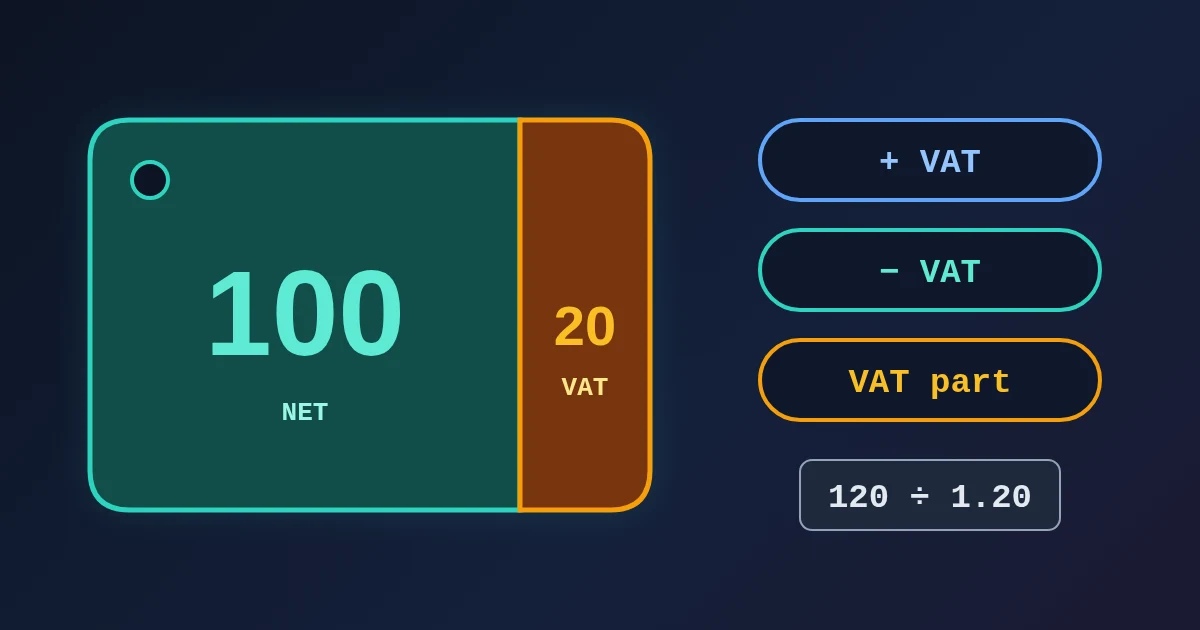
- Leave sales tax and VAT out of the price. Tax you collect is not revenue. If a shelf price of $120 includes 20% VAT, the net price is $100; with a $60 cost the margin is 40%, not the 50% you would get by entering $120. The VAT Calculator removes VAT from a gross price.
- This is a gross, per-item margin. It does not subtract rent, wages or advertising. To see how many units cover those fixed costs, use the Break-Even Calculator.
What Happens with Zero or Out-of-Range Values?
The results only update when the inputs are valid: a cost above 0, a selling price above 0, a target margin above 0 and below 100, or a target markup above 0. Otherwise Profit, Profit Margin and Markup stay at 0.00, and the Selling Price line can still show a price from another mode. If you see a profit of $0.00, check the inputs before you read the price. To check the price of selling at cost (0% markup), use Cost & Price mode with the same number in both fields.
Frequently Asked Questions
What is the formula for profit margin?
Profit margin = (selling price − cost) ÷ selling price × 100. A $60 item that costs $40 has a profit of $20 and a margin of 20 ÷ 60 = 33.33%.
What is the difference between margin and markup?
Both use the same profit. Margin divides it by the selling price, markup divides it by the cost. A $30 item sold for $45 has a 33.33% margin and a 50% markup.
How do I find the selling price for a target margin?
Divide the cost by one minus the margin: a $30 cost at a 40% margin needs a price of $30 ÷ 0.6 = $50. In the tool, choose Target Margin.
Is a 100% markup the same as a 100% margin?
No. A 100% markup doubles the cost and gives a 50% margin. A 100% margin is impossible, because the cost would have to be zero.
Do I need an account?
No. The Profit Margin Calculator is free and works without signing up.