A credit card payoff calculator tells you how long a fixed monthly payment takes to clear a card balance, how much interest you pay on the way, and when you will be debt-free. In the FindUtils Credit Card Payoff Calculator, you enter your current balance, the card's APR and a monthly payment, and it shows the number of months, the debt-free month, the total interest, the total amount paid and a month-by-month schedule. Switch to the second mode and it works backwards: give it a goal in months and it returns the payment you need. It is free, needs no account, and on the tool page the numbers are calculated in your browser.
This guide walks through both modes, shows the formulas so you can check any result by hand, and runs worked examples at the average rate U.S. cardholders actually pay. Every number below was produced by the tool on findutils.com and cross-checked with a separate script.
How Do You Use the Credit Card Payoff Calculator?
You need three numbers from your latest statement: the balance, the purchase APR and what you plan to pay each month.
- Open the tool at findutils.com/finance/credit-card-payoff-calculator/. It starts in Calculate Time mode.
- Current Balance. Type the statement balance, for example
5000. - Interest Rate. Type the APR as a percentage, for example
22.36. Your statement lists it next to "Annual Percentage Rate". - Monthly Payment. Type the amount you will pay every month, for example
200. - Read the result. The panel shows Time to Pay Off in months with a "debt-free by" month, Total Interest, Total Amount Paid, and a line that says how much extra you pay as a percentage of the balance.
- Open View Payment Schedule to see every month's payment split into principal, interest and remaining balance.
- Switch to Calculate Payment if you have a deadline. Enter the Payoff Goal in months (for example
36) and the tool shows the Required Payment per month.
Results update as you type; there is no submit button.
What Do the Two Modes Calculate?
The tool answers the two questions people ask about card debt: "how long will this take?" and "how much do I need to pay?"
| Mode | You enter | You get |
|---|---|---|
| Calculate Time | Balance, APR, monthly payment | Months to payoff, debt-free month, total interest, total paid, full schedule |
| Calculate Payment | Balance, APR, payoff goal in months | Required monthly payment, total interest, total paid |
Both modes assume a fixed APR, the same payment every month and no new purchases. That is the right model for a balance you have stopped using and are paying down. It is not a forecast of a card you still spend on.
What Formula Does the Calculator Use?
The calculator uses standard amortization math with a monthly rate of APR ÷ 12. Interest for a month is the remaining balance times that rate, the rest of your payment reduces the balance, and the next month starts from the lower balance.
Months to pay off (Calculate Time), with balance P, monthly rate r and payment M:
n = −ln(1 − r·P / M) / ln(1 + r) → rounded up to whole months
Required payment (Calculate Payment) for a goal of n months:
M = P · r · (1 + r)^n / ((1 + r)^n − 1)
The first formula only has an answer when M is larger than r·P, the first month's interest. If your payment does not cover it, the balance can never shrink, and the tool shows Payment Too Low: Your payment must be higher than the monthly interest charge instead of a date. At $5,000 and 22.36% APR the first month's interest is $93.17, so a $90 payment triggers that message.
The last month is usually smaller than the others, because the tool only charges what is left plus that month's interest.
Worked Example: $5,000 at 22.36% APR
The Federal Reserve's G.19 consumer credit release (published November 6, 2026) puts the average APR on credit card accounts that were charged interest at 22.36% in Q3 2026. Here is what the calculator returns for a $5,000 balance at that rate:
| Monthly payment | Months to pay off | Total interest | Total paid |
|---|---|---|---|
| $150 | 53 | $2,885.61 | $7,885.61 |
| $200 | 34 | $1,792.96 | $6,792.96 |
| $250 | 26 | $1,314.50 | $6,314.50 |
| $300 | 21 | $1,043.11 | $6,043.11 |
| $400 | 15 | $745.88 | $5,745.88 |
Going from $150 to $200 a month saves 19 months and $1,092.65 in interest. Going from $200 to $400 halves the time again and saves another $1,047.08. The first $50 of extra payment does the most work, because at a low payment most of each month's money is interest.
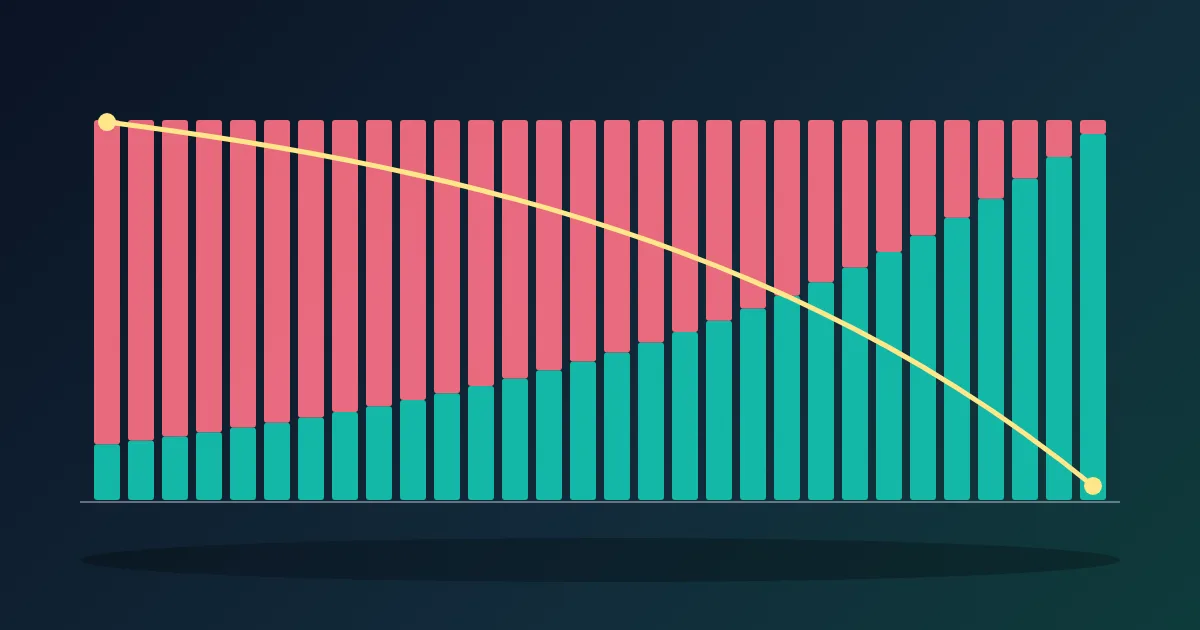
The schedule shows why. With a $200 payment, month 1 is split into $93.17 interest and $106.83 principal, leaving $4,893.17. Month 2 is $91.18 interest and $108.82 principal. The interest part shrinks a little every month, so the principal part grows, until the 34th payment of $192.96 clears the card.
For comparison, the tool's default example ($5,000 at 18.99% with $200 a month) takes 33 months and costs $1,414.44 in interest, which the tool reports as "28% extra".
How Much Do You Need to Pay to Clear a Card in 36 Months?
Switch to Calculate Payment, enter a goal of 36 months, and the tool returns the fixed payment. For $5,000 at 22.36% it is $191.88 a month, with $1,907.85 total interest and $6,907.85 paid in total.
Thirty-six months is not a random choice. Under the U.S. Truth in Lending rules (12 CFR 1026.7(b)(12)), most card statements must show a "Minimum Payment Warning" box with how long the minimum takes and, when that is longer than three years, the estimated monthly payment to repay the balance in 36 months. The calculator lets you reproduce that number for your own balance and try other deadlines, such as 24 months ($252.02 a month for $5,000 at 18.99%).
Why Will My Statement Differ Slightly From the Calculator?
The calculator is a planning model; your issuer's statement is the record. Four things make them drift apart:
- Daily interest. Many issuers apply a daily periodic rate (APR ÷ 365, or ÷ 360 at some banks) to each day's balance, and that interest compounds daily, as the CFPB explains. On $5,000 at 22.36%, APR ÷ 12 gives $93.17 for a month; a 31-day cycle at APR ÷ 365, compounded daily, gives about $95.83, and a 30-day cycle about $92.71. Over a long payoff the differences mostly cancel out but can shift the final month.
- Billing cycles and payment timing. Paying earlier in the cycle lowers the average daily balance and the interest.
- New charges and fees. The model assumes the card is not used. A purchase, an annual fee or a late fee adds to the balance.
- Variable or promotional rates. Most card APRs move with an index, and a 0% intro rate ends. The tool uses one fixed rate for the whole period.
If you need a closer match, run the calculator again whenever your APR or balance changes, and treat the result as a range rather than an exact date.
Does the Calculator Show the Minimum Payment Path?
No. The calculator assumes one fixed payment for the whole payoff. A card's minimum payment shrinks as the balance shrinks, which stretches the payoff much further. If you want to see the minimum-payment path, read your statement's Minimum Payment Warning box. To compare, enter your current minimum as a fixed payment: that shows how long it takes if you keep paying today's minimum even as the required amount falls, which is always faster than following the minimum down.
For example, a minimum of 1% of the balance plus interest starts at $143.17 on $5,000 at 22.36%. Kept fixed at $143.17, the tool shows 57 months and $3,157.75 of interest. Following the shrinking minimum (with a $25 floor) takes about 19 years and costs about $8,241 in interest. Our companion post on how credit card minimum payments are calculated walks through those formulas.
Tips for Getting a Useful Answer
- Use the APR that applies to the balance. Cash advances and balance transfers can carry different APRs from purchases; your statement lists each.
- Test a 0% balance transfer in Calculate Payment mode. Enter
0as the APR and the promotional length as the goal; the payment is simply balance ÷ months (for $5,000 over 24 months, $208.33). Add the transfer fee to the balance first. - Run two or three payment amounts. The table above shows that the jump from a low payment to a medium one saves the most.
- Keep the schedule. The month-by-month table is a simple progress tracker: compare the remaining balance on your statement with the row for that month.
- Several cards? Use the Debt Payoff Calculator to order them with the avalanche or snowball method, then use this tool per card.
- Installment loan instead of a card? The Loan Calculator and Amortization Calculator use the same math with loan terms.
Frequently Asked Questions
How long does it take to pay off $5,000 on a credit card?
At 22.36% APR (the Q3 2026 average for accounts charged interest), $200 a month takes 34 months and $1,792.96 in interest; $300 a month takes 21 months and $1,043.11. Enter your own APR and payment in the Credit Card Payoff Calculator to get your number.
What payment do I need to be debt-free in 3 years?
Use Calculate Payment mode with a goal of 36 months. For $5,000 at 22.36% the answer is $191.88 a month. The formula is M = P·r·(1+r)^n / ((1+r)^n − 1) with r = APR ÷ 12.
Why does the tool say my payment is too low?
Your payment is not larger than the first month's interest (balance × APR ÷ 12), so the balance would never go down. Raise the payment above that amount.
Does the calculator include new purchases or fees?
No. It assumes no new charges, a fixed APR and the same payment every month. Add any expected fee to the starting balance.
Do I need an account?
No. The calculator is free, needs no signup, and on the tool page the numbers are calculated in your browser as you type.
Can I use it for a 0% intro APR?
In Calculate Payment mode, yes: enter 0 as the APR and the promotion length as the goal. Plan to clear the balance before the promotion ends, because the regular APR applies to what is left afterwards.
Related Tools and Reading
- Credit Card Payoff Calculator
- Debt Payoff Calculator
- Amortization Calculator guide
- Compound Interest Calculator guideonce the card is paid off, see what the same monthly amount grows to.
- How credit card minimum payments are calculated, and why they take so long