Convert a VCF to CSV when the contacts you exported need to go somewhere that reads spreadsheets: a CRM, a mailing tool, or a sheet where you can finally see the duplicates. FindUtils VCF to CSV reads a multi-card .vcf in your browser and writes one row per contact. The tool does not upload or store the file.
This guide explains how to export from each device, what the fourteen columns hold, why accented names come out broken in other converters, and what happens to photos.
Why Convert Contacts to a Spreadsheet?
The .vcf format is the one thing every phone and mail client agrees on, and it is the one format no spreadsheet opens. So the export that was meant to make contacts portable makes them unreadable: hundreds of cards, each a block of tagged lines.
- Cleanup: sort by name and the duplicates line up.
- Import: a CRM or mailing tool almost always wants CSV and never
.vcf. - Review: filter for contacts with no phone number, or no surname.
- Backup: keep a readable copy before wiping a phone.
Retyping is the usual alternative, and it is a bad one: a hundred contacts is an afternoon and one typo is a number that never rings.
How to Export Contacts
| Source | Steps |
|---|---|
| iPhone or iPad | iCloud.com, Contacts, select all, then the gear menu and Export vCard |
| Android | Contacts app, Settings, then Export to .vcf file |
| Gmail | Google Contacts, then Export, and choose the vCard option |
| Outlook desktop | Select contacts in the People view, then File and Save As, or use Import/Export |
Each produces one file holding every card, which is what the converter expects.
How to Convert the File
Open FindUtils VCF to CSV, upload the .vcf or paste its text, check the preview, and download the CSV. Turn on Excel BOM first if the file will open in Excel on Windows.
The Columns
Fourteen columns, in this order.
| Column | Content |
|---|---|
full_name | The display name, or the given and family name joined when the card has none |
given_name, family_name | From the structured name field, not from the display name |
organization | The company, with a department joined when the card has one |
title | Job title, or the role when there is no title |
email | The preferred email, or the first |
emails | Every email with its type |
phone | The preferred number, or the first |
phones | Every number with its type |
address | The preferred or home address, joined in reading order |
url, note, birthday, uid | As stored |
Why Both phone and phones
They answer different questions, and a converter that offers only one gets it wrong for half of its users.
The single columns hold one value, so you can sort by them, mail-merge on them, and import them into a tool that expects one number per person. The plural columns hold everything with its type, for example +15551234 (CELL); +15559999 (WORK), so nothing is lost when a contact has four numbers.
When a card marks a value as preferred, that is the one the single column takes. All three vCard versions spell "preferred" differently and all three are understood.
The Accented Name Problem
This is the defect that separates converters, and it is worth knowing about because the output looks plausible when it is wrong.
vCard 2.1, which Outlook and older phones still write, encodes non-ASCII characters as quoted-printable: a name like Ayşe arrives as Ay=C5=9Fe. Each =XX is one byte, and a character such as ş is two bytes. A converter that decodes each escape into a character on its own produces AyÅŸe. A converter that collects the bytes first and reads the whole sequence as text afterwards produces Ayşe.
FindUtils does the second. Files that declare an older Latin-1 or Windows-1252 charset are handled too, and an unfamiliar charset is reported under the output rather than silently guessed at.
What Happens to Photos
Contact photos are dropped and counted.
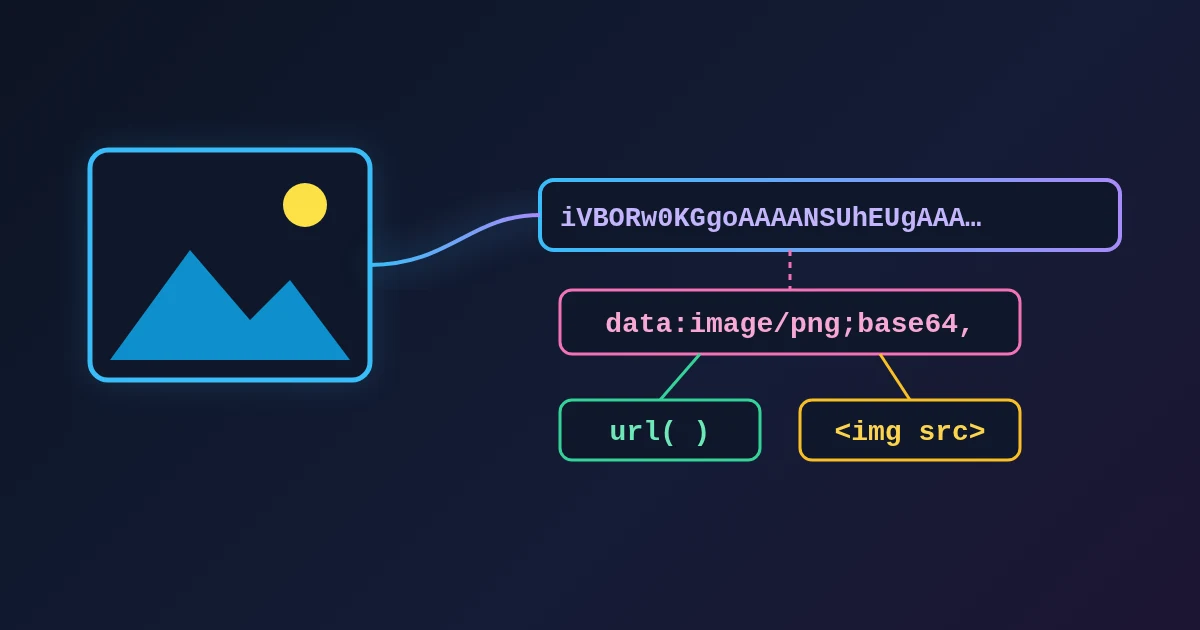
A photo is stored inside the card as base64 image data, often tens of thousands of characters. In a spreadsheet cell it is unusable, and it would make every other column impossible to read. The number of photos left out appears under the output, so you know they were there. Logos, sounds and keys get the same treatment.
Practical Examples
Example 1: Finding Duplicates
Convert, sort by full_name, and read the block where the same name repeats. Sorting by phone catches the duplicates that were saved under two different names.
Example 2: Building a Mailing List
Convert, keep the full_name and email columns, and drop the rows where the email is empty.
Example 3: A Contact With Five Numbers
The phone column has the one marked preferred. The phones column has all five, each labelled, so nothing is lost when you review it.
Example 4: An Old Outlook Export
The file is vCard 2.1 with quoted-printable names and a photo in every card. The names come out correct, the photos are counted and omitted, and the row count matches the contact count.
Common Mistakes
Mistake 1: Judging the Output by the First Column Only
full_name comes from the display name when there is one. The given_name and family_name columns come from the structured field, which some cards leave empty. Check all three before concluding a name is missing.
Mistake 2: Expecting the Photos
They are omitted on purpose, and the count says how many.
Mistake 3: Assuming One Phone per Contact
Look at the phones column before you import. A contact whose only reachable number is their third one is common.
Mistake 4: Opening in Excel Without the BOM
An accented name that survived the conversion can still display wrongly in Excel on Windows. Turn on Excel BOM before downloading.
Mistake 5: Trusting a Birthday With No Year
iPhone stores a year-less birthday as the year 1604. The tool writes the year-less form instead, so nobody appears to have been born in the seventeenth century.
Tools Used in This Guide
- VCF to CSVOne row per contact from a vCard export.
- CSV ViewerSort and filter the result without a spreadsheet app.
- CSV to ExcelTurn the CSV into an .xlsx workbook.
- Bookmarks HTML to CSVThe same job for a browser export.
FAQ
Q1: Is FindUtils VCF to CSV free to use? A: Yes. The tool is free and needs no account. It converts one file at a time in the browser.
Q2: Does it read a file with hundreds of contacts?
A: Yes. A .vcf export is one file holding card after card, and every card is read in one pass.
Q3: Which vCard versions are supported? A: 2.1, 3.0 and 4.0, which covers everything in circulation.
Q4: Why do accented names break in other tools? A: They decode each quoted-printable escape as a character instead of collecting the bytes first. This tool collects the bytes.
Q5: What happened to the photos? A: They are left out of the spreadsheet and counted under the output.
Q6: Is my address book uploaded? A: No. The file is parsed in the browser and no request carries it.
Next Steps
Convert the export and check one contact against the phone before importing the file anywhere.
- Convert a file with VCF to CSV.
- Read the result with the CSV Viewer.
- Do the same for a browser export with Bookmarks HTML to CSV.
- Several exports from old phones? Combine them into one vCard file before importing.